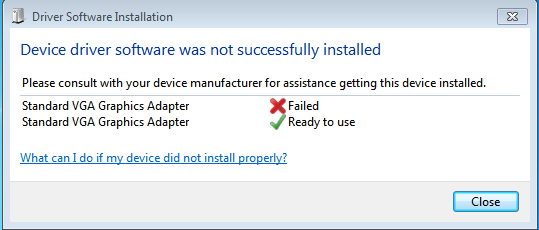
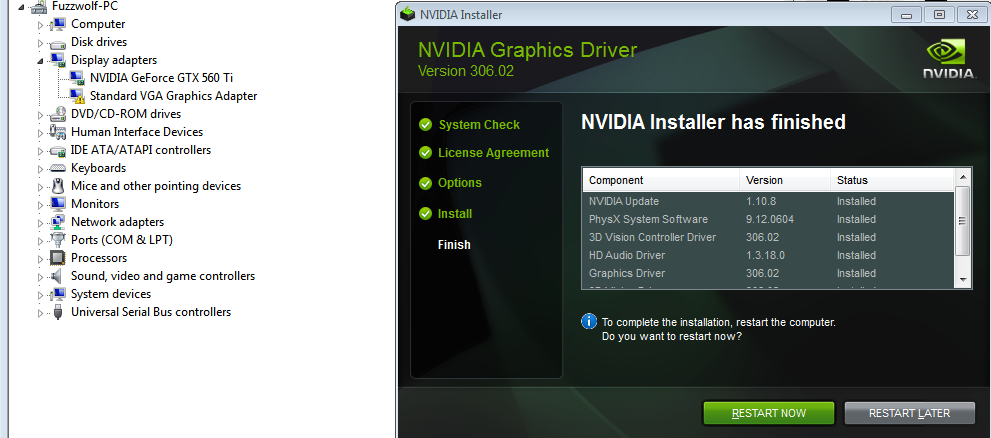
After resetting the jumper back to my graphics card and booting up, the card does not function correctly. After I reinstall the driver, the one on the top of the EVGA list, I receive the same blue screen when I attempt to boot up Windows to run it.Fuzzwolf,
The following snip is from the evga site, 500 series, win 7 x64 drivers
View attachment 232114
My suggestion:
download the latest correct driver.
Do NOT install at this time.
once again, put the jumper to the onboard graphics.
Boot up.
Use Device Management, (devmgmt.msc) and disable, then uninstall all of the drivers for your evga card.
shut back down,
reset the jumper to use your graphics card.
Do NOT install any drivers.
Does the card work correctly?
If no, then :
Install the driver you just downloaded.
Before I attempted to install the proper driver, this is what I saw in device manager. I guess these identical two automatically installed themselves, but the top one isn't functional.

My Computer
At a glance
Windows 7 Ultimate x64Intel Xeon X3450 2.66ghz24GB Registered ECC RAMEVGA 02G-P3-1568-KR GeForce GTX 560 Ti (Fermi...
- OS
- Windows 7 Ultimate x64
- CPU
- Intel Xeon X3450 2.66ghz
- Motherboard
- Supermicro X8SIA-F
- Memory
- 24GB Registered ECC RAM
- Graphics Card(s)
- EVGA 02G-P3-1568-KR GeForce GTX 560 Ti (Fermi) 2GB 256-bit G
- Sound Card
- RF-71SDCD
- Monitor(s) Displays
- HP S2331a 23 inch Diagonal LCD Monitor
- Screen Resolution
- 1920x1080
- Keyboard
- Logitech® Wireless Wave Combo MK550
- Mouse
- Logitech® Wireless Wave Combo MK550
- Internet Speed
- 30mbs x 30mbs