Great site!
Looked around at different threads but can't seem to find anything on this.
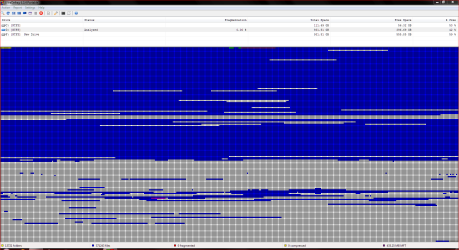
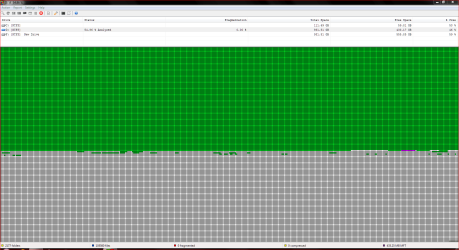
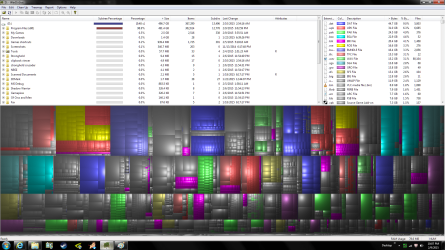
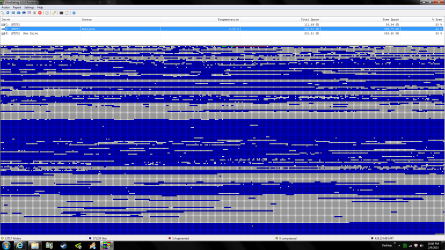
After moving games off of a HDD to a new HDD. there are scattered spaces left (300 GB). I've defragged with Ultra-defrag. No fragmentation. Is it ok to leave all these spaces or will the drive like it better if the files (mostly games) are all packed together? If so, how can I do this? it's my D: drive. Not C: (which contains the OS).
Thanks in advance,
Scott.
Windows 7 premium 64
C: 120GB Samsung EVO
D: 1TB HDD
F: 1TB HDD
i5 4670 3.4 ghz
GTX 970
8 gb ram
Looked around at different threads but can't seem to find anything on this.
After moving games off of a HDD to a new HDD. there are scattered spaces left (300 GB). I've defragged with Ultra-defrag. No fragmentation. Is it ok to leave all these spaces or will the drive like it better if the files (mostly games) are all packed together? If so, how can I do this? it's my D: drive. Not C: (which contains the OS).
Thanks in advance,
Scott.
Windows 7 premium 64
C: 120GB Samsung EVO
D: 1TB HDD
F: 1TB HDD
i5 4670 3.4 ghz
GTX 970
8 gb ram
Attachments
Last edited:
My Computer
At a glance
Win 7 Premium x64 SP1i5 4670 3.4 ghz8 GBGTX-970
- Computer type
- PC/Desktop
- Computer Manufacturer/Model Number
- Custom
- OS
- Win 7 Premium x64 SP1
- CPU
- i5 4670 3.4 ghz
- Motherboard
- Asus H87D
- Memory
- 8 GB
- Graphics Card(s)
- GTX-970
- Screen Resolution
- 1920x1080
- Hard Drives
- C: Samsung EVO 120 GB
D: Seagate 1TB HDD
F: Seagate 1TB HDD
- PSU
- 750w Coolermax
- Keyboard
- Apex Raw
- Mouse
- Rival
- Antivirus
- McAfee
- Browser
- IE10