
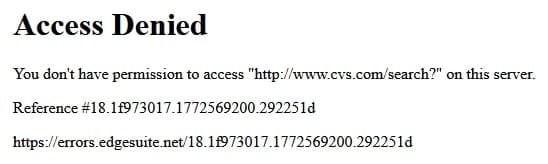
Cannot do a product search on the CVS site

debodun

New member
The CVS site open okay, but if I try to do a product search I get this message (I cleared the CVS cookie and cache):
 

Attachments

  • CVS.jpg
    CVS.jpg
    27.5 KB · Views: 8

My Computer

Computer type
PC/Desktop
Computer Manufacturer/Model Number
refurb in an HP/Compaq case
OS
Windows 7 Ultimate x64
CPU
1.86 GHz Intrel Core 2
Motherboard
HP 0A60h XU1
Memory
3 GB Dual Channel DDR2 @ 3.32 MHz
Graphics Card(s)
Intel Q965/Q963 Express chipset
Monitor(s) Displays
Dell CRT
Hard Drives
977GB Samsung HD 103 SI ATA
Case
HP Compaq DC5800
Mouse
wired optical
Antivirus
Microsoft Security Essentials, MalwareBytes, Spyware Blaster
Browser
Firefox 32-bit
Different error message but same problem as your earlier post, and the solution is the same. Stop using an obsolete browser.
 

My Computer

Computer type
PC/Desktop
Computer Manufacturer/Model Number
Dell Optiplex 7050
OS
Windows 7/8.1/10 multiboot
CPU
Intel Core i7-7700
Motherboard
Dell, Intel Q270 chipset
Memory
48GB (2x16GB Crucial DDR4-3200 + 2x8GB Hynix DDR4-2400)
Graphics Card(s)
Intel HD630 + AMD Radeon R7 450 PCIe
Monitor(s) Displays
Asus VC279 (27")
Screen Resolution
1920x1080
Hard Drives
Toshiba M.2 NVMe (256GB),
Samsung 960 Evo (500GB),
WD Red Plus 80EFBX (8TB)
This happens with Firefox 115 ESR even with latest security updates from Feb 2026. Multiple other sites do this as well (Lowes, Kroger). Firefox 115 ESR is the latest Firefox that still runs on Win 7/8.

Even if you are not using Firefox, it may be that other browsers where Win 7/8 support was discontinued since an older version of the browser causes the same problem. (Due to using an older version of the browser.)

So you need a newer web browser.

One option: There is a fork of Firefox called r3dfox that works on Win 7/8 and is based on a recent release of Firefox. (147) Using that browser has fixed this problem for me.
 

My Computer

Computer type
PC/Desktop
OS
Windows 7 64 bit
Back
Top