Halevant41
New member
- Local time
- 2:41 PM
- Messages
- 12
Hello
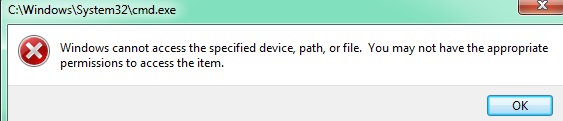
Today i experienced something very strange. I have 2 computers running on Windows 7. I needed to reset my TCP/IP protocol using the following command: netsh int ip reset c:\resetlog.txt however cmd needs to be run as admin. I tried start > cmd > right click run as admin and it gave me error that I don't have access to the specified device, path or file. I don't have the appropriate permissions to access the item.
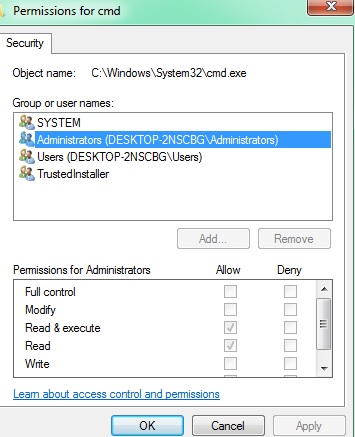
I go to where CMD is located and I viewed the security settings, something is very very wrong. The Administrator group only has read & execute and read permissions. I cannot even change the settings.
It happened not only to this computer but also the other one as well.
The create shortcut method > run as admin won't work as well because it will give me the same error, please help!
Today i experienced something very strange. I have 2 computers running on Windows 7. I needed to reset my TCP/IP protocol using the following command: netsh int ip reset c:\resetlog.txt however cmd needs to be run as admin. I tried start > cmd > right click run as admin and it gave me error that I don't have access to the specified device, path or file. I don't have the appropriate permissions to access the item.
I go to where CMD is located and I viewed the security settings, something is very very wrong. The Administrator group only has read & execute and read permissions. I cannot even change the settings.
It happened not only to this computer but also the other one as well.
The create shortcut method > run as admin won't work as well because it will give me the same error, please help!
My Computer
At a glance
Windows 7
- Computer type
- PC/Desktop
- OS
- Windows 7