I have run the theme patcher as well as the take ownership reg key change. However, the instructions on that deviant art page clearly don't explain how to install it correctly.
Every time I try to install it through the theme installer, it gives me some error about how folder names aren't matching. Also, the explorer frames are never applied. THE ONLY change that's happened is my explorer arrows being skinned.
I've spent hours and at least 20 restarts trying to do this... Can anyone please, please, please provide me a step-by-step on how to get the theme I linked working correctly?
Welcome to the Seven Forums
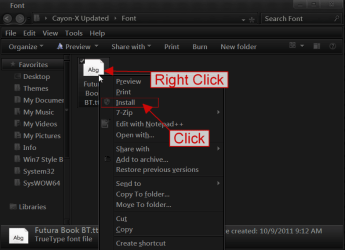
1st the theme (Install the font if you want Right Click, Click install)
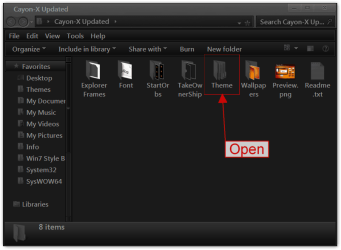
Open
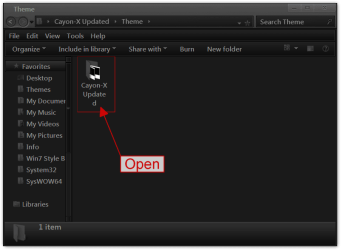
Open
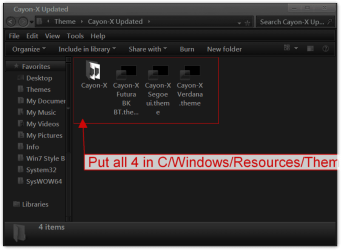
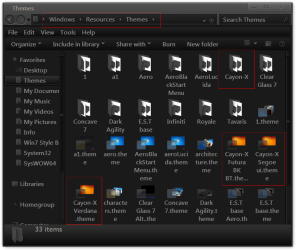
Put all 4 in C/Windows/Resources/Themes
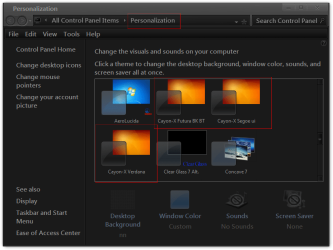
Are they in Personalization? If so click on one. Did it work?
2nd ExplorerFrame.dll
Follow post #6 in this thread ( use ExplorerFrame.dll where it shows shell32.dll) http://www.sevenforums.com/customization/179502-basic-networking-information.html#post1525656 do not skip any steps you need to take ownership and then give permissions then change the name then add new ExplorerFrame.dll in both C:\Windows\System32 (x86)and C:\Windows\SysWOW64 (x64) because you have 64 bit. Be sure to use the right .dll (x86 in C:\Windows\System32 and x64 in C:\Windows\SysWOW64)