Hello,
We have a small LAN in the office comprising 6 PC's and 2 printers.
However, there is this one PC just added about 2 weeks back which cannot be pinged to. It's IP number is 192.168.1.101 and has been set to static while all others run on DHCP.
From any machine, ping 192.169.1.1.01 will result in a request timed out but pinging any PC from 192.168.1.101 will get replies.
192.168.1.101 is a Windows 7 PC.
I've had to set this to static IP as there's a CCTV app running on this and from other PC's we can load the CCTV stream to view.
192.168.1.101 is a headless machine and the CCTV app runs as a Windows service upon booting.
Now when running the CCTV client software (viewer app) from another PC on the LAN results in "CCTV server not found" error, that's when we tied to ping 192.168.1.101 and realised this issue.
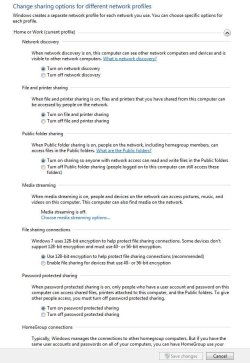
For some reason I can't even turn off the firewall (temporarily) to see if it can be reached in that case. Plus, it was setup to public network location and I can't even shift to Home network or Work/Office - it just says the change could not be done and to try later from Network and Sharing. I've even tried to do this by booting this PC in safe mode, but no luck.
Would really appreciate some help on this, pls.
Thanks in anticipation.
We have a small LAN in the office comprising 6 PC's and 2 printers.
However, there is this one PC just added about 2 weeks back which cannot be pinged to. It's IP number is 192.168.1.101 and has been set to static while all others run on DHCP.
From any machine, ping 192.169.1.1.01 will result in a request timed out but pinging any PC from 192.168.1.101 will get replies.
192.168.1.101 is a Windows 7 PC.
I've had to set this to static IP as there's a CCTV app running on this and from other PC's we can load the CCTV stream to view.
192.168.1.101 is a headless machine and the CCTV app runs as a Windows service upon booting.
Now when running the CCTV client software (viewer app) from another PC on the LAN results in "CCTV server not found" error, that's when we tied to ping 192.168.1.101 and realised this issue.
For some reason I can't even turn off the firewall (temporarily) to see if it can be reached in that case. Plus, it was setup to public network location and I can't even shift to Home network or Work/Office - it just says the change could not be done and to try later from Network and Sharing. I've even tried to do this by booting this PC in safe mode, but no luck.
Would really appreciate some help on this, pls.
Thanks in anticipation.
My Computer
- Computer type
- PC/Desktop
- OS
- different ones - XP, Vista, 7, 8, 8.1, 10. 32-bit, 64 Bit, Different flavours of Linux