Solved Can't record audio from Stereo Mix

Rombom

New member
Local time
9:01 AM
Messages
7
See the title. For a while now, I've been trying to record audio that output from my speakers, but have been unsuccessful. I have already activated Stereo Mix and am trying to record from it, but nothing comes out. Interestingly, the green bar in Sound Options next to Stereo Mix DOES fluctuate, I am just unable to record what comes out.

If more information is needed, ask and I'll give it.

Help would be immensely appreciated as I have tried many solutions past that and none of them have worked!
 

My Computer My Computer

At a glance

Windows 7 Home Premium x64
OS
Windows 7 Home Premium x64
What are you trying to record with? I would suggest aduacity to do this job, but i dont really know what is the purpose.
Do you have realtek audio?
 

My Computer My Computer

At a glance

Windows 7 Ultimate 64 bit SP1Intel(R) Core(TM) i5-2500K12GB Kingston Hyperx 1600MHzAsus GTS 450
Computer type
PC/Desktop
Computer Manufacturer/Model Number
Custom Built PC
OS
Windows 7 Ultimate 64 bit SP1
CPU
Intel(R) Core(TM) i5-2500K
Motherboard
Gigabyte Technology Co., Ltd. Z68X-UD3-B3
Memory
12GB Kingston Hyperx 1600MHz
Graphics Card(s)
Asus GTS 450
PSU
500W Coolink
Other Info
Genius G-Pen F610 (PenPad)
It's not the recording program. I have audacity, and I've also tried it with a number of other programs. None of it works.

And yes, I have realtek audio.
 

My Computer My Computer

At a glance

Windows 7 Home Premium x64
OS
Windows 7 Home Premium x64
So i guess you have updated the driver from here.
I'll be back ina minute.
 

My Computer My Computer

At a glance

Windows 7 Ultimate 64 bit SP1Intel(R) Core(TM) i5-2500K12GB Kingston Hyperx 1600MHzAsus GTS 450
Computer type
PC/Desktop
Computer Manufacturer/Model Number
Custom Built PC
OS
Windows 7 Ultimate 64 bit SP1
CPU
Intel(R) Core(TM) i5-2500K
Motherboard
Gigabyte Technology Co., Ltd. Z68X-UD3-B3
Memory
12GB Kingston Hyperx 1600MHz
Graphics Card(s)
Asus GTS 450
PSU
500W Coolink
Other Info
Genius G-Pen F610 (PenPad)
yes, I do have that driver update.
 

My Computer My Computer

At a glance

Windows 7 Home Premium x64
OS
Windows 7 Home Premium x64
I can't say that this, or that is the problem so you will have to go through some troubleshooting..
Open cpanel/Sound open your stereo mixer and disable all sound effects, set the level to 50, and tick both options und the advanced tab.
Open audacity /properties set record device to stereo mixer. Play back something and hit the record button.
 

My Computer My Computer

At a glance

Windows 7 Ultimate 64 bit SP1Intel(R) Core(TM) i5-2500K12GB Kingston Hyperx 1600MHzAsus GTS 450
Computer type
PC/Desktop
Computer Manufacturer/Model Number
Custom Built PC
OS
Windows 7 Ultimate 64 bit SP1
CPU
Intel(R) Core(TM) i5-2500K
Motherboard
Gigabyte Technology Co., Ltd. Z68X-UD3-B3
Memory
12GB Kingston Hyperx 1600MHz
Graphics Card(s)
Asus GTS 450
PSU
500W Coolink
Other Info
Genius G-Pen F610 (PenPad)
Under Sound / communications select 'do nothing'.
 

My Computer My Computer

At a glance

Windows 7 Ultimate 64 bit SP1Intel(R) Core(TM) i5-2500K12GB Kingston Hyperx 1600MHzAsus GTS 450
Computer type
PC/Desktop
Computer Manufacturer/Model Number
Custom Built PC
OS
Windows 7 Ultimate 64 bit SP1
CPU
Intel(R) Core(TM) i5-2500K
Motherboard
Gigabyte Technology Co., Ltd. Z68X-UD3-B3
Memory
12GB Kingston Hyperx 1600MHz
Graphics Card(s)
Asus GTS 450
PSU
500W Coolink
Other Info
Genius G-Pen F610 (PenPad)
Done that. Still nothing...
 

My Computer My Computer

At a glance

Windows 7 Home Premium x64
OS
Windows 7 Home Premium x64
Go to your speaker/levels and put everything to 100, if still nothing happens than it could be a hardware problem.
 

My Computer My Computer

At a glance

Windows 7 Ultimate 64 bit SP1Intel(R) Core(TM) i5-2500K12GB Kingston Hyperx 1600MHzAsus GTS 450
Computer type
PC/Desktop
Computer Manufacturer/Model Number
Custom Built PC
OS
Windows 7 Ultimate 64 bit SP1
CPU
Intel(R) Core(TM) i5-2500K
Motherboard
Gigabyte Technology Co., Ltd. Z68X-UD3-B3
Memory
12GB Kingston Hyperx 1600MHz
Graphics Card(s)
Asus GTS 450
PSU
500W Coolink
Other Info
Genius G-Pen F610 (PenPad)
There could be some corruption between the sound and Windows. Go to the Device Manager and uninstall the sound device (DO NOT check the box to uninstall the drivers). Then restart the PC and when Windows starts it will detect and reinstall the sound. This fixes a lot of flakey problems and may take care of your problem.

Also, make sure whatever recording program you are using is set to get it's input from the System Mixer.
 

My Computer My Computer

At a glance

Windows 10 64 bitIntel i7 6700K16GB Corsair DominatorIntel CPU Graphics
Computer type
PC/Desktop
Computer Manufacturer/Model Number
My Own Build
OS
Windows 10 64 bit
CPU
Intel i7 6700K
Motherboard
ASUS ROG Maximus VIII Hero
Memory
16GB Corsair Dominator
Graphics Card(s)
Intel CPU Graphics
Sound Card
RealTek
Monitor(s) Displays
27" Dell S2719dgf
Screen Resolution
2560X1440
Hard Drives
1 TB Samsung 850 EVO SSD for Win 10 Pro
500GB Samsung 850 EVO SSD for Win 10 Insider
2 TB drive for backup
PSU
EVGA Supernova 750G2
Case
BeQuiet Silent Base 600
Cooling
Deepcool Captain 120EX
Keyboard
Microsoft Wireless 2000
Mouse
Microsoft wireless
Internet Speed
100 MB/sec (Cable)
Antivirus
Microsoft Defender and Malwarebytes
Browser
Edge/Firefox
Other Info
Cakewalk (Sonar) by BandLab and Studio One 4.1 Pro recording studio software. MOTU 896Mk3 Hybrid recording interface, Frontier Tranzport wireless control unit, Behringer X-Touch Control Surface.
Five USB connected optical drives for CD Audio production using Nero BurningROM
Done both of these things just now, didn't work.

And yeah, it is getting input from the Mixer.
 

My Computer My Computer

At a glance

Windows 7 Home Premium x64
OS
Windows 7 Home Premium x64
If the recording program such as Audacity is showing input, then it should be recording.

Here is a screenshot of Audacity (Beta Version for Win 7) recording, showing the Stereo Mixer set as input. If you haven't set it up this way, try it.
 

Attachments

  • Audacity record.JPG
    Audacity record.JPG
    100.3 KB · Views: 242

My Computer My Computer

At a glance

Windows 10 64 bitIntel i7 6700K16GB Corsair DominatorIntel CPU Graphics
Computer type
PC/Desktop
Computer Manufacturer/Model Number
My Own Build
OS
Windows 10 64 bit
CPU
Intel i7 6700K
Motherboard
ASUS ROG Maximus VIII Hero
Memory
16GB Corsair Dominator
Graphics Card(s)
Intel CPU Graphics
Sound Card
RealTek
Monitor(s) Displays
27" Dell S2719dgf
Screen Resolution
2560X1440
Hard Drives
1 TB Samsung 850 EVO SSD for Win 10 Pro
500GB Samsung 850 EVO SSD for Win 10 Insider
2 TB drive for backup
PSU
EVGA Supernova 750G2
Case
BeQuiet Silent Base 600
Cooling
Deepcool Captain 120EX
Keyboard
Microsoft Wireless 2000
Mouse
Microsoft wireless
Internet Speed
100 MB/sec (Cable)
Antivirus
Microsoft Defender and Malwarebytes
Browser
Edge/Firefox
Other Info
Cakewalk (Sonar) by BandLab and Studio One 4.1 Pro recording studio software. MOTU 896Mk3 Hybrid recording interface, Frontier Tranzport wireless control unit, Behringer X-Touch Control Surface.
Five USB connected optical drives for CD Audio production using Nero BurningROM
Yeah, I have mine setup that way. But when I start to records, all I get is a flatline.
 

My Computer My Computer

At a glance

Windows 7 Home Premium x64
OS
Windows 7 Home Premium x64
From what you've posted that you have done, there basically is nothing left other than a complete clean reinstallation of the OS (and all drivers and software).

However, it still goes back to the sound device and drivers as the usual cause, but Windows can be the culprit as it's how Windows handles that function.
 

My Computer My Computer

At a glance

Windows 10 64 bitIntel i7 6700K16GB Corsair DominatorIntel CPU Graphics
Computer type
PC/Desktop
Computer Manufacturer/Model Number
My Own Build
OS
Windows 10 64 bit
CPU
Intel i7 6700K
Motherboard
ASUS ROG Maximus VIII Hero
Memory
16GB Corsair Dominator
Graphics Card(s)
Intel CPU Graphics
Sound Card
RealTek
Monitor(s) Displays
27" Dell S2719dgf
Screen Resolution
2560X1440
Hard Drives
1 TB Samsung 850 EVO SSD for Win 10 Pro
500GB Samsung 850 EVO SSD for Win 10 Insider
2 TB drive for backup
PSU
EVGA Supernova 750G2
Case
BeQuiet Silent Base 600
Cooling
Deepcool Captain 120EX
Keyboard
Microsoft Wireless 2000
Mouse
Microsoft wireless
Internet Speed
100 MB/sec (Cable)
Antivirus
Microsoft Defender and Malwarebytes
Browser
Edge/Firefox
Other Info
Cakewalk (Sonar) by BandLab and Studio One 4.1 Pro recording studio software. MOTU 896Mk3 Hybrid recording interface, Frontier Tranzport wireless control unit, Behringer X-Touch Control Surface.
Five USB connected optical drives for CD Audio production using Nero BurningROM
Set Steromix as your Default Input Device
 

My Computer My Computer

At a glance

Win 7 x64Q9300Mushkin Resline 16 gigTwin ATI 5670
Computer Manufacturer/Model Number
Home Build
OS
Win 7 x64
CPU
Q9300
Motherboard
Gigabyte EP45T-USB3P
Memory
Mushkin Resline 16 gig
Graphics Card(s)
Twin ATI 5670
Sound Card
Realteck
Monitor(s) Displays
AOC 22"
Hard Drives
Seven WD !TB Black
PSU
Ultra 650
Err yeah, apparently recording from Stereo Mix doesn't work with USB speakers.

Thanks for the (attempted) help, at any rate!
 

My Computer My Computer

At a glance

Windows 7 Home Premium x64
OS
Windows 7 Home Premium x64
See the title. For a while now, I've been trying to record audio that output from my speakers, but have been unsuccessful. I have already activated Stereo Mix and am trying to record from it, but nothing comes out. Interestingly, the green bar in Sound Options next to Stereo Mix DOES fluctuate, I am just unable to record what comes out.

If more information is needed, ask and I'll give it.

Help would be immensely appreciated as I have tried many solutions past that and none of them have worked!
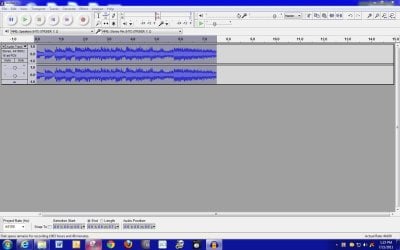
Windows 7 has no "stereo mix" available as in XP, I had try many suggestions without any solution. However, I might have a solution for you as it works for me.


After installation of the Audacity 2.1.0, besides the MP3 export plugin (LAME MP3 encoding), download this plugin - LADSPA ( (Linux Audio Developers Simple Plug-in API) ): Download Audacity. I installed them into the C:\Program Files (x86)\Audacity\Plug-ins (without this plugin, no matter What I have tried, there was no way for me to record any audio from the audio devices.


Make sure use this API "Windows WASAPI" as oppose to the "MME" and "Windows Direct Sound" and "Speaker (High Definition Device)", ( Your sound board might be different from mine) for the recording microphone.

FileDownloadHandler.ashx

As you I have a very nice recording.


VE5YAN
 
Last edited by a moderator:

My Computer My Computer

At a glance

Win 7 Ultimate 64bit
OS
Win 7 Ultimate 64bit
Back
Top