CD/DVD Driver stopping my whole process

tomween1

New member
Member
Local time
8:55 PM
Messages
44
Location
US - Vermont
I am trying to install Win7 RC into to different machines. Both are self built machines. Both are running Win XP w/ sp2.

On one machine I have tried everything to get past a CD/DVD Driver request. The first DVD driver is a NEC ND-2500A. I found what I thought were the drivers, but whenever I get to the point of selecting the drive (with the drivers in it) they don't appear within the DVD drive. I even went as far as to load the driver onto the HDD I am installing Win& to. After may attempts, with no luck, I installed a plug and play CD/DVD player. Now, I have never had driver's for this unit, but it still wants drivers for it.

What am I missing here? Why won't it get past this point. I have even gone as far as disconnecting C drive and tried loading directly to D drive (second HDD drive).

On the second computer it mentions something about an I/O shield problem and wont even let me get into the setup stage.

All help would be gratefully appreciated.

Tom
 

My Computer My Computer

Computer Manufacturer/Model Number
Self Built
OS
Windows 7 Premium, SP1 64-Bit
CPU
AMD Phenom II X4 955 Black Edition Deneb 3.2GHz
Motherboard
Gigabyte ga-990xa-ud3
Memory
Kingston HyperX Blu 8GB (2x 4GB) DDR3-1333MHz
Graphics Card(s)
XFX Radeon HD 6790 Double D
Monitor(s) Displays
LG 26LV2500
Screen Resolution
1366 X 768
Hard Drives
WD 500gb
WD 750gb
WD My Book 1tb external BU Drive
PSU
A-Power AK 900W
Case
CM COSMOS S Black Aluminum ATX Full Tower
Keyboard
Logitech Wireless Wave MK550
Mouse
Dito
You aren't being very specific with your details here...:sarc:
Are you trying to upgrade to W7 RC 7100 from XP (which is a Royal PITA & not recommended) OR, are you trying to install W7 RC 7100 doing a Format & Clean installation which is the recommended way...

Also, how OLD are these system's you built as HW does make a diff with W7. The newer the better.
Also I would have posted this in Installation & Setup as it is more relevant to what this problem is.
Post back with these answers & we'll go on from there. ;)
 

My Computer My Computer

Computer Manufacturer/Model Number
ABS Tech Ultimate X9
OS
Windows® 7 Ultimate x64 SP1
CPU
Intel Core 2 Duo E8400 (E0) @ 4.0GHz
Motherboard
ASUS P5Q Pro Turbo / 1780 FSB
Memory
G.SKILL-F2-8500CL5D-4GBPK (2x2Gbs) (5-5-5-15) @ 1067Mhz
Graphics Card(s)
EVGA GTX 470 SC (845/1690/2000) 160Gbs
Sound Card
VIA HD Audio / Boston Acoustics
Monitor(s) Displays
Acer X222W HD 22" LCD 2500:1 / 5ms
Screen Resolution
1680x1050
Hard Drives
Seagate Barracuda SATAII 2 x 320GB
Seagate Barracuda SATAII 1Tb
Intel® Rapid Storage Technology v10.1.0.1008
AHCI-NCQ Enabled
PSU
Silent Pro GOLD 80 PLUS 800w /95% efficiency / SLI-Crossfire
Case
ABS Stealth Black-Custom
Cooling
CoolerMaster V6GT 6 Heatpipe 200w CPU Cooler
Keyboard
Logitech G15 Gaming Keyboard (Old Style Blue!)
Mouse
Logitech MX518 Gaming Mouse
Internet Speed
1Mbs-up/ 6Mbs-down
<You aren't being very specific with your details here
Are you trying to upgrade to W7 RC 7100 from XP (which is a Royal PITA & not recommended) OR, are you trying to install W7 RC 7100 doing a Format & Clean installation which is the recommended way."


Thanks for the interest. This is a clean install, however I never even get to that part. I do not make it to the Upgrade or Custom window. As I stated below I have tried to load this directly to the second HDD I installed just for this install.
 

My Computer My Computer

Computer Manufacturer/Model Number
Self Built
OS
Windows 7 Premium, SP1 64-Bit
CPU
AMD Phenom II X4 955 Black Edition Deneb 3.2GHz
Motherboard
Gigabyte ga-990xa-ud3
Memory
Kingston HyperX Blu 8GB (2x 4GB) DDR3-1333MHz
Graphics Card(s)
XFX Radeon HD 6790 Double D
Monitor(s) Displays
LG 26LV2500
Screen Resolution
1366 X 768
Hard Drives
WD 500gb
WD 750gb
WD My Book 1tb external BU Drive
PSU
A-Power AK 900W
Case
CM COSMOS S Black Aluminum ATX Full Tower
Keyboard
Logitech Wireless Wave MK550
Mouse
Dito
<You aren't being very specific with your details here
Are you trying to upgrade to W7 RC 7100 from XP (which is a Royal PITA & not recommended) OR, are you trying to install W7 RC 7100 doing a Format & Clean installation which is the recommended way."


Thanks for the interest. This is a clean install, however I never even get to that part. I do not make it to the Upgrade or Custom window. As I stated below I have tried to load this directly to the second HDD I installed just for this install.

This is just a hunch, but this sounds to me (from others that have run into this same problem) that you have either a bad ISO image file OR, you have a bad burn of the image to the DVD. :huh:
Try re-burning the ISO image using a slower speed if possible. The slower the better as this will give you your best results. ;)

I personally use NERO for burning all my ISO image's for the W7U builds & this has worked perfectly for me every time.

You can also go the Flashdrive installation route!
(Click the blue text)
There is a tutorial for this here on the Seven Forums.
 
Last edited:

My Computer My Computer

Computer Manufacturer/Model Number
ABS Tech Ultimate X9
OS
Windows® 7 Ultimate x64 SP1
CPU
Intel Core 2 Duo E8400 (E0) @ 4.0GHz
Motherboard
ASUS P5Q Pro Turbo / 1780 FSB
Memory
G.SKILL-F2-8500CL5D-4GBPK (2x2Gbs) (5-5-5-15) @ 1067Mhz
Graphics Card(s)
EVGA GTX 470 SC (845/1690/2000) 160Gbs
Sound Card
VIA HD Audio / Boston Acoustics
Monitor(s) Displays
Acer X222W HD 22" LCD 2500:1 / 5ms
Screen Resolution
1680x1050
Hard Drives
Seagate Barracuda SATAII 2 x 320GB
Seagate Barracuda SATAII 1Tb
Intel® Rapid Storage Technology v10.1.0.1008
AHCI-NCQ Enabled
PSU
Silent Pro GOLD 80 PLUS 800w /95% efficiency / SLI-Crossfire
Case
ABS Stealth Black-Custom
Cooling
CoolerMaster V6GT 6 Heatpipe 200w CPU Cooler
Keyboard
Logitech G15 Gaming Keyboard (Old Style Blue!)
Mouse
Logitech MX518 Gaming Mouse
Internet Speed
1Mbs-up/ 6Mbs-down
That went well. on my new disk re write I went to 2x. That was the trick.

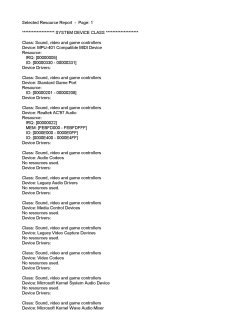
I do have a final question, the sound is not working. It is on board sound. It says the sound card may be being used by another program. What do I do here. I also noticed it says the same thing about my wifi card.

Thanks again, Tom
 

My Computer My Computer

Computer Manufacturer/Model Number
Self Built
OS
Windows 7 Premium, SP1 64-Bit
CPU
AMD Phenom II X4 955 Black Edition Deneb 3.2GHz
Motherboard
Gigabyte ga-990xa-ud3
Memory
Kingston HyperX Blu 8GB (2x 4GB) DDR3-1333MHz
Graphics Card(s)
XFX Radeon HD 6790 Double D
Monitor(s) Displays
LG 26LV2500
Screen Resolution
1366 X 768
Hard Drives
WD 500gb
WD 750gb
WD My Book 1tb external BU Drive
PSU
A-Power AK 900W
Case
CM COSMOS S Black Aluminum ATX Full Tower
Keyboard
Logitech Wireless Wave MK550
Mouse
Dito
That went well. on my new disk re write I went to 2x. That was the trick.

I do have a final question, the sound is not working. It is on board sound. It says the sound card may be being used by another program. What do I do here. I also noticed it says the same thing about my wifi card.

Thanks again, Tom
sounds like your drivers on sound and wifi are confused. recommend you delete/uninstall both, then manually add ea one. that will stop the confusion.
That problem started way back in win95 that I remember and still today is confusing, since both of yours it seems have sound drivers.
Remember Win7 is still in BETA, and sometimes they leave out a set or two and without full specs on your system. it really is hard to tell. You might also check
Code:
[URL]http://www.microsoft.com/whdc/hcl/default.mspx[/URL]
to insure your devices are compatible.

I use Win7 to cut=burn all my
dvd's open with media player, add to library, saveas, burn. and I always burn isos on a DVD-RW 2.4x. never a bad burn that way.
 
Sorry one other thing. I am using a Toshiba 32" lcd tv as the monitor. It is connected to my Zotac 9800GTX using a XVGA - HDMI cable. I need large font(though it doesn't seem to matter, which font I use) I loose all for edges into the monitor. EX. The exit icon is down half way and to the right. It is no fully located in the screens parameters. The only icon on the top left (which I can't tell what it is) is also cut in half and to the left.

NOTE: This having been said. in windows XP I have rez set at 1380 X 765, which gives me exactly what I need. The closest rez that Win 7 offers is (from memory) 1027 X 760.

Any thoughts?

Thanks, Tom
 

My Computer My Computer

Computer Manufacturer/Model Number
Self Built
OS
Windows 7 Premium, SP1 64-Bit
CPU
AMD Phenom II X4 955 Black Edition Deneb 3.2GHz
Motherboard
Gigabyte ga-990xa-ud3
Memory
Kingston HyperX Blu 8GB (2x 4GB) DDR3-1333MHz
Graphics Card(s)
XFX Radeon HD 6790 Double D
Monitor(s) Displays
LG 26LV2500
Screen Resolution
1366 X 768
Hard Drives
WD 500gb
WD 750gb
WD My Book 1tb external BU Drive
PSU
A-Power AK 900W
Case
CM COSMOS S Black Aluminum ATX Full Tower
Keyboard
Logitech Wireless Wave MK550
Mouse
Dito
NOTE: This having been said. in windows XP I have rez set at 1380 X 765, which gives me exactly what I need. The closest rez that Win 7 offers is (from memory) 1027 X 760.
almost all TV's with Computer hookups have AUTO ADJUST, and make sure you have "stretch " turn off. Set to normal for computer.
PS: I do love to play games on my 46" HD TV.
 
Sorry about the spec's as you can see I started looking for help today and forgot to install spec's.

ASUS A8n32-SLI Deluxe
Athlon 64 FX-60
WD 1tb HDD
WD 720 HDD
Linksys Wireless-G PCI adapter
Zotac 9800GTX 512mb

Attached are the settings in XP for the settings.
 

Attachments

  • Display settings.JPG
    Display settings.JPG
    168.3 KB · Views: 125

My Computer My Computer

Computer Manufacturer/Model Number
Self Built
OS
Windows 7 Premium, SP1 64-Bit
CPU
AMD Phenom II X4 955 Black Edition Deneb 3.2GHz
Motherboard
Gigabyte ga-990xa-ud3
Memory
Kingston HyperX Blu 8GB (2x 4GB) DDR3-1333MHz
Graphics Card(s)
XFX Radeon HD 6790 Double D
Monitor(s) Displays
LG 26LV2500
Screen Resolution
1366 X 768
Hard Drives
WD 500gb
WD 750gb
WD My Book 1tb external BU Drive
PSU
A-Power AK 900W
Case
CM COSMOS S Black Aluminum ATX Full Tower
Keyboard
Logitech Wireless Wave MK550
Mouse
Dito
Back
Top