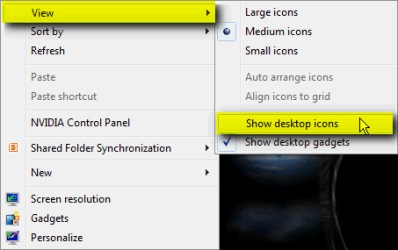
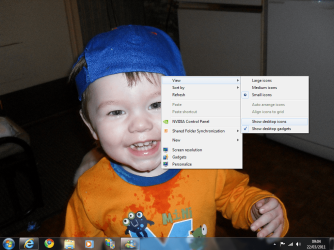
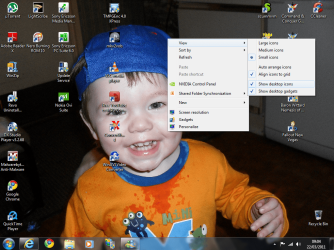
If you have your theme and wallpaper all set up and don't want your desktop cluttered with icons, try this:
Modify or create this registry key:
HKEY_CURRENT_USER\Software\Microsoft\Windows\CurrentVersion\Explorer\Advanced\HideIcons
Type: REG_DWORD
Value: 1
You can still have sidebar gadgets, or the excellent Rainmeter skins.
If everything is perfect, and you don't want anything to change, you can lockdown your desktop with:
HKEY_CURRENT_USER\Software\Microsoft\Windows\CurrentVersion\Policies\Explorer\NoDesktop
Type: REG_DWORD
Value: 1
Turn off these registry modifications by changing the value to 0.
Your desktop folder will still behave as before, and you can add it to your taskbar, as a new toolbar for easy access.
Here's my netbook desktop (Windows 7 STARTER) with very basic mods
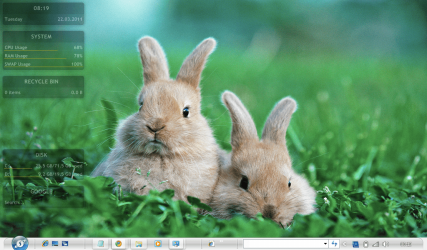
Mods: StarDock MyColors, RainMeter Gnometer, Wallpaper from Year of the Rabbit theme (MS)
Modify or create this registry key:
HKEY_CURRENT_USER\Software\Microsoft\Windows\CurrentVersion\Explorer\Advanced\HideIcons
Type: REG_DWORD
Value: 1
You can still have sidebar gadgets, or the excellent Rainmeter skins.
If everything is perfect, and you don't want anything to change, you can lockdown your desktop with:
HKEY_CURRENT_USER\Software\Microsoft\Windows\CurrentVersion\Policies\Explorer\NoDesktop
Type: REG_DWORD
Value: 1
Turn off these registry modifications by changing the value to 0.
Your desktop folder will still behave as before, and you can add it to your taskbar, as a new toolbar for easy access.
Here's my netbook desktop (Windows 7 STARTER) with very basic mods
Mods: StarDock MyColors, RainMeter Gnometer, Wallpaper from Year of the Rabbit theme (MS)
My Computer
At a glance
Win 7 Ult + Starter, XP Pro +Home, 2kAS, Linu...AMD 64 Athlon X2 , Intel Atom N450, Intel Cel...2.5GB ; 1GB; 2GBNvidia GeForce7000m; Intel; Intel
- Computer Manufacturer/Model Number
- Acer 7520, Packard Bell dot se, Acer travelmate 2423
- OS
- Win 7 Ult + Starter, XP Pro +Home, 2kAS, Linux Mint 8, SuperOS
- CPU
- AMD 64 Athlon X2 , Intel Atom N450, Intel Celeron M 1.50 Ghz
- Motherboard
- Acer Fuquene
- Memory
- 2.5GB ; 1GB; 2GB
- Graphics Card(s)
- Nvidia GeForce7000m; Intel; Intel
- Sound Card
- Realtek AC57
- Monitor(s) Displays
- 17" ;10.1"; 19"
- Screen Resolution
- 1440x900;1024x600;1440x900;
- Hard Drives
- WD 80, WD 320;
- PSU
- 19v
- Case
- Laptop
- Cooling
- Air
- Internet Speed
- 9.7Mb/s down 0.99Mb/s up
- Other Info
- ISP VIRGINMEDIA 10M cable broadband - D-Link DIR615 wireless router, 3Com OfficeConnect ASDL router used as wireless extender switch