
Solved "Color ringing" on text, ATI video card, only with Firefox

dsperber

New member
Guru
Gold Member
VIP
Local time
10:43 AM
Messages
2,752
Location
Marina Del Rey, CA
This problem in Firefox started around the time of the V13 video drivers for ATI HD* video cards (I have an HD4850 running v13.1 and an HD5770 running v13.4). Or, it might have been around the time v20 of Firefox came out (I'm currently using v21.0). Don't know exactly.

So the problem may be tied to v13 of the ATI video drivers, or it might be to a recent version of Firefox. Unclear. Since the issue does not show up with Internet Explorer but only with Firefox, I decided to post the question here rather than in the Video sub-forum.


Anyway the problem is that text displayed or in a composition window (like this, as I write) often seems to "vibrate" with colors around the letters. Kind of like a "video convergence" problem on an old CRT, where the RGB guns were not all focused on the same spot.

Seems that scrolling the page up or down can often cure the problem (as the screen is re-painted), or most often it just kind of disappears on its own after a while, for some reason.

Anybody else notice this?

Here's what it looks like. Amazingly I was able to get a screenshot before the "color ringing" disappeared and everything was once again perfect black text.

colorringing.jpg
 

My Computer My Computer

At a glance

Windows 7 Pro x64 (1), Win7 Pro X64 (2)i5-3350p 3.1Ghz/6MB-cache (1); E8400 3.0Ghz/6...8GB PC3-12800 DDR3 (1); 4GB PC3-10600 DDR3 (2)ATI HD7750 (1), (see TV cards); ATI R7 250 (2)
Computer type
PC/Desktop
Computer Manufacturer/Model Number
Home-built, two systems (1) and (2)
OS
Windows 7 Pro x64 (1), Win7 Pro X64 (2)
CPU
i5-3350p 3.1Ghz/6MB-cache (1); E8400 3.0Ghz/6MB-cache (2)
Motherboard
ASUS P8Z77-V Pro (1); ASUS P5Q3 (2)
Memory
8GB PC3-12800 DDR3 (1); 4GB PC3-10600 DDR3 (2)
Graphics Card(s)
ATI HD7750 (1), (see TV cards); ATI R7 250 (2)
Sound Card
Realtek ALC892 HD Audio (1); Realtek ALC1200 HD Audio (2)
Monitor(s) Displays
Eizo HD2441W LCD, Eizo S2433W (1); Eizo 24" S2433W (2)
Screen Resolution
1920x1200, 1920x1200 (1); 1920x1200 (2)
Hard Drives
(1) 1TB SATA-II (7200RPM), 2x2TB SATA-III (7200RPM), 250GB SATA-III (10000RPM) for OS; 2x2TB external USB 3.0

(2) 320GB SATA-II (7200RPM), 750GB SATA-II (7200RPM), 150GB SATA-II (10000RPM) for OS; 2TB external USB 3.0
PSU
Nesteq ECS-6001 600W (1); Nesteq ECS-5001 500W (2)
Case
Acousti-Case 360 (1) and (2)
Cooling
Noctua NH-U12P SE2 for CPU, 2x120mm case fans (1) and (2)
Keyboard
IBM PS/2 (1) and (2)
Mouse
Logitech MX Revolution wireless (1); Microsoft wired (2)
Internet Speed
100mbps down / 10mbps up
Antivirus
Microsoft Security Essentials; Malwarebyte Anti-Malware Pro
Browser
Firefox
Other Info
Ceton InfiniTV 4-tuner cablecard-enabled TV card as well as Hauppauge HVR-2250 OTA/ATSC 2-tuner TV card in (1), running under Win7 WMC
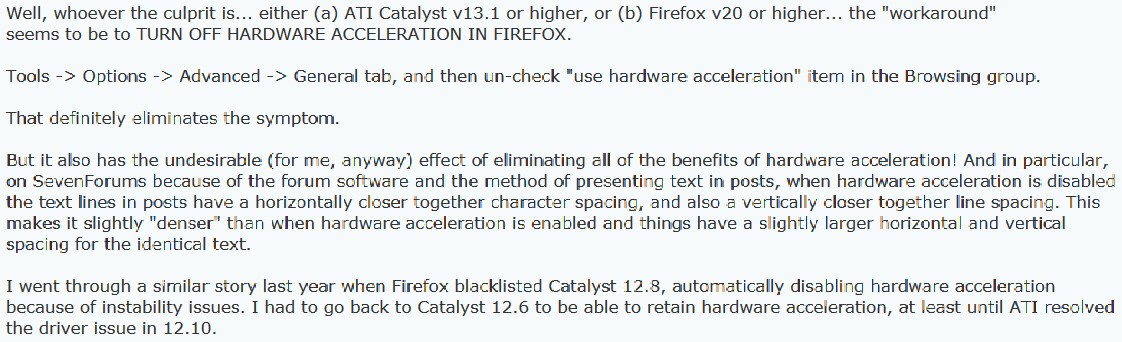
Well, whoever the culprit is... either (a) ATI Catalyst v13.1 or higher, or (b) Firefox v20 or higher... the "workaround" seems to be to TURN OFF HARDWARE ACCELERATION IN FIREFOX.

Tools -> Options -> Advanced -> General tab, and then un-check "use hardware acceleration" item in the Browsing group.

That definitely eliminates the symptom.

But it also has the undesirable (for me, anyway) effect of eliminating all of the benefits of hardware acceleration! And in particular, on SevenForums because of the forum software and the method of presenting text in posts, when hardware acceleration is disabled the text lines in posts have a horizontally closer together character spacing, and also a vertically closer together line spacing. This makes it slightly "denser" than when hardware acceleration is enabled and things have a slightly larger horizontal and vertical spacing for the identical text.

I went through a similar story last year when Firefox blacklisted Catalyst 12.8, automatically disabling hardware acceleration because of instability issues. I had to go back to Catalyst 12.6 to be able to retain hardware acceleration, at least until ATI resolved the driver issue in 12.10.


So for now, at least I understand that I'm not crazy, and that there's nothing really wrong with my systems.

The problem is definitely software somewhere, either in Catalyst or in Firefox, but obviously it's a relatively new software problem. And hopefully it will eventually go away as one or the other software vendors corrects something which is at the heart of the problem.

In the meantime, I'll "live with it" (annoying as it is) since it kind of generally self-disappears as I scroll pages up and down, which is "good enough" for me. I prefer how things look on this forum with hardware acceleration enabled, so that's the biggest influence for this decision.
 

My Computer My Computer

At a glance

Windows 7 Pro x64 (1), Win7 Pro X64 (2)i5-3350p 3.1Ghz/6MB-cache (1); E8400 3.0Ghz/6...8GB PC3-12800 DDR3 (1); 4GB PC3-10600 DDR3 (2)ATI HD7750 (1), (see TV cards); ATI R7 250 (2)
Computer type
PC/Desktop
Computer Manufacturer/Model Number
Home-built, two systems (1) and (2)
OS
Windows 7 Pro x64 (1), Win7 Pro X64 (2)
CPU
i5-3350p 3.1Ghz/6MB-cache (1); E8400 3.0Ghz/6MB-cache (2)
Motherboard
ASUS P8Z77-V Pro (1); ASUS P5Q3 (2)
Memory
8GB PC3-12800 DDR3 (1); 4GB PC3-10600 DDR3 (2)
Graphics Card(s)
ATI HD7750 (1), (see TV cards); ATI R7 250 (2)
Sound Card
Realtek ALC892 HD Audio (1); Realtek ALC1200 HD Audio (2)
Monitor(s) Displays
Eizo HD2441W LCD, Eizo S2433W (1); Eizo 24" S2433W (2)
Screen Resolution
1920x1200, 1920x1200 (1); 1920x1200 (2)
Hard Drives
(1) 1TB SATA-II (7200RPM), 2x2TB SATA-III (7200RPM), 250GB SATA-III (10000RPM) for OS; 2x2TB external USB 3.0

(2) 320GB SATA-II (7200RPM), 750GB SATA-II (7200RPM), 150GB SATA-II (10000RPM) for OS; 2TB external USB 3.0
PSU
Nesteq ECS-6001 600W (1); Nesteq ECS-5001 500W (2)
Case
Acousti-Case 360 (1) and (2)
Cooling
Noctua NH-U12P SE2 for CPU, 2x120mm case fans (1) and (2)
Keyboard
IBM PS/2 (1) and (2)
Mouse
Logitech MX Revolution wireless (1); Microsoft wired (2)
Internet Speed
100mbps down / 10mbps up
Antivirus
Microsoft Security Essentials; Malwarebyte Anti-Malware Pro
Browser
Firefox
Other Info
Ceton InfiniTV 4-tuner cablecard-enabled TV card as well as Hauppauge HVR-2250 OTA/ATSC 2-tuner TV card in (1), running under Win7 WMC
New information on this problem, as learned from the MozillaZine forum in response to my thread there.

Turns out this is a known problem and was "born" due to Windows 7 Platform Update KB2670838 (MSIE 10 Prerequisite), a Microsoft update for IE 10 as documented in this Firefox bug report.

And it turns out there is a "better" solution/workaround for this, other than disabling Hardware Acceleration. Turns out if you instead disable support for Azure content this will accomplish the desired result and the "color fringing/ringing" symptom will disappear. So you can keep hardware acceleration, by disabling Azure.

In the address bar enter: about:config
look for pref: gfx.content.azure.enabled double-click to toggle the setting, and restart the browser.

This should fix it for you. Did for me.

Note: the problem is specific to Firefox, not to IE (not surprisingly).
 

My Computer My Computer

At a glance

Windows 7 Pro x64 (1), Win7 Pro X64 (2)i5-3350p 3.1Ghz/6MB-cache (1); E8400 3.0Ghz/6...8GB PC3-12800 DDR3 (1); 4GB PC3-10600 DDR3 (2)ATI HD7750 (1), (see TV cards); ATI R7 250 (2)
Computer type
PC/Desktop
Computer Manufacturer/Model Number
Home-built, two systems (1) and (2)
OS
Windows 7 Pro x64 (1), Win7 Pro X64 (2)
CPU
i5-3350p 3.1Ghz/6MB-cache (1); E8400 3.0Ghz/6MB-cache (2)
Motherboard
ASUS P8Z77-V Pro (1); ASUS P5Q3 (2)
Memory
8GB PC3-12800 DDR3 (1); 4GB PC3-10600 DDR3 (2)
Graphics Card(s)
ATI HD7750 (1), (see TV cards); ATI R7 250 (2)
Sound Card
Realtek ALC892 HD Audio (1); Realtek ALC1200 HD Audio (2)
Monitor(s) Displays
Eizo HD2441W LCD, Eizo S2433W (1); Eizo 24" S2433W (2)
Screen Resolution
1920x1200, 1920x1200 (1); 1920x1200 (2)
Hard Drives
(1) 1TB SATA-II (7200RPM), 2x2TB SATA-III (7200RPM), 250GB SATA-III (10000RPM) for OS; 2x2TB external USB 3.0

(2) 320GB SATA-II (7200RPM), 750GB SATA-II (7200RPM), 150GB SATA-II (10000RPM) for OS; 2TB external USB 3.0
PSU
Nesteq ECS-6001 600W (1); Nesteq ECS-5001 500W (2)
Case
Acousti-Case 360 (1) and (2)
Cooling
Noctua NH-U12P SE2 for CPU, 2x120mm case fans (1) and (2)
Keyboard
IBM PS/2 (1) and (2)
Mouse
Logitech MX Revolution wireless (1); Microsoft wired (2)
Internet Speed
100mbps down / 10mbps up
Antivirus
Microsoft Security Essentials; Malwarebyte Anti-Malware Pro
Browser
Firefox
Other Info
Ceton InfiniTV 4-tuner cablecard-enabled TV card as well as Hauppauge HVR-2250 OTA/ATSC 2-tuner TV card in (1), running under Win7 WMC
Well, looks like this one has returned with FF29.

Here are some examples...

ioxi.jpg


ayng.jpg


This time disabling Azure content seems to have no effect.

It does seem disabling hardware acceleration works, although I don't want to operate this way.

Still ATI HD4850 video, but running with Catalyst 13.9 WHQL drivers, Win7 Pro x64.
 

My Computer My Computer

At a glance

Windows 7 Pro x64 (1), Win7 Pro X64 (2)i5-3350p 3.1Ghz/6MB-cache (1); E8400 3.0Ghz/6...8GB PC3-12800 DDR3 (1); 4GB PC3-10600 DDR3 (2)ATI HD7750 (1), (see TV cards); ATI R7 250 (2)
Computer type
PC/Desktop
Computer Manufacturer/Model Number
Home-built, two systems (1) and (2)
OS
Windows 7 Pro x64 (1), Win7 Pro X64 (2)
CPU
i5-3350p 3.1Ghz/6MB-cache (1); E8400 3.0Ghz/6MB-cache (2)
Motherboard
ASUS P8Z77-V Pro (1); ASUS P5Q3 (2)
Memory
8GB PC3-12800 DDR3 (1); 4GB PC3-10600 DDR3 (2)
Graphics Card(s)
ATI HD7750 (1), (see TV cards); ATI R7 250 (2)
Sound Card
Realtek ALC892 HD Audio (1); Realtek ALC1200 HD Audio (2)
Monitor(s) Displays
Eizo HD2441W LCD, Eizo S2433W (1); Eizo 24" S2433W (2)
Screen Resolution
1920x1200, 1920x1200 (1); 1920x1200 (2)
Hard Drives
(1) 1TB SATA-II (7200RPM), 2x2TB SATA-III (7200RPM), 250GB SATA-III (10000RPM) for OS; 2x2TB external USB 3.0

(2) 320GB SATA-II (7200RPM), 750GB SATA-II (7200RPM), 150GB SATA-II (10000RPM) for OS; 2TB external USB 3.0
PSU
Nesteq ECS-6001 600W (1); Nesteq ECS-5001 500W (2)
Case
Acousti-Case 360 (1) and (2)
Cooling
Noctua NH-U12P SE2 for CPU, 2x120mm case fans (1) and (2)
Keyboard
IBM PS/2 (1) and (2)
Mouse
Logitech MX Revolution wireless (1); Microsoft wired (2)
Internet Speed
100mbps down / 10mbps up
Antivirus
Microsoft Security Essentials; Malwarebyte Anti-Malware Pro
Browser
Firefox
Other Info
Ceton InfiniTV 4-tuner cablecard-enabled TV card as well as Hauppauge HVR-2250 OTA/ATSC 2-tuner TV card in (1), running under Win7 WMC
Happens on gray and black backgrounds as well.

Again, "use hardware acceleration" is checked. When this is turned off the symptom goes away.

8gs1.jpg
 

My Computer My Computer

At a glance

Windows 7 Pro x64 (1), Win7 Pro X64 (2)i5-3350p 3.1Ghz/6MB-cache (1); E8400 3.0Ghz/6...8GB PC3-12800 DDR3 (1); 4GB PC3-10600 DDR3 (2)ATI HD7750 (1), (see TV cards); ATI R7 250 (2)
Computer type
PC/Desktop
Computer Manufacturer/Model Number
Home-built, two systems (1) and (2)
OS
Windows 7 Pro x64 (1), Win7 Pro X64 (2)
CPU
i5-3350p 3.1Ghz/6MB-cache (1); E8400 3.0Ghz/6MB-cache (2)
Motherboard
ASUS P8Z77-V Pro (1); ASUS P5Q3 (2)
Memory
8GB PC3-12800 DDR3 (1); 4GB PC3-10600 DDR3 (2)
Graphics Card(s)
ATI HD7750 (1), (see TV cards); ATI R7 250 (2)
Sound Card
Realtek ALC892 HD Audio (1); Realtek ALC1200 HD Audio (2)
Monitor(s) Displays
Eizo HD2441W LCD, Eizo S2433W (1); Eizo 24" S2433W (2)
Screen Resolution
1920x1200, 1920x1200 (1); 1920x1200 (2)
Hard Drives
(1) 1TB SATA-II (7200RPM), 2x2TB SATA-III (7200RPM), 250GB SATA-III (10000RPM) for OS; 2x2TB external USB 3.0

(2) 320GB SATA-II (7200RPM), 750GB SATA-II (7200RPM), 150GB SATA-II (10000RPM) for OS; 2TB external USB 3.0
PSU
Nesteq ECS-6001 600W (1); Nesteq ECS-5001 500W (2)
Case
Acousti-Case 360 (1) and (2)
Cooling
Noctua NH-U12P SE2 for CPU, 2x120mm case fans (1) and (2)
Keyboard
IBM PS/2 (1) and (2)
Mouse
Logitech MX Revolution wireless (1); Microsoft wired (2)
Internet Speed
100mbps down / 10mbps up
Antivirus
Microsoft Security Essentials; Malwarebyte Anti-Malware Pro
Browser
Firefox
Other Info
Ceton InfiniTV 4-tuner cablecard-enabled TV card as well as Hauppauge HVR-2250 OTA/ATSC 2-tuner TV card in (1), running under Win7 WMC
To enable the workaround for this bug:
1) Make sure you're running Firefox 26 or higher
2) Go to about:config
3) Right click anywhere in the content area, create a new Boolean called "layout.paint_rects_separately" (without the quotes) and set it to true
4) Restart the browser This setting is expected to become the default at some point, but right now it causes some performance regressions.
I took that from here:
https://bugzilla.mozilla.org/show_bug.cgi?id=812695#c414

I added that fix on my desktop and works perfectly, try it and enable hardware aceleration.
Ah... since FF28, the azure content configs have no effect anymore, better to leave that to defaults...
And lastly, this fix must be set for any profile you may have in Firefox (if you got more than one)

This is happening because FF has some issues with IE10/11 plattform update... maybe the engine cannot handle the subpixel feature like IE does... Opera or Chrome don't exhibit this bug -I assume Chrome doesn't use hardware acceleration, that's why... Opera seems to be OK though...-

Hope it helps :)
 

My Computer My Computer

At a glance

Microsoft Windows 7 Home Premium SP1 64-bit B...AMD Athlon 64 X2 5200+ Dual Core CPU @ 2.7 Gh...2x2 GB DDR2 PC-5300 (667 Mhz) Kingston ValueRAMXFX ATI Radeon HD 4350 GPU (512 MB + 512 MB HM)
Computer type
PC/Desktop
Computer Manufacturer/Model Number
Assembled Desktop PC
OS
Microsoft Windows 7 Home Premium SP1 64-bit Build 7600
CPU
AMD Athlon 64 X2 5200+ Dual Core CPU @ 2.7 Ghz (Brisbane)
Motherboard
PCChips A13G+ v3.0
Memory
2x2 GB DDR2 PC-5300 (667 Mhz) Kingston ValueRAM
Graphics Card(s)
XFX ATI Radeon HD 4350 GPU (512 MB + 512 MB HM)
Sound Card
Realtek High Definition Audio Driver ALC660 @ MCP61S
Monitor(s) Displays
HP S2031 20" LED HD Widescreen Display Monitor
Screen Resolution
1600 x 900 px
Hard Drives
Maxtor Diamond Max 10 (160 GB, 7200 RPM, SATA-II Hard Disk)
Western Digital Scorpion Blue (250 GB, 5400 RPM, SATA-II External Hard Disk - Personal Data)
Toshiba MQ01ABD050 (500 GB, 5400 RPM, SATA-II External Hard Disk - Software & ISOs)
PSU
Pixxo Transformer 850W 80+ Certification PSU
Case
Compaq 5BW353 Case
Cooling
Many solutions, see other info...
Keyboard
Green Leaf (Mitzu) Standard Keyboard
Mouse
Microsoft USB Lasser Pointing Device
Internet Speed
10 MB
Antivirus
Avast Antivirus Free
Browser
Firefox, Chrome, Internet Explorer
Other Info
Windows Experience Index Result: 3.8 of 7.9.

Cooling solutions:
- AVC @ 2000/5000 RPM Copper Heatpipes (For Athlon 64 X2 6000+ CPU used in an Athlon 64 X2 5200+)
- Rear Fan 80 mm @ 2700 RPM for heat extraction
- Manhatan Chipset Cooler @ 4700/7200 RPM (For nVidia Chipset in MoBo)
- Foxconn @ 2500 RPM (Old Pentium III heatsink fan) in XFX ATI Radeon HD 4350
Ok. I've solved my own problem by doing a complete uninstall of Firefox and deleting all of the related folders and data, after first doing an EXPORT of bookmarks to HTML for backup, so that I could then IMPORT them once the fresh reinstall was done.

Then I did a fresh install of FF29, IMPORT'ed my just backed up bookmarks, re-customized.

Voila!!! No more "color ringing" on text, even though this is the same machine with the same HD4850 and the same Catalyst 13.9 drivers. Still using "use hardware acceleration" and haven't added the suggested addition to PREFS, as it wasn't needed apparently.

I'm guessing the problem stemmed from my long series of many migrations of old FF versions with simple installs of the newer versions right over the older versions, including (and here's where I probably got myself in trouble) starting from the data contained in "old profiles" if I needed to re-build a Windows environment from scratch. I suspect I really should have been doing what I did just now, which is to just EXPORT my existing bookmarks, and install FF from scratch in branc new systems, and then IMPORT the bookmarks backup.

I'm sure it was the detritus from the older PROFILES contents which was likely at fault for me.

Anyway, with the just performed complete uninstall/clean, followed by a new install-from-scratch of FF29, recovering my bookmarks from an HTML backup (which really should be done every so often anyway, just for good measure), my "color ringing" problem is gone.


NOTE: I didn't even try adding the new prefs alternative to the old Azure content fix, as I honestly just sensed the problem really was the "garbage" I must have accumulated in my PROFILES over the years, re-using old content when I really should just have worried about retaining bookmarks. I don't mind re-customizing if necessary.

I had a hunch this would work, as I now have installed FF into three newly built systems, all of which have ATI video and none of which had the "color ringing" symptom as my one problem system did. All the other systems were built installing FF from scratch and then customizing, whereas my problem system had been using this "garbage dump" of re-used PROFILES for many years.

Case closed (I hope).
 

My Computer My Computer

At a glance

Windows 7 Pro x64 (1), Win7 Pro X64 (2)i5-3350p 3.1Ghz/6MB-cache (1); E8400 3.0Ghz/6...8GB PC3-12800 DDR3 (1); 4GB PC3-10600 DDR3 (2)ATI HD7750 (1), (see TV cards); ATI R7 250 (2)
Computer type
PC/Desktop
Computer Manufacturer/Model Number
Home-built, two systems (1) and (2)
OS
Windows 7 Pro x64 (1), Win7 Pro X64 (2)
CPU
i5-3350p 3.1Ghz/6MB-cache (1); E8400 3.0Ghz/6MB-cache (2)
Motherboard
ASUS P8Z77-V Pro (1); ASUS P5Q3 (2)
Memory
8GB PC3-12800 DDR3 (1); 4GB PC3-10600 DDR3 (2)
Graphics Card(s)
ATI HD7750 (1), (see TV cards); ATI R7 250 (2)
Sound Card
Realtek ALC892 HD Audio (1); Realtek ALC1200 HD Audio (2)
Monitor(s) Displays
Eizo HD2441W LCD, Eizo S2433W (1); Eizo 24" S2433W (2)
Screen Resolution
1920x1200, 1920x1200 (1); 1920x1200 (2)
Hard Drives
(1) 1TB SATA-II (7200RPM), 2x2TB SATA-III (7200RPM), 250GB SATA-III (10000RPM) for OS; 2x2TB external USB 3.0

(2) 320GB SATA-II (7200RPM), 750GB SATA-II (7200RPM), 150GB SATA-II (10000RPM) for OS; 2TB external USB 3.0
PSU
Nesteq ECS-6001 600W (1); Nesteq ECS-5001 500W (2)
Case
Acousti-Case 360 (1) and (2)
Cooling
Noctua NH-U12P SE2 for CPU, 2x120mm case fans (1) and (2)
Keyboard
IBM PS/2 (1) and (2)
Mouse
Logitech MX Revolution wireless (1); Microsoft wired (2)
Internet Speed
100mbps down / 10mbps up
Antivirus
Microsoft Security Essentials; Malwarebyte Anti-Malware Pro
Browser
Firefox
Other Info
Ceton InfiniTV 4-tuner cablecard-enabled TV card as well as Hauppauge HVR-2250 OTA/ATSC 2-tuner TV card in (1), running under Win7 WMC
I did a google search to find this and sorry to bring this back up, but I just installed a new graphics card and I am having very similar issues as you were. I am using my 55 inch TV as a monitor and its been great for a long time with the old car. The new card also runs great on a DVI to VGA, but HDMI seems to give me these same issues that you were having.

Do you have any updates and can you help me to find a resolution?

I went from a GTX 260 DVI to VGA into the TV and now using a GTX 970 HDMI to HDMI into the TV. I already replcaed the card thinking it was the issue. Nope, still here with the new card. Please help. Thanks.
 

My Computer My Computer

At a glance

Windows 7 64 bit.Quad Core 4 Ghz8GB G-SkillEVGA GTX 970 FTW +
Computer type
PC/Desktop
Computer Manufacturer/Model Number
Custom built
OS
Windows 7 64 bit.
CPU
Quad Core 4 Ghz
Motherboard
Asus Z97 Pro
Memory
8GB G-Skill
Graphics Card(s)
EVGA GTX 970 FTW +
Hard Drives
1TB
Antivirus
none
Browser
Firefox
Probably divers are outdated, try upgrading to at least 2012 drivers (if you can, in case of a desktop this is not an issue though), this fixed all issues for me in FF and ATI Radeon HD 3200...
 

My Computer My Computer

At a glance

Microsoft Windows 7 Home Premium SP1 64-bit B...AMD Athlon 64 X2 5200+ Dual Core CPU @ 2.7 Gh...2x2 GB DDR2 PC-5300 (667 Mhz) Kingston ValueRAMXFX ATI Radeon HD 4350 GPU (512 MB + 512 MB HM)
Computer type
PC/Desktop
Computer Manufacturer/Model Number
Assembled Desktop PC
OS
Microsoft Windows 7 Home Premium SP1 64-bit Build 7600
CPU
AMD Athlon 64 X2 5200+ Dual Core CPU @ 2.7 Ghz (Brisbane)
Motherboard
PCChips A13G+ v3.0
Memory
2x2 GB DDR2 PC-5300 (667 Mhz) Kingston ValueRAM
Graphics Card(s)
XFX ATI Radeon HD 4350 GPU (512 MB + 512 MB HM)
Sound Card
Realtek High Definition Audio Driver ALC660 @ MCP61S
Monitor(s) Displays
HP S2031 20" LED HD Widescreen Display Monitor
Screen Resolution
1600 x 900 px
Hard Drives
Maxtor Diamond Max 10 (160 GB, 7200 RPM, SATA-II Hard Disk)
Western Digital Scorpion Blue (250 GB, 5400 RPM, SATA-II External Hard Disk - Personal Data)
Toshiba MQ01ABD050 (500 GB, 5400 RPM, SATA-II External Hard Disk - Software & ISOs)
PSU
Pixxo Transformer 850W 80+ Certification PSU
Case
Compaq 5BW353 Case
Cooling
Many solutions, see other info...
Keyboard
Green Leaf (Mitzu) Standard Keyboard
Mouse
Microsoft USB Lasser Pointing Device
Internet Speed
10 MB
Antivirus
Avast Antivirus Free
Browser
Firefox, Chrome, Internet Explorer
Other Info
Windows Experience Index Result: 3.8 of 7.9.

Cooling solutions:
- AVC @ 2000/5000 RPM Copper Heatpipes (For Athlon 64 X2 6000+ CPU used in an Athlon 64 X2 5200+)
- Rear Fan 80 mm @ 2700 RPM for heat extraction
- Manhatan Chipset Cooler @ 4700/7200 RPM (For nVidia Chipset in MoBo)
- Foxconn @ 2500 RPM (Old Pentium III heatsink fan) in XFX ATI Radeon HD 4350
Probably divers are outdated, try upgrading to at least 2012 drivers (if you can, in case of a desktop this is not an issue though), this fixed all issues for me in FF and ATI Radeon HD 3200...

If you are talking about the graphics card drivers, all drivers have been updated several times to try to find the fix that way and still not working. Another issue I am having is video playback in Windows Media Player. It comes out of full screen automatically and the bottom windows bar starts flickering. The WMP window goes black and I can't get the video back. This happens about 15 seconds into video play. What is going on here?
 

My Computer My Computer

At a glance

Windows 7 64 bit.Quad Core 4 Ghz8GB G-SkillEVGA GTX 970 FTW +
Computer type
PC/Desktop
Computer Manufacturer/Model Number
Custom built
OS
Windows 7 64 bit.
CPU
Quad Core 4 Ghz
Motherboard
Asus Z97 Pro
Memory
8GB G-Skill
Graphics Card(s)
EVGA GTX 970 FTW +
Hard Drives
1TB
Antivirus
none
Browser
Firefox
HDMI takes more power than DVI (I suppose)... probablly your card is not fully powered, try checking if your power suply is enough for that VGA... specially check the voltages table and see if they fit your card requirements.
Other than that, I hope the experts can give you a hand here, because it's the best I can come with :P
 

My Computer My Computer

At a glance

Microsoft Windows 7 Home Premium SP1 64-bit B...AMD Athlon 64 X2 5200+ Dual Core CPU @ 2.7 Gh...2x2 GB DDR2 PC-5300 (667 Mhz) Kingston ValueRAMXFX ATI Radeon HD 4350 GPU (512 MB + 512 MB HM)
Computer type
PC/Desktop
Computer Manufacturer/Model Number
Assembled Desktop PC
OS
Microsoft Windows 7 Home Premium SP1 64-bit Build 7600
CPU
AMD Athlon 64 X2 5200+ Dual Core CPU @ 2.7 Ghz (Brisbane)
Motherboard
PCChips A13G+ v3.0
Memory
2x2 GB DDR2 PC-5300 (667 Mhz) Kingston ValueRAM
Graphics Card(s)
XFX ATI Radeon HD 4350 GPU (512 MB + 512 MB HM)
Sound Card
Realtek High Definition Audio Driver ALC660 @ MCP61S
Monitor(s) Displays
HP S2031 20" LED HD Widescreen Display Monitor
Screen Resolution
1600 x 900 px
Hard Drives
Maxtor Diamond Max 10 (160 GB, 7200 RPM, SATA-II Hard Disk)
Western Digital Scorpion Blue (250 GB, 5400 RPM, SATA-II External Hard Disk - Personal Data)
Toshiba MQ01ABD050 (500 GB, 5400 RPM, SATA-II External Hard Disk - Software & ISOs)
PSU
Pixxo Transformer 850W 80+ Certification PSU
Case
Compaq 5BW353 Case
Cooling
Many solutions, see other info...
Keyboard
Green Leaf (Mitzu) Standard Keyboard
Mouse
Microsoft USB Lasser Pointing Device
Internet Speed
10 MB
Antivirus
Avast Antivirus Free
Browser
Firefox, Chrome, Internet Explorer
Other Info
Windows Experience Index Result: 3.8 of 7.9.

Cooling solutions:
- AVC @ 2000/5000 RPM Copper Heatpipes (For Athlon 64 X2 6000+ CPU used in an Athlon 64 X2 5200+)
- Rear Fan 80 mm @ 2700 RPM for heat extraction
- Manhatan Chipset Cooler @ 4700/7200 RPM (For nVidia Chipset in MoBo)
- Foxconn @ 2500 RPM (Old Pentium III heatsink fan) in XFX ATI Radeon HD 4350

My Computer My Computer

At a glance

Windows 7 64 bit.Quad Core 4 Ghz8GB G-SkillEVGA GTX 970 FTW +
Computer type
PC/Desktop
Computer Manufacturer/Model Number
Custom built
OS
Windows 7 64 bit.
CPU
Quad Core 4 Ghz
Motherboard
Asus Z97 Pro
Memory
8GB G-Skill
Graphics Card(s)
EVGA GTX 970 FTW +
Hard Drives
1TB
Antivirus
none
Browser
Firefox
Back
Top