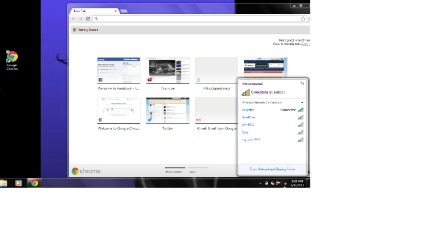
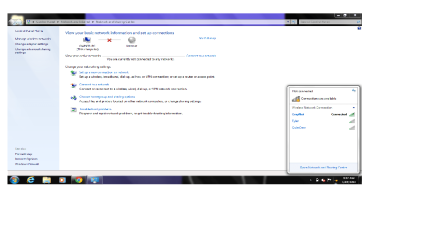
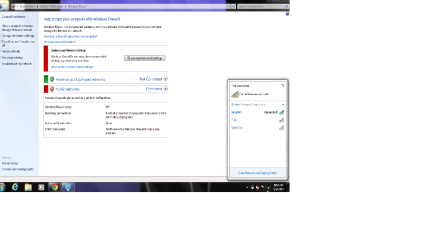
This is a fairly rare problem which comes up sometimes, apparently there is a registry key that had it's permissions changed, not sure how but probably a virus. At any rate the solution seems to be changing the permissions of a certain registry key back to default. No guarantee's here but this is all I could find.
 Ugumba said,...
I found a solution for (my version of) this problem. My tray icon never showed the red X, but if I clicked on the icon, the popup showed a bigger icon with a red X, and said "Not connected". As in your case, Internet worked, but I'm unable to setup a VPN connection because it insists on using a non-existent modem, obviously because I'm "not connected" (which I am).
I monitored the processes running the NlaSvc and Netprofm services (using ProcMon), and noticed that both were denied read/write access to subkeys within the HKLM\SOFTWARE\Microsoft\Windows NT\CurrentVersion\NetworkList hierarchy.
The processes were running as NetworkService and LocalService, respectively, so I tried adding full access for these service accounts to the entire subkey mentioned above. Notice that permissions are not automatically inherited in the registry, so you may need to explicitly "replace all child object permissions with inheritable permissions from this object".
Within seconds, Network and Sharing Center tells me I'm connected to my domain. Yay!
A reboot was required to fix the tray icon and its popup.
Directions to change this registry key:
Ok I had the same problem and used the following to make it work following Ugumbas post
Click Start
Type Run
Type Regedit
Expand HKEY_LOCAL_MACHINE
Expand Software
Expand Microsoft
Expand Windows NT
Expand Current Version
Right Click Network List
Right Click Permissions
For all users except CREATOR OWNER ensure that you have Full Control and Read ticked for all other accounts.
Reboot your machine
Ugumba said,...
I found a solution for (my version of) this problem. My tray icon never showed the red X, but if I clicked on the icon, the popup showed a bigger icon with a red X, and said "Not connected". As in your case, Internet worked, but I'm unable to setup a VPN connection because it insists on using a non-existent modem, obviously because I'm "not connected" (which I am).
I monitored the processes running the NlaSvc and Netprofm services (using ProcMon), and noticed that both were denied read/write access to subkeys within the HKLM\SOFTWARE\Microsoft\Windows NT\CurrentVersion\NetworkList hierarchy.
The processes were running as NetworkService and LocalService, respectively, so I tried adding full access for these service accounts to the entire subkey mentioned above. Notice that permissions are not automatically inherited in the registry, so you may need to explicitly "replace all child object permissions with inheritable permissions from this object".
Within seconds, Network and Sharing Center tells me I'm connected to my domain. Yay!
A reboot was required to fix the tray icon and its popup.
Directions to change this registry key:
Ok I had the same problem and used the following to make it work following Ugumbas post
Click Start
Type Run
Type Regedit
Expand HKEY_LOCAL_MACHINE
Expand Software
Expand Microsoft
Expand Windows NT
Expand Current Version
Right Click Network List
Right Click Permissions
For all users except CREATOR OWNER ensure that you have Full Control and Read ticked for all other accounts.
Reboot your machine
Which comes from TechNet thread about 11 posts down the page,> This solution worked for many people going down the page:
Windows 7 states I'm not connected to any networks when in fact I am connected to my wireless network??
that didnt work or maybe i did something wrong. would you be able to teamview me or omething to make sure its right and/or fix some things
Yes editing the registry isn't for everyone although those directions worked for many people in that thread, if you aren't sure what you are doing then you should back up the registry before hand.
To get to the registry type
regedit into the run box. Navigate to the key stated in the thread and make the adjustments per the second paragraph where it says "Directions to change this registry key".
I would hesitate to mess with the registry on someone else's machine through team viewer.