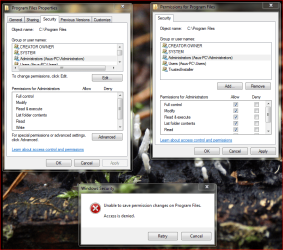
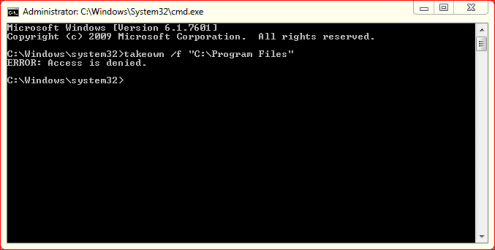
Why are you trying to change permissions on the program files folder?
There is no reason for doing that. What are your uac settings set to?
Many people who change permissions on files and folders do not know what they are doing and greatly decrease there security. It is very important you know exactly what you are doing when dealing with permissions. Even then, it is better to find an alternative means to accomplish what you want then to give yourself more permissions to protected areas.
User account control (UAC) protects the system in many ways.
In windows vista and above, the admin account has the same rights as the standard account. The only time the admin account is elevated to admin is when the uac box appears and you click yes to allow the action, which elevates that process for a short time until the action is complete. When copying or changing any folders in examples below, you must click continue to allow a rename or delete of a folder, etc.
UAC protects multiple areas, here are some of them:
-registry
-installing/uninstalling programs
-program files folder
-windows folder
-other user accounts folders
-temp folder/app data
Read up on it here:
User Account Control - Wikipedia, the free encyclopedia
UAC info for IT professionals
Why use a standard user account instead of an administrator account?
When using a standard account and you make a change or install a program that affects the whole system, UAC will prompt you to continue. Make sure the setting or program you are tying to install is listed, then click yes to continue. If you are just browsing the web and the prompt appears with a program you have not heard of, or do not know what it is, it is much safer to click no then yes. No will block the action, and if you were trying to do something, you can always start it again and choose yes.
UAC makes this easy, see here:
What is user account control (UAC)?
I also suggest choosing always notify for UAC for better security:
What are User Account Control settings?