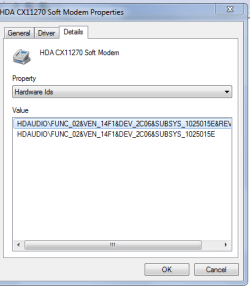
Had a problem (user profile), so reverted to last usable configuration. Now I get a message that "device driver software was not successfully installed." That would be easier to fix if I knew which device was meant.
Device Manager shows two USB devices with exclamation marks, each marked "unknown device."
First one's status said "Windows has stopped this device beause it has reported problems. (Code 43). Searched for drivers and, after a long search, I got a message that "The best driver software for your device is already installed."
Second says "This device disabled because the firmware of the device did not give it the required resources. (Code 29). " Another long search, and I'm told the same thing?
Should I uninstall these drivers and trust them to reinstall themselves?
Device Manager shows two USB devices with exclamation marks, each marked "unknown device."
First one's status said "Windows has stopped this device beause it has reported problems. (Code 43). Searched for drivers and, after a long search, I got a message that "The best driver software for your device is already installed."
Second says "This device disabled because the firmware of the device did not give it the required resources. (Code 29). " Another long search, and I'm told the same thing?
Should I uninstall these drivers and trust them to reinstall themselves?
My Computer
- Computer type
- PC/Desktop
- Computer Manufacturer/Model Number
- Dell T3400 Workstation
- OS
- win7 Pro x64
- CPU
- Intel Core 2 QUAD q6700 @ 2.6 GHz
- Motherboard
- Dell 0TP412.A02
- Memory
- 8 GB, DDR2
- Graphics Card(s)
- nVidia Quadro NVS 290
- Sound Card
- motherboard
- Monitor(s) Displays
- Samsung T260HD and ViewSonic VA2702w
- Screen Resolution
- 1920*1200, 1920x1080
- Hard Drives
- Seagate hybrid C:, two WD data drives. 5TB total
- PSU
- 375W
- Case
- Stock
- Cooling
- air
- Keyboard
- Dell
- Mouse
- Logitech Performance MX
- Antivirus
- Malwarebytes, Norton 360
- Browser
- IE 11, Seamonkey, Firefox, Opera