Shrantellatessa
New member
Hello!
I read the tutorial here about enabling custom themes using a small software called "UxStyle" but I don't want to mess up my new system/laptop. So can anyone confirm that this software does not touch system files (.dll thingies) at all?
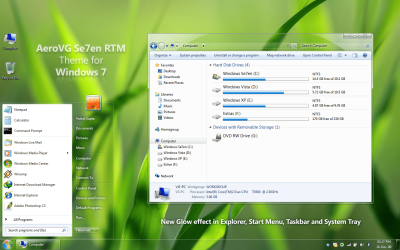
Also, I read in the official forum of this little software that it enables themes, which changes window borders and appearance, but doesn't change buttons (and I guess animations...); so are there any other differences (visually speaking) with using the risky UxTheme.dll?
And can I easily go back to the default Windows 7 themes without any problem?
Thanks in advance
I read the tutorial here about enabling custom themes using a small software called "UxStyle" but I don't want to mess up my new system/laptop. So can anyone confirm that this software does not touch system files (.dll thingies) at all?
Also, I read in the official forum of this little software that it enables themes, which changes window borders and appearance, but doesn't change buttons (and I guess animations...); so are there any other differences (visually speaking) with using the risky UxTheme.dll?
And can I easily go back to the default Windows 7 themes without any problem?
Thanks in advance
My Computer
- OS
- Windows 7 Home Premium (64-bit)