Hello. I got stuck with this Classic skin with no working explorer Window, causing all attempts to change themes again to an Aero theme not to work. Is there any way I could change to Aero without any access to the Personalisation page? That page is loaded in Explorer, and Explorer doesn't work correctly.
My Computer
At a glance
Windows 7 Home Premium x64
- OS
- Windows 7 Home Premium x64

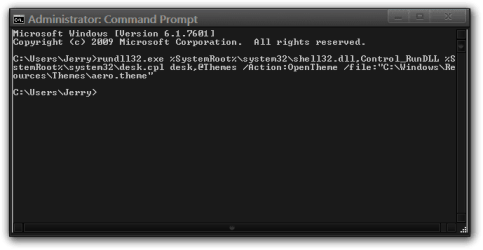
 rb: Start Button > All Programs > Accessories > Command Prompt copy and paste this into the command prompt and press Enter what is in Bold Red including last quote mark that should start the default Aero theme.