External Hard drive initialisation problem

tejindersingh

New member
Local time
3:10 PM
Messages
2
Hi everyone,

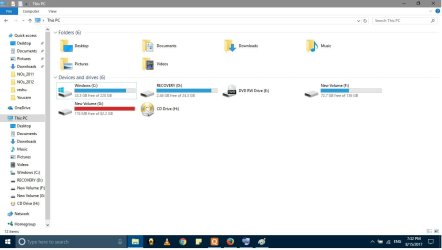
I have a seagate 1TB (SRD00F1) external hard drive and i am not able to access it. The hard disk is visible in the eject menu (Pic1) but not available in My Computer (pic3). Similarly it is available in the disk management tab but no specification of the drive. When i try to initialize it i got a I/O error(Pic2).

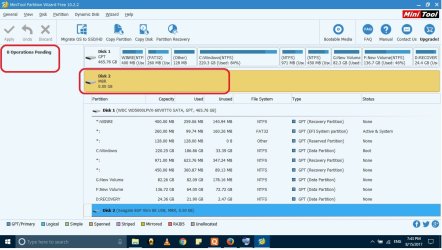
I tried windows command line disk management utility(Diskpart) but no solution. I have tried Mini Tool partition tool and ease partition recovery tool also but both not giving any option or way ahead (Pic 4). I have tried seatool also of seagate but no luck.

Data in the disk is not important. I just want disk to be operational.

Please help.
 

Attachments

  • pic1.jpg
    pic1.jpg
    79 KB · Views: 2
  • pic2.jpg
    pic2.jpg
    98.8 KB · Views: 1
  • pic3.jpg
    pic3.jpg
    56 KB · Views: 0
  • pic4.jpg
    pic4.jpg
    107.3 KB · Views: 2

My Computer

Computer type
Laptop
Computer Manufacturer/Model Number
Asus
OS
Window 7 Pro x64
CPU
i7
Motherboard
Asus
Memory
8gb
In your HD management program, did you try to format the external drive?
Windows will not (cannot) see a drive that is not formatted.*

* Hardware, like the BIOS will see the drive, but Windows will NOT.:(

Y'all have a great day now, Y'hear?
:cool:

PS: When I get a brand new (blank) hard drive, I always format and partition it with EaseUs Partition Master.(FREE) Then Windows will see it and I can use it as I wish. I too have a 1TB Seagate, External HD, that I use for all my backups.
 

My Computer

Computer type
PC/Desktop
Computer Manufacturer/Model Number
Various
OS
Win 7 Pro, SP1, x86, Win-11/Pro/64
CPU
AMD
Motherboard
Various
Memory
8GB Crucial
Graphics Card(s)
Various
Sound Card
OnBoard
Monitor(s) Displays
Acer 21.5"
Hard Drives
Crucial SSD, 500 GB
PSU
OEM
Case
SFF Slim Line Case
Cooling
OEM
Keyboard
eMachines
Mouse
Logitech Wireless
Internet Speed
varies
Antivirus
Windows Defender/Super Anti-Spyware
Browser
Firefox
"I have tried seatool also of seagate but no luck."

What exactly do you mean by that? Did Seatools see your external drive? If it did not and you were unable to run the tests, it is almost certain that your external is gone. You have to seek professional data recovery services.

Just take a chance and try this https://www.easeus.com/storage-media-recovery/fix-fatal-device-hardware-error-and-recover-data.html If it could show your data, the free trial version of the recovery Wizard can recover only 2 GB of data. You can also try active @ file recovery http://www.file-recovery.com/ ( The paid version of Easeus Data Recovery Wizard will cost USD 70 whereas the active @ file recovery may cost USD 30 or so - all that if only these free trial versions can see your drive and show you the data in the HDD)
 
Last edited:

My Computer

OS
Windows 7 Home Premium 32 bit
In your HD management program, did you try to format the external drive?
Windows will not (cannot) see a drive that is not formatted.*

* Hardware, like the BIOS will see the drive, but Windows will NOT.:(

Y'all have a great day now, Y'hear?
:cool:

PS: When I get a brand new (blank) hard drive, I always format and partition it with EaseUs Partition Master.(FREE) Then Windows will see it and I can use it as I wish. I too have a 1TB Seagate, External HD, that I use for all my backups.


Seatool doesn't show my hard drive but it is very much visible in boot menu.

Its not a new hard disk and i was using it from past couple of months but suddenly this happened and it stooped working.

Here data is not important i just want to reuse the hard drive. i have a backup of the data.
 

My Computer

Computer type
Laptop
Computer Manufacturer/Model Number
Asus
OS
Window 7 Pro x64
CPU
i7
Motherboard
Asus
Memory
8gb
Back
Top