
GingerKidStudio
New member
- Local time
- 1:26 AM
- Messages
- 1
So I recently performed a clean install of Windows 7 after dealing several times with Windows failing to start after any reboot. Since then however I haven't been able to get my SeaGate 2TB external drive to be recognized by Windows.
I looked into Disk manager and saw this:
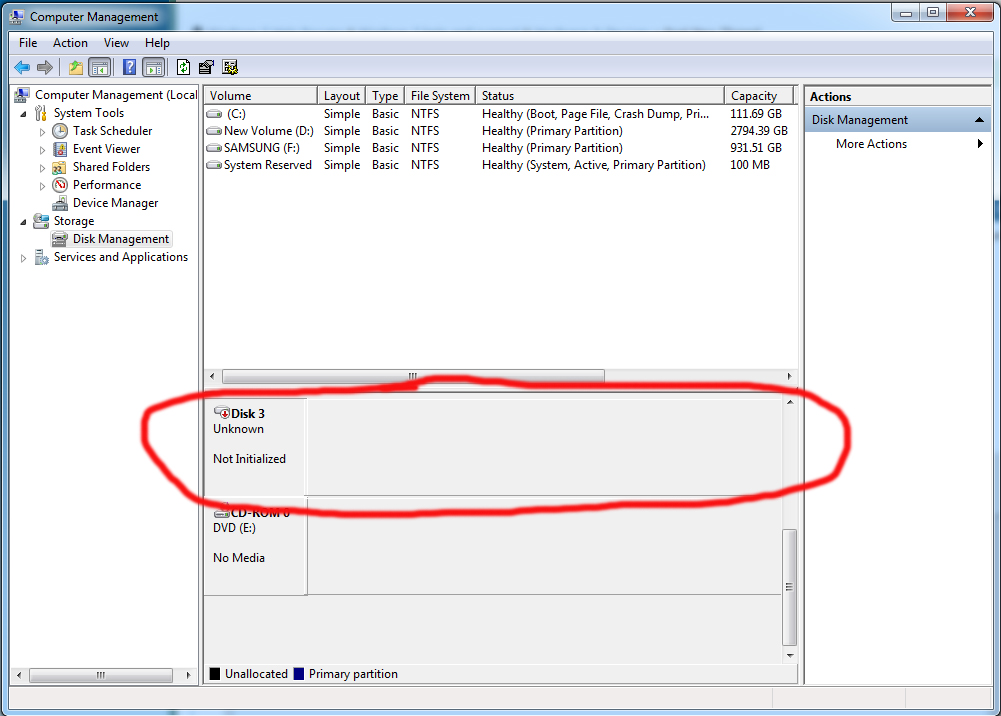
Ooookay, well I know I have data I'd like to keep on there, so I figure I'll pop into Partitian Wizard and try to repair it there. However...
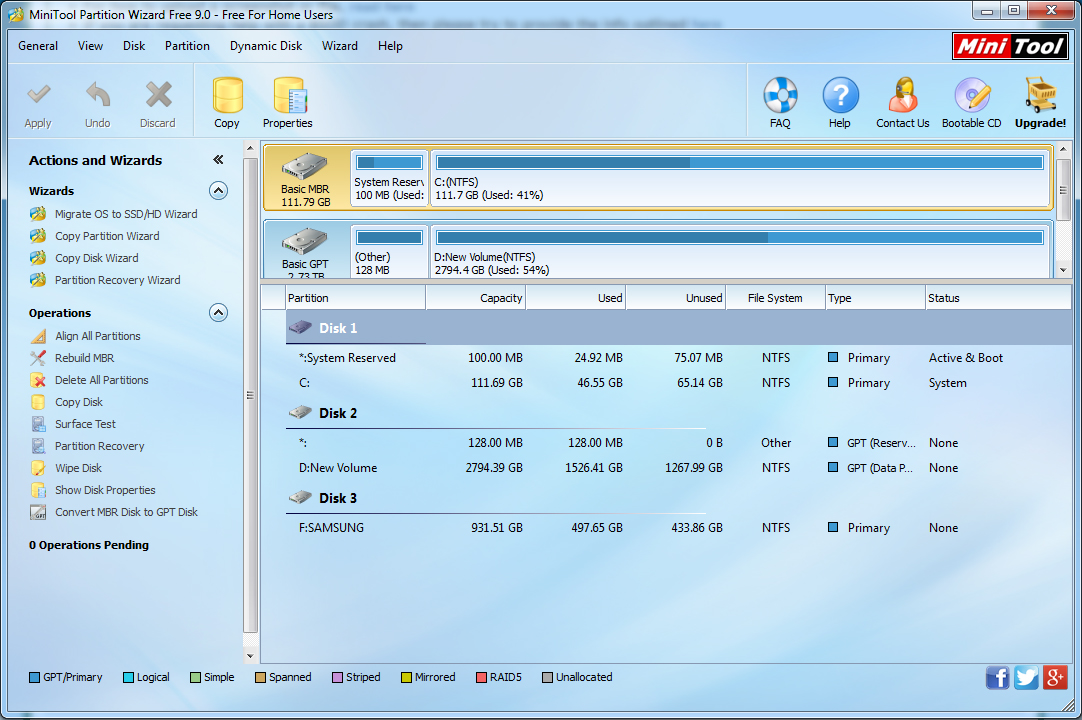
It's not there, so I figure "fine, I'll just initialize it" however when I do THAT I get I/O Device Errors.
Anyone have any idea what on earth to do here? I don't currently have room INSIDE my computer to add this device via SATA so I'd really like to keep it external if at all possible.
Thanks
I looked into Disk manager and saw this:
Ooookay, well I know I have data I'd like to keep on there, so I figure I'll pop into Partitian Wizard and try to repair it there. However...
It's not there, so I figure "fine, I'll just initialize it" however when I do THAT I get I/O Device Errors.
Anyone have any idea what on earth to do here? I don't currently have room INSIDE my computer to add this device via SATA so I'd really like to keep it external if at all possible.
Thanks
My Computer
- Computer type
- PC/Desktop
- Computer Manufacturer/Model Number
- NCIX
- OS
- Windows 7 Home Premium 64 Bit
- CPU
- AMD FX-6300 Six-Core Processor
- Motherboard
- Gigabyte GA-78LMT-USB3
- Graphics Card(s)
- AMD Radeon R7 200 Series
- Browser
- Google Chrome
