lennythemartian
New member
- Local time
- 7:39 PM
- Messages
- 1
Hi All,
I recently changed my setup from having a single 1TB primary to a 128GB Crucial M4 128GB 2.5” primary / Windows drive. I am now using the 1TB Western Digital Black for most of my files.
I have noticed that both the solid-state and hard-disk drives have to spin up when I have not been working on intensive software or gaming for a while (not sure how long – anywhere from 5 to 20 minutes). For example, when browsing the internet for a while and only using browsers and what not, I have experienced both drives having to spin up when I go into the file manager and try to open a music file or other document on either drive.
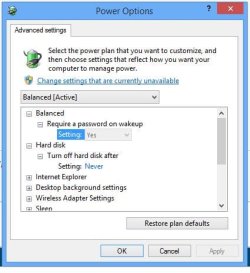
I went into the power settings and specifically disabled the hard drive “sleep” setting, under Advanced settings in Power Management. I am still having the problem.
I searched the internet and forums, but didn’t come across anything except for someone’s idea for a .vbs batch script that runs in the background every 5 minutes to keep the drive from going to sleep… haha (here if you want to check it out: How to prevent hard drive from spinning down Windows 7? - Super User )
Anyone else have this problem before? Thank you!
**P.S. - I checked the firmware and I am using what appears to be the current revision - "070H"
- - -
running Windows 7 64bit Home Premium
motherboard: MSI Z77A-GD65 LGA
128 GB Crucial M4 2.5" SSD
1TB Western Digital Black 3.5" 7200
Intel Core i7-3770K Ivy Bridge 3.5GHz
I recently changed my setup from having a single 1TB primary to a 128GB Crucial M4 128GB 2.5” primary / Windows drive. I am now using the 1TB Western Digital Black for most of my files.
I have noticed that both the solid-state and hard-disk drives have to spin up when I have not been working on intensive software or gaming for a while (not sure how long – anywhere from 5 to 20 minutes). For example, when browsing the internet for a while and only using browsers and what not, I have experienced both drives having to spin up when I go into the file manager and try to open a music file or other document on either drive.
I went into the power settings and specifically disabled the hard drive “sleep” setting, under Advanced settings in Power Management. I am still having the problem.
I searched the internet and forums, but didn’t come across anything except for someone’s idea for a .vbs batch script that runs in the background every 5 minutes to keep the drive from going to sleep… haha (here if you want to check it out: How to prevent hard drive from spinning down Windows 7? - Super User )
Anyone else have this problem before? Thank you!
**P.S. - I checked the firmware and I am using what appears to be the current revision - "070H"
- - -
running Windows 7 64bit Home Premium
motherboard: MSI Z77A-GD65 LGA
128 GB Crucial M4 2.5" SSD
1TB Western Digital Black 3.5" 7200
Intel Core i7-3770K Ivy Bridge 3.5GHz
My Computer
At a glance
Windows 7 64bit Home PremiumIntel 3.5 quad16GBGeForce 670
- Computer type
- PC/Desktop
- Computer Manufacturer/Model Number
- custom
- OS
- Windows 7 64bit Home Premium
- CPU
- Intel 3.5 quad
- Motherboard
- MSI smthg or other
- Memory
- 16GB
- Graphics Card(s)
- GeForce 670
- Hard Drives
- Crucial 128 SSD primary
WD Black 1TB