
Hello,
It is my windows 7 64bit desktop, 5-6 years old, other laptop,iPad,iPhone has no problem connect to wifi at all.
I am not sure what is wrong about my wireless adapter, at first I got yellow triangle every few minutes, and I used trouble shooting it was fine for a while. And I did try update adapter driver , or remove it, and reload or turn off TCP/IP options, I have 4, 6 sometimes 4 might work, most time 6 is not connecting to network.
I restore my system, open it in safe mode, still have the same issue.
Today when I open it, the yellow mark actually stay forever, if it is fine, then there is no sending/ receiving data if I open status window.
I opened device manager, it said the adapter is working properly, but now I trouble shooting, it can not fix the problem. Sometimes it said adapter problem solved, but there is no sending receiving data, sometimes they said router has no data, but my other computers are totally fine.
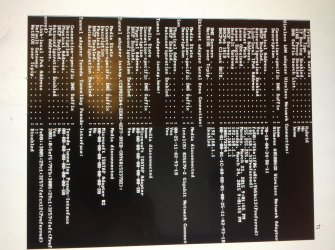
I am not sure how to read the ipconfig, I attached one photo about it. I typed ipconfig /all
I doubt it might be the wireless adapter broken? This issue suddenly show up month ago and getting worse and worse.
Thanks a lot
It is my windows 7 64bit desktop, 5-6 years old, other laptop,iPad,iPhone has no problem connect to wifi at all.
I am not sure what is wrong about my wireless adapter, at first I got yellow triangle every few minutes, and I used trouble shooting it was fine for a while. And I did try update adapter driver , or remove it, and reload or turn off TCP/IP options, I have 4, 6 sometimes 4 might work, most time 6 is not connecting to network.
I restore my system, open it in safe mode, still have the same issue.
Today when I open it, the yellow mark actually stay forever, if it is fine, then there is no sending/ receiving data if I open status window.
I opened device manager, it said the adapter is working properly, but now I trouble shooting, it can not fix the problem. Sometimes it said adapter problem solved, but there is no sending receiving data, sometimes they said router has no data, but my other computers are totally fine.
I am not sure how to read the ipconfig, I attached one photo about it. I typed ipconfig /all
I doubt it might be the wireless adapter broken? This issue suddenly show up month ago and getting worse and worse.
Thanks a lot
Attachments
My Computer
At a glance
Win 7 64
- Computer type
- PC/Desktop
- OS
- Win 7 64
