Clearphoenix
New member
Hello All;
A quick backgroud to the issue here;
At windows startup, every single time, the help & support window opens with this error:
"The Help for this program was created in Windows Help format, which depends on a feature that isn’t included in this version of Windows. However, you can download a program that will allow you to view Help created in the Windows Help format."
So I went and pulled up this document on the Microsoft site (I cannot open Help files that require the Windows Help (WinHlp32.exe) program)
I read through this and downloaded and installed the windows help program to load older version help files.
This resulted in this error at Windows startup: "There was a problem running the macro. (1037)"
The above KB article covers this issue as well, which I proceeded with, doing the registry workaround.
At startup after doing this, a window pops open for a split second, literally a split second, all you see is a blink.
This of course prompted me to un-do the registry fix, as there is no way I'm going to live with an unknown file loading at startup running some macro.
Key point here, this is my business machine, I can't leave this sitting (I'm also the administrator here, so it's my responsibilty to fix) It has never caused any problems, there has never been a virus on this machine nor malware etc.
I'm simply getting really annoyed with this unknown "help file" loading at startup, or trying to I should say, all the time.
I have looked through the web for a considerable amount of time trying to find a solution, to no avail.
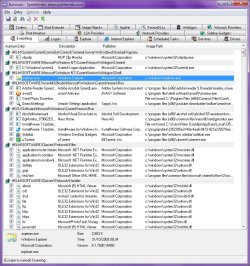
I have checked the registry keys for every startup location, reviewed HiJackThis logs, etc and cannot find anything anywhere that would be loading a help file at startup.
If anyone has any ideas it would be greatly appreciated.
Cheers!
A quick backgroud to the issue here;
At windows startup, every single time, the help & support window opens with this error:
"The Help for this program was created in Windows Help format, which depends on a feature that isn’t included in this version of Windows. However, you can download a program that will allow you to view Help created in the Windows Help format."
So I went and pulled up this document on the Microsoft site (I cannot open Help files that require the Windows Help (WinHlp32.exe) program)
I read through this and downloaded and installed the windows help program to load older version help files.
This resulted in this error at Windows startup: "There was a problem running the macro. (1037)"
The above KB article covers this issue as well, which I proceeded with, doing the registry workaround.
At startup after doing this, a window pops open for a split second, literally a split second, all you see is a blink.
This of course prompted me to un-do the registry fix, as there is no way I'm going to live with an unknown file loading at startup running some macro.
Key point here, this is my business machine, I can't leave this sitting (I'm also the administrator here, so it's my responsibilty to fix) It has never caused any problems, there has never been a virus on this machine nor malware etc.
I'm simply getting really annoyed with this unknown "help file" loading at startup, or trying to I should say, all the time.
I have looked through the web for a considerable amount of time trying to find a solution, to no avail.
I have checked the registry keys for every startup location, reviewed HiJackThis logs, etc and cannot find anything anywhere that would be loading a help file at startup.
If anyone has any ideas it would be greatly appreciated.
Cheers!
My Computer
- OS
- Windows 7 Professional 64bit