
Hello.
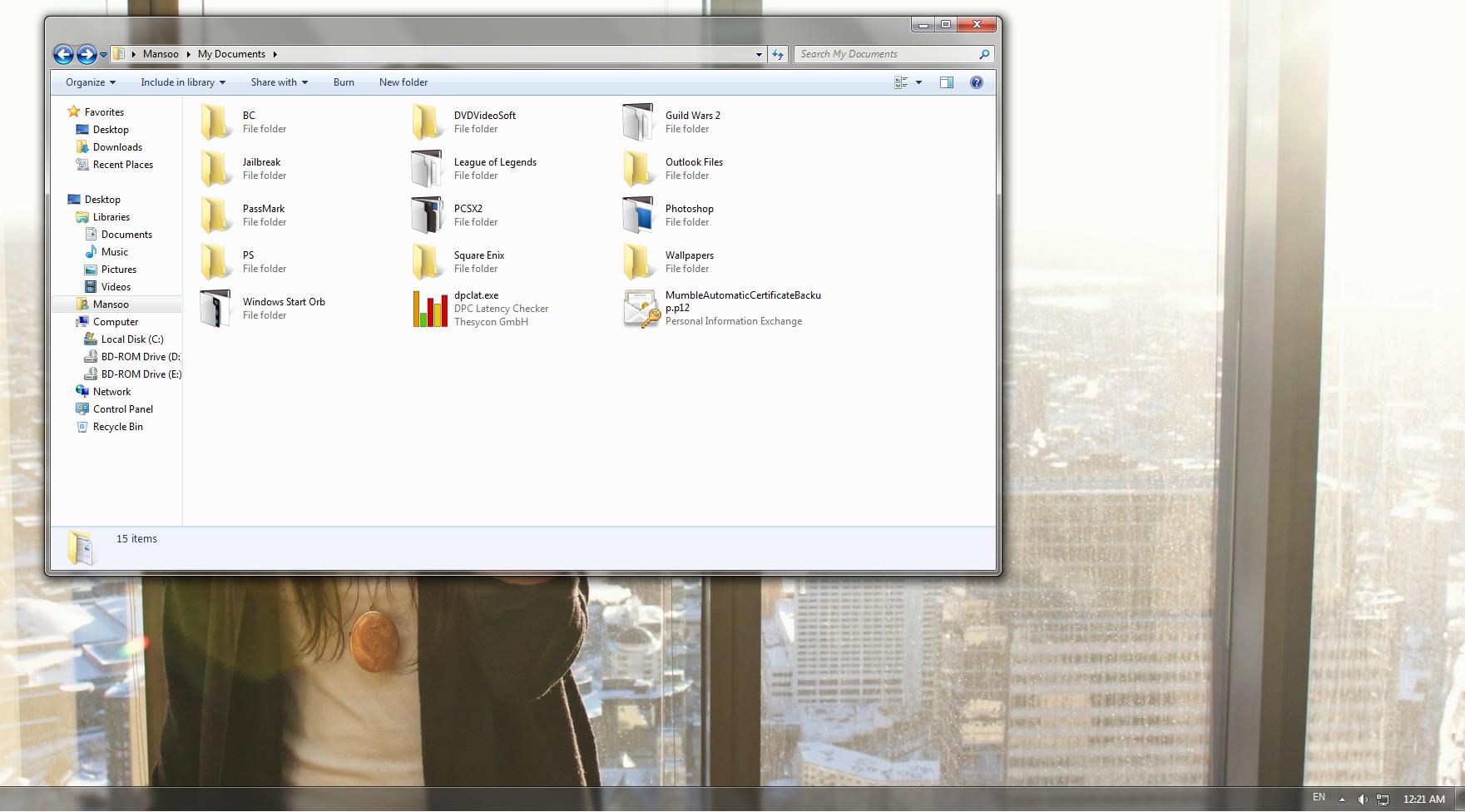
I had a weird problem with my folder icons. The normal folders (ones without thumbnails) appear the normal yellow photo that is the default. However, the folders with thumbnails are a different icon of gray and white. For some reason, I cannot change the icon of the folders with thumbnails back to the default, yellow folders. Can anyone help with this? I have manually tried to change it back by "Right clicking, Properties, Customize" and choosing the yellow default folder, but it isn't working.
I had a weird problem with my folder icons. The normal folders (ones without thumbnails) appear the normal yellow photo that is the default. However, the folders with thumbnails are a different icon of gray and white. For some reason, I cannot change the icon of the folders with thumbnails back to the default, yellow folders. Can anyone help with this? I have manually tried to change it back by "Right clicking, Properties, Customize" and choosing the yellow default folder, but it isn't working.
My Computer
- OS
- Windows 7 Home Premium x64

