I have been unsuccessful in finding the right DOS commands to achieve this and would appreciate some help.
This is an extract from my registry:
[HKEY_LOCAL_MACHINE\SOFTWARE\JavaSoft\Java Runtime Environment\1.6]
"JavaHome"="G:\\Program Files (x86)\\Java\\jre6"
Not sure why it is showing the double backslash...
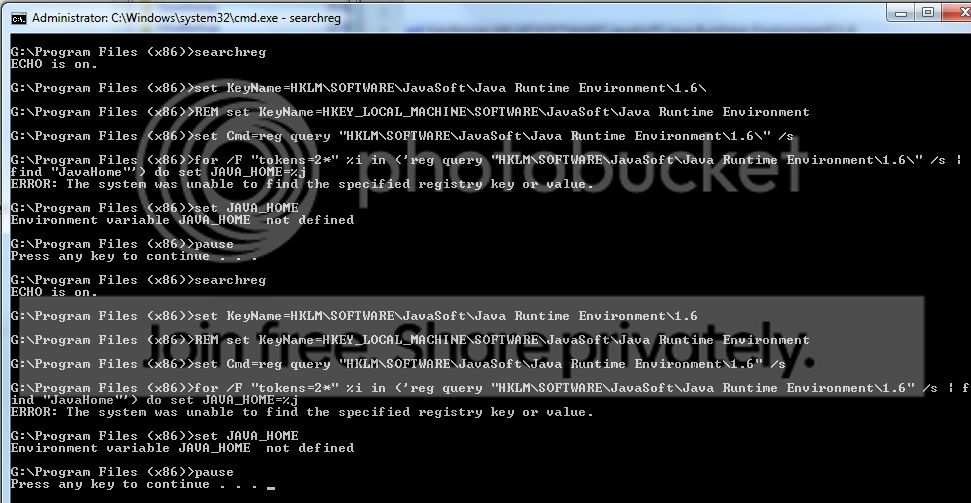
I've tried various commands (in BATch files), such as the following, without success:
- - - -
@echo off
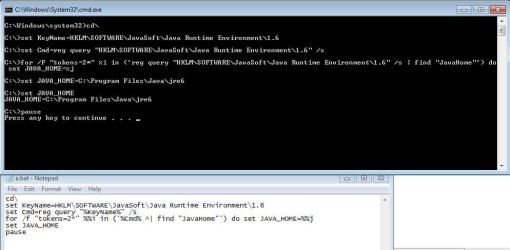
set KeyName=SOFTWARE\JavaSoft\Java Runtime Environment\1.6
REM set KeyName=HKEY_LOCAL_MACHINE\SOFTWARE\JavaSoft\Java Runtime Environment
set Cmd=reg query "%KeyName%" /s
for /f "tokens=2*" %%i in ('%Cmd% ^| find "JavaHome"') do set JAVA_HOME=%%j
set JAVA_HOME
pause
- - - -
Any help will be appreciated.
I know this can be set manually, but this is not what is needed.
This is an extract from my registry:
[HKEY_LOCAL_MACHINE\SOFTWARE\JavaSoft\Java Runtime Environment\1.6]
"JavaHome"="G:\\Program Files (x86)\\Java\\jre6"
Not sure why it is showing the double backslash...
I've tried various commands (in BATch files), such as the following, without success:
- - - -
@echo off
set KeyName=SOFTWARE\JavaSoft\Java Runtime Environment\1.6
REM set KeyName=HKEY_LOCAL_MACHINE\SOFTWARE\JavaSoft\Java Runtime Environment
set Cmd=reg query "%KeyName%" /s
for /f "tokens=2*" %%i in ('%Cmd% ^| find "JavaHome"') do set JAVA_HOME=%%j
set JAVA_HOME
pause
- - - -
Any help will be appreciated.
I know this can be set manually, but this is not what is needed.
My Computer
- OS
- Windows 7 RC