
diamantsallahu
New member
- Local time
- 2:40 PM
- Messages
- 1
I have an HP EliteBook Laptop 8530p, and its recommended screen resolution is 1680x1050, everything fits perfectly when talking about each program besides using browsers. When using Mozilla or Chrome at normal zoom mode 100%, the text is so small, like in the screenshot below:
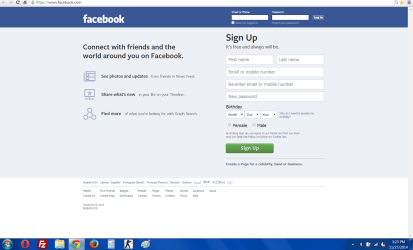
I have tried changing the text size on the screen resolution options, but it is default in 125%, if I make a custom size like 126% it looks pretty nice, but there are some shakes while scrolling on the browser, is there any other way to make it fit. I also use Windows 7 Home Premium.
I have tried changing the text size on the screen resolution options, but it is default in 125%, if I make a custom size like 126% it looks pretty nice, but there are some shakes while scrolling on the browser, is there any other way to make it fit. I also use Windows 7 Home Premium.
Last edited by a moderator:
My Computer
At a glance
Windows 7 Home Premium 32bitDual Core 2.53 GHz4GB
- Computer type
- Laptop
- Computer Manufacturer/Model Number
- HP
- OS
- Windows 7 Home Premium 32bit
- CPU
- Dual Core 2.53 GHz
- Memory
- 4GB
- Hard Drives
- 250GB
- Antivirus
- Avast
- Browser
- Chrome, Mozilla
