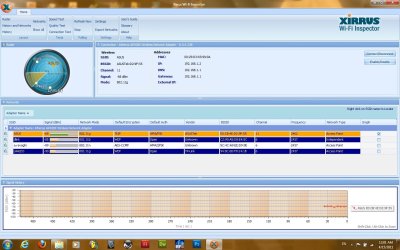
I Have An ASUS DSL-G31 and ASUS G71Gx Notebook with Atheros AR928X Wireless Network Adapter
And My Problem is that my notebook have access to internet but after sometimes it can't open any pages but still I have connection with my Router and windows says I have access to internet but no pages can be opened
I ping yahoo.com in cmd and it replies
for info:I have Win7 Ultimate X64
In Troubleshooter I check internet connection and it says you have no problem and you can browse internet(It check Microsoft site) but when i browse Microsoft nothing comes up
In Network Adapter check it says problem is from DNS Server but I have connection with my PC to internet
I did Rollback for adapter driver but nothing happened
I install newest driver after rolling back but again nothing happened
and I disabled the DHCP Broadcast in registery too(by making a DWORD with name of DhcpConnDisableBcastFlagToggle and I put value to 1) but just time of having access before loosing the access to internet increased
something else, When I'm changing IP Address In Windows When I Press OK Message comes up and say Multiple Default Gateways are intended to provide redundancy to a single network(such as an intranet) They will not function properly when the gateways are on two separate disjoint networks(such as one on your intranet and one on the internet.Do You Want to save this configuration?, buttons are Yes Or No
and my default gateway is 192.168.1.1
Thanks everybody for helping
and sorry if my writing is not so good
And My Problem is that my notebook have access to internet but after sometimes it can't open any pages but still I have connection with my Router and windows says I have access to internet but no pages can be opened
I ping yahoo.com in cmd and it replies
for info:I have Win7 Ultimate X64
In Troubleshooter I check internet connection and it says you have no problem and you can browse internet(It check Microsoft site) but when i browse Microsoft nothing comes up
In Network Adapter check it says problem is from DNS Server but I have connection with my PC to internet
I did Rollback for adapter driver but nothing happened
I install newest driver after rolling back but again nothing happened
and I disabled the DHCP Broadcast in registery too(by making a DWORD with name of DhcpConnDisableBcastFlagToggle and I put value to 1) but just time of having access before loosing the access to internet increased
something else, When I'm changing IP Address In Windows When I Press OK Message comes up and say Multiple Default Gateways are intended to provide redundancy to a single network(such as an intranet) They will not function properly when the gateways are on two separate disjoint networks(such as one on your intranet and one on the internet.Do You Want to save this configuration?, buttons are Yes Or No
and my default gateway is 192.168.1.1
Thanks everybody for helping
and sorry if my writing is not so good
My Computer
- Computer Manufacturer/Model Number
- ASUS G71GX Notebook
- OS
- Windows 7 Ultimate X64
- CPU
- Core2Duo P8700 2.53GHz
- Memory
- 6 GB DDR2 800MHz SDRAM
- Graphics Card(s)
- Geforce GTX260M 1GB GDDR
- Sound Card
- Altec Lansing Built-In 4 Speakers
- Monitor(s) Displays
- 17.1" WUXGA With 1440*900 Resolution
- Hard Drives
- 500 GB Internal 5400rpm
1 TB External Toshiba Canvio