miketowninc
New member
Does anyone know if these drivers MEGAUPLOAD - The leading online storage and file delivery service are the correct ones? The first post's rapidshare link has no more slots available.
My Computer
- OS
- Windows 7

hi frnds i tried this way but i cant get it .after trying so much i got 100% result.thatis after installing installing w7 u get stander vga drivers then u directly install only[only] this driver [by going through computer managment>displaydrivers>properties>update driver>locate this drivers on hard drive after unziping .]and reboot after installation is completed.
RapidShare: Easy Filehosting
2.drag cmd prompt on to the desktop . start run as adminitrator >type Bcdedit.exe /set nointegritychecks ON
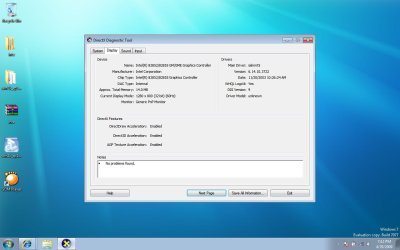
3.u can check in dxdiag>display for conformation


I tried this and still had no joy. The drivers install fine but on reboot they show up with a yellow warning triangle in the device manager and the screen still renders as with the standard VGA driver. Am I missing something? Am I supposed to install the drivers in safe mode or something?I know this is weird, but it's worked twice for my 700m. Attach a monitor to the VGA port and get the drivers to install again and reboot (don't tell Windows to extend to the monitor, just have it connected). That should get you the correct screen resolution.
Either there is something weird about having that connection, or I have a wacky laptop
hi frnds i tried this way but i cant get it .after trying so much i got 100% result.thatis after installing installing w7 u get stander vga drivers then u directly install only[only] this driver [by going through computer managment>device manager>display adapters>properties>update driver>locate this drivers on hard drive after unziping .]and reboot after installation is completed.
vvimp MEGAUPLOAD - The leading online storage and file delivery service
2.drag cmd prompt on to the desktop . start run as adminitrator >type Bcdedit.exe /set nointegritychecks ON
3.u can check in dxdiag>display for conformation


OK. I finally have this working on my dell 700m after using a mix of this solution and another that I tried with the beta build and got BSOD. Turn off integrity checks as described in step 2 above then download the drivers. Reboot in safe mode and install the drivers as decribed above. Click the "Scan for hardware changes" button at the top of the device manager and let it whirr away until it gives you a dialogue box saying the 855 drivers are ready to use. Reboot.
When you reboot the screen will display as before in VGA mode, but when you log in the new drivers will be detected and installed. The screen will go black. Reboot when the hard disk has become idle. You should now be running with the intel drivers. If you right click on the desktop and click screen relolution, then click advanced settings and then list all modes, you should be able to change to 1280x800 32bit true colour mode.
Hope this helps somebody.


 Looks like that is it folks