I have an extremely frustrating problem: My 64-bit Win7 Pro SP1 system keeps running fine for hours, as long as I'm frequently interacting with it. But when I start a disk-intensive application that needs to run for 6-10 hours, when the task is about 90% complete, the system usually hangs/freezes (i.e., the mouse and keyboard do not respond)!
I assure you I have followed several people's advice and have reduced the number of installed apps and drivers, have run extensive CPU & RAM diagnostics, re-seated boards, run multiple anti-malware tools, registry checkers, temperature monitors, etc, etc, etc -- but the problem never goes away.
What I'm looking for (and I realize I'm asking for a lot!) is a utility that monitors the OS -- apps, services, drivers, etc -- and can detect when a freeze/hang is about to happen and then takes whatever actions that are possible. The idea is that it might either prevent the freeze or reset the keyboard/mouse drivers or do SOMETHING that would allow me to access a process manager (such as Process Hacker or the like). That way, at least I have a fighting chance to correct the problem without rebooting and starting all over again! :banghead:
BTW, Resplendence Software provides a freeware goodie named "AntiFreeze", but even assuming it works under Win7 (there's contradictory info, so I've asked for a clarification), it the keyboard is inactive or ignored, it does no good at all.
Does anyone know of anything like that?
Thanks!
I assure you I have followed several people's advice and have reduced the number of installed apps and drivers, have run extensive CPU & RAM diagnostics, re-seated boards, run multiple anti-malware tools, registry checkers, temperature monitors, etc, etc, etc -- but the problem never goes away.
What I'm looking for (and I realize I'm asking for a lot!) is a utility that monitors the OS -- apps, services, drivers, etc -- and can detect when a freeze/hang is about to happen and then takes whatever actions that are possible. The idea is that it might either prevent the freeze or reset the keyboard/mouse drivers or do SOMETHING that would allow me to access a process manager (such as Process Hacker or the like). That way, at least I have a fighting chance to correct the problem without rebooting and starting all over again! :banghead:
BTW, Resplendence Software provides a freeware goodie named "AntiFreeze", but even assuming it works under Win7 (there's contradictory info, so I've asked for a clarification), it the keyboard is inactive or ignored, it does no good at all.
Does anyone know of anything like that?
Thanks!
My Computer
At a glance
Windows 7 Professional 64-bitIntel Core i7-4790K Devil’s Canyon Quad-Core ...16GB G.SKILL TridentX 2666 (PC3 21300) RAMEVGA nVidia GTX-750
- Computer type
- PC/Desktop
- Computer Manufacturer/Model Number
- Home-built
- OS
- Windows 7 Professional 64-bit
- CPU
- Intel Core i7-4790K Devil’s Canyon Quad-Core 4.0 GHz
- Motherboard
- ASUS Z97-A/USB 3.1 Gen 2
- Memory
- 16GB G.SKILL TridentX 2666 (PC3 21300) RAM
- Graphics Card(s)
- EVGA nVidia GTX-750
- Sound Card
- LogiLink USB 2.0 7.1 Channel Sound Box
- Monitor(s) Displays
- DELL U2713HM, ViewSonic 22, HDTV
- Screen Resolution
- 1920x1080
- Hard Drives
- System is on 2x RAID 0 Samsung 850 PRO 256GB SATA-III SSD
System has several other SATA III disks as well
- PSU
- Corsair RM750x
- Case
- CoolerMaster Storm Scout 2
- Cooling
- CoolerMaster Hyper 212 EVO
- Keyboard
- Apple Slim, Bluetooth slim
- Mouse
- Logitech Trackball Marble & Logitech Wireless Trackball
- Internet Speed
- 100 Gbps
- Antivirus
- Avira AntiVirus Pro
- Browser
- Waterfox, Opera, Basilisk


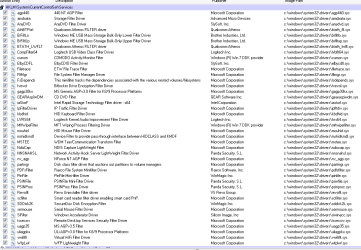
 Let me explain: In order to try and figure out what's causing the hang, I decided to run
  )
)