Hey all,
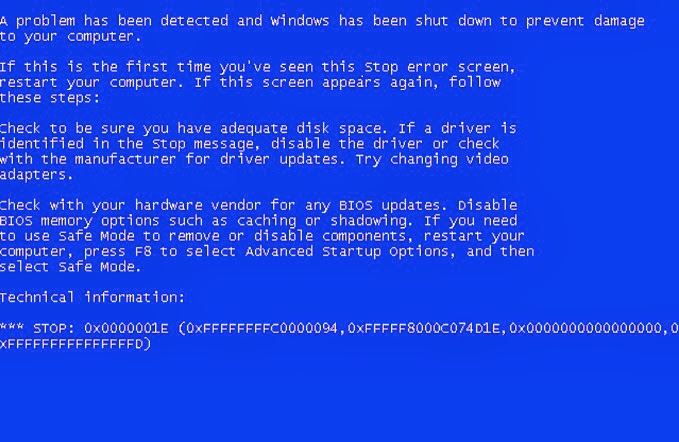
Been having random restarts happen to my PC as of late (the last day or so). I've tried checking if it was restarting because of audio drivers conflicting. I've tried using System Restore (which worked briefly, then didn't). I've tried everything short of getting a new power supply. I'd try an alternate one but I don't have a spare around here.
Here's the code information:
- <Event xmlns="http://schemas.microsoft.com/win/2004/08/events/event">
- <System>
<Provider Name="Microsoft-Windows-Kernel-Power" Guid="{331C3B3A-2005-44C2-AC5E-77220C37D6B4}" />
<EventID>41</EventID>
<Version>2</Version>
<Level>1</Level>
<Task>63</Task>
<Opcode>0</Opcode>
<Keywords>0x8000000000000002</Keywords>
<TimeCreated SystemTime="2015-05-14T02:25:10.291257600Z" />
<EventRecordID>4842</EventRecordID>
<Correlation />
<Execution ProcessID="4" ThreadID="8" />
<Channel>System</Channel>
<Computer>Max-PC</Computer>
<Security UserID="S-1-5-18" />
</System>
- <EventData>
<Data Name="BugcheckCode">0</Data>
<Data Name="BugcheckParameter1">0x0</Data>
<Data Name="BugcheckParameter2">0x0</Data>
<Data Name="BugcheckParameter3">0x0</Data>
<Data Name="BugcheckParameter4">0x0</Data>
<Data Name="SleepInProgress">false</Data>
<Data Name="PowerButtonTimestamp">0</Data>
</EventData>
</Event>
I've noted that it only restarts if I'm doing something intensive, such as playing a game (lately, ArcheAge, MMORPG). It runs fine (most of the time) if I'm just using a browser.
My current specs are:
Graphics: NVIDIA GeForce GTX 560 1GB
RAM: Unsure, 4GB DDR3 RAM
Motherboard: MSI MS-7680, H61M-P21 (B3) model
Power Supply: Unknown, no sticker to indicate, well, anything
OS: Windows 7 Ultimate 64-bit
Oh, and this is an old computer of my boyfriend's, was built in 2011. His problem with it (and the reason for upgrading) was that sometimes the monitor he was using wouldn't receive signal and he tried everything to fix it but to no avail. Now, that issue seems to have been fixed by a clean install on Windows 7 Ultimate 64-bit on a new HDD, but now I've got this issue. Can someone please help? :/ And if it's the power supply, suggestions on what I could get cheap?
EDIT: I've also tried getting a minidump file when it crashes, but none ever appear even if I've got it set for them to be recorded.
Been having random restarts happen to my PC as of late (the last day or so). I've tried checking if it was restarting because of audio drivers conflicting. I've tried using System Restore (which worked briefly, then didn't). I've tried everything short of getting a new power supply. I'd try an alternate one but I don't have a spare around here.
Here's the code information:
- <Event xmlns="http://schemas.microsoft.com/win/2004/08/events/event">
- <System>
<Provider Name="Microsoft-Windows-Kernel-Power" Guid="{331C3B3A-2005-44C2-AC5E-77220C37D6B4}" />
<EventID>41</EventID>
<Version>2</Version>
<Level>1</Level>
<Task>63</Task>
<Opcode>0</Opcode>
<Keywords>0x8000000000000002</Keywords>
<TimeCreated SystemTime="2015-05-14T02:25:10.291257600Z" />
<EventRecordID>4842</EventRecordID>
<Correlation />
<Execution ProcessID="4" ThreadID="8" />
<Channel>System</Channel>
<Computer>Max-PC</Computer>
<Security UserID="S-1-5-18" />
</System>
- <EventData>
<Data Name="BugcheckCode">0</Data>
<Data Name="BugcheckParameter1">0x0</Data>
<Data Name="BugcheckParameter2">0x0</Data>
<Data Name="BugcheckParameter3">0x0</Data>
<Data Name="BugcheckParameter4">0x0</Data>
<Data Name="SleepInProgress">false</Data>
<Data Name="PowerButtonTimestamp">0</Data>
</EventData>
</Event>
I've noted that it only restarts if I'm doing something intensive, such as playing a game (lately, ArcheAge, MMORPG). It runs fine (most of the time) if I'm just using a browser.
My current specs are:
Graphics: NVIDIA GeForce GTX 560 1GB
RAM: Unsure, 4GB DDR3 RAM
Motherboard: MSI MS-7680, H61M-P21 (B3) model
Power Supply: Unknown, no sticker to indicate, well, anything
OS: Windows 7 Ultimate 64-bit
Oh, and this is an old computer of my boyfriend's, was built in 2011. His problem with it (and the reason for upgrading) was that sometimes the monitor he was using wouldn't receive signal and he tried everything to fix it but to no avail. Now, that issue seems to have been fixed by a clean install on Windows 7 Ultimate 64-bit on a new HDD, but now I've got this issue. Can someone please help? :/ And if it's the power supply, suggestions on what I could get cheap?
EDIT: I've also tried getting a minidump file when it crashes, but none ever appear even if I've got it set for them to be recorded.
Last edited:
My Computer
- Computer type
- PC/Desktop
- Computer Manufacturer/Model Number
- MSI
- OS
- Windows 7 64-bit
- CPU
- Intel Core i5-2500K CPU @ 3.30GHz
- Motherboard
- MS-7680, H61M-P21 (B3)
- Memory
- 4GB DDR3 RAM
- Graphics Card(s)
- NVIDIA GeForce GTX 560
- Hard Drives
- WDC WD10EAVS-00D7B1 ATA Device (1TB)
- Antivirus
- None
- Browser
- Google Chrome