vvcmarttech
WindowsWarrior11
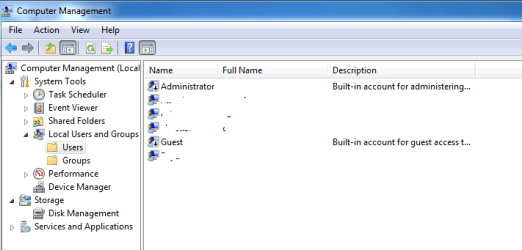
I set up a local user account on a company laptop that was to be used for employees who needed a lap top temporarily. I later added the laptop to the domain so that users could also use their company credentials. However after putting the computer on the domain, the local guest user account doesn't work. I went in as an admin and played with the account, it is still there and nothing has been disabled. When logging in I insert the computer-name/guest and it claims the password or domain is wrong? I just set the password and the local computer domain name is right here in front of me nothing has been inserted wrong. Is this an issue that need's to be addressed in group policy (which I need to go to someone else for) or can I solve this on the local machine? Microsoft really needs to patch these domain issues or they need to give Windows Seven log in options the flexibility XP had. Just saying
Last edited:
My Computer
At a glance
I am running Windows 7 Prof. 64 bit / Win 8 6...I5 - I710 GBNvida 650m
- Computer type
- PC/Desktop
- OS
- I am running Windows 7 Prof. 64 bit / Win 8 64 bit. Most campus nodes are on 7 32 bit
- CPU
- I5 - I7
- Memory
- 10 GB
- Graphics Card(s)
- Nvida 650m
- Hard Drives
- 1tb