

How do you trace drivers ? Not through Task Manager ?
Well I keep an eye on drivers using various softwares but when uninstalling a program - if it installed a driver and it happens to be running then I stop the driver and delete it before uninstalling the software. There's no way you should do that without a proper backup as deleting a critical driver can leave you with an unbootable machine. Particularly if you mess about with drivers that are installed by security software!

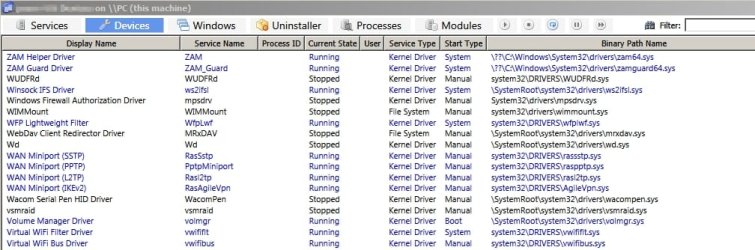
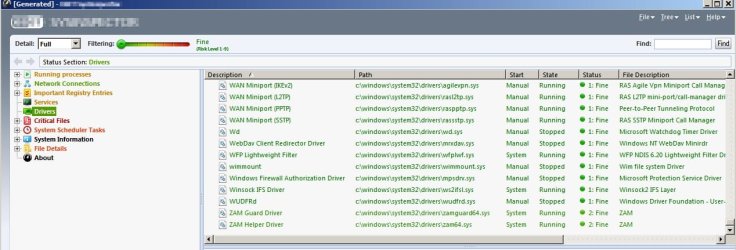
I used to keep Driver Radar Pro (free) installed but after a while I ditched it. It lists current drivers and whitelists them then notifies you if any new drivers launch or are installed. What I am concerned with is unsigned drivers but I use other software that checks any new files before they get to run so I don't need Driver Radar Pro any longer.
My Computer
At a glance
Microsoft Windows 7 Home Premium 64-bit 7601 ...AMD C-60 APU with Radeon(tm) HD Graphics4.00 GBAMD Radeon HD 6290 Graphics
- Computer type
- Laptop
- Computer Manufacturer/Model Number
- ASUS
- OS
- Microsoft Windows 7 Home Premium 64-bit 7601 Multiprocessor Free Service Pack 1
- CPU
- AMD C-60 APU with Radeon(tm) HD Graphics
- Motherboard
- ASUSTeK COMPUTER INC. X501U
- Memory
- 4.00 GB
- Graphics Card(s)
- AMD Radeon HD 6290 Graphics
- Sound Card
- (1) AMD High Definition Audio Device (2) Realtek High Defi
- Screen Resolution
- 1366 x 768 x 32 bits (4294967296 colors) @ 60 Hz
- Hard Drives
- Hitachi HTS545050A7E380 SATA Disk Device
- Antivirus
- Comodo CIS & FW, SecureAplus App Whitelisting, Threatfire
- Browser
- Cyberfox 64bit, Opera 64bit, Airfox
- Other Info
- Spy-The-Spy, HitmanPro.Alert, Norton Connect Safe, MJRegWatcher, BitDefender TrafficLight, Voodoo Shield, Zemana AntiMalware


