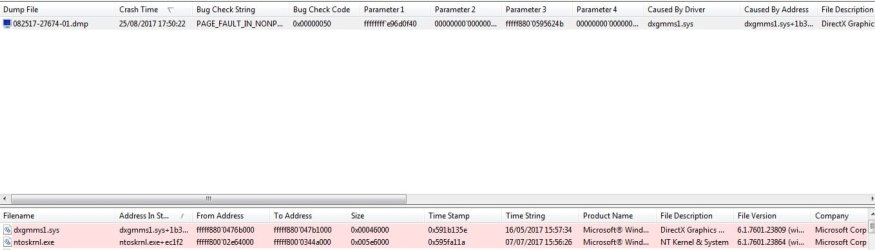
Looks like it is a graphics problem. Your graphics temperature is higher than the rest, but not by too much. I'm not sure what the max temp should be, but 56c looks a little high to me. And the test results specifically indicated that it was the graphics adapter.
The first thing I would do would be to reinstall the graphics driver. If that doesn't eliminate the problem, then I would open the machine and make sure that there is no dust; if there is, I would eliminate the dust with a can of compressed air. Since both CPUs and the GPU are all a bit high, but all of these temperatures are close to each other, dust is likely the culprit.
Another thing: The thermal paste which affixes the heat sink to your CPU could be low quality, thereby not transferring enough heat. If you tear down the computer to get the dust out, it would be a good idea to replace the thermal paste used for each heat sink with good quality thermal paste. But don't do this unless you do a complete teardown, because you have to basically completely disassemble the computer to be able to do this.
Here's how to apply thermal paste:
HP Laptop keeps turning off randomly
Also, if you tear the computer down, be sure to replace the CMOS battery.



 Although I really shouldn't leave it trailing across the room. Seen a new part on ebay. Is it something I could replace easily myself? If it involves welding I'd need to take it somewhere.