
Lately (2-3 weeks) I have been having problems on my homebuilt desktop. Our current network is setup as follows. A 2 story house with a modem/router upstairs. The modem is provided by the ISP and the router is an old Dlink (suspect). There are also 2 laptops (macbook and New Asus) upstairs that are not having any or slim internet problems, the macbook moreso than the Asus. There is also a desktop upstairs connected to the modem with an ethernet cord. All of the second story computers are fairly close. Now for the problem, I am the furthest away and on a different floor with different possible interference sources in the way. I feel that it is a Hardware problem though.
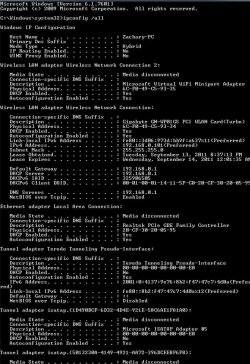
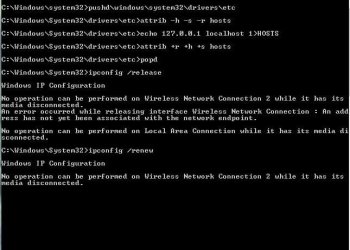
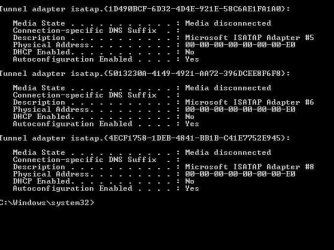
My internet is constantly dropping if it will identify the network at all. It will work for several minutes and then drops. If it will not connect at all I am getting either identifying network, no internet or I am getting unidentified, no internet. I have a less than year old basic Gigabyte network card in my desktop, I do not know if this is the problem, I couldn't find a newer driver. The other computers are not having anywhere near the problems so I am worried that it may be my router dieing or a problem with my network card. I will attach the IPconfig log and then another problem happened, the DNS flush would not go through so I added that jpeg.
I am at a loss and it is very aggravating, please help me
Edit: The laptop I used to post this on down in my room suddenly dropped internet and couldnt Identify until I went upstairs. This leads me to believe the router isn't strong enough or there is crazy interference which I don't know that I could change. Maybe a fixed ethernet cord or another router downstairs?
My internet is constantly dropping if it will identify the network at all. It will work for several minutes and then drops. If it will not connect at all I am getting either identifying network, no internet or I am getting unidentified, no internet. I have a less than year old basic Gigabyte network card in my desktop, I do not know if this is the problem, I couldn't find a newer driver. The other computers are not having anywhere near the problems so I am worried that it may be my router dieing or a problem with my network card. I will attach the IPconfig log and then another problem happened, the DNS flush would not go through so I added that jpeg.
I am at a loss and it is very aggravating, please help me
Edit: The laptop I used to post this on down in my room suddenly dropped internet and couldnt Identify until I went upstairs. This leads me to believe the router isn't strong enough or there is crazy interference which I don't know that I could change. Maybe a fixed ethernet cord or another router downstairs?
Attachments
Last edited:
My Computer
- OS
- Windows 7 Home Premium 64bit