
changcasyo
New member
- Local time
- 12:51 AM
- Messages
- 2
Netbook won't boot after bluescreen: F4 says 'invalid recovery area" a
Hi! I have a Samsung netbook model NP300E4A. Yesterday it hanged (out of frustration i banged the keyboard with my palm) i removed the battery to turn it off and put it back and turned on... a blue screen appeared (quick one that i was not able to read it) and directed me to auto repair it which i did. After a long time it says the auto repair can't be done. So i turned it off (removed the batteries) and turned on pressed F8, i was still able to safe mode it but it kept on lagging so i decided to load it to its previous ok stage... but it was of no help... i removed the batteries and let it stay like that over night to cool..
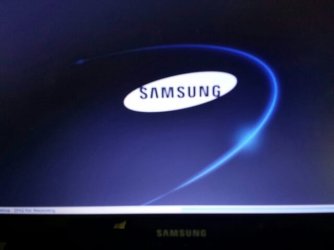
This morning when i tried turning it on it's stuck on the logo screen.. F8 no longer works it stays on the logo screen for a very long time (attachment 1) and then goes black (just black screen) so is F4 and it says invalid recovery area (attachment 2)... F2 does work and it was not much of help (as far as my knowledge on computers goes)... i decided to use the recovery media, changed the settings on F2 so it'll automatically read the DVD.. however it won't read the media...
What could be the cause? And what can i do to repair my laptop?
Hi! I have a Samsung netbook model NP300E4A. Yesterday it hanged (out of frustration i banged the keyboard with my palm) i removed the battery to turn it off and put it back and turned on... a blue screen appeared (quick one that i was not able to read it) and directed me to auto repair it which i did. After a long time it says the auto repair can't be done. So i turned it off (removed the batteries) and turned on pressed F8, i was still able to safe mode it but it kept on lagging so i decided to load it to its previous ok stage... but it was of no help... i removed the batteries and let it stay like that over night to cool..
This morning when i tried turning it on it's stuck on the logo screen.. F8 no longer works it stays on the logo screen for a very long time (attachment 1) and then goes black (just black screen) so is F4 and it says invalid recovery area (attachment 2)... F2 does work and it was not much of help (as far as my knowledge on computers goes)... i decided to use the recovery media, changed the settings on F2 so it'll automatically read the DVD.. however it won't read the media...
What could be the cause? And what can i do to repair my laptop?
Attachments

Last edited:
My Computer
At a glance
Windows7 Home Basic (EM) SP1 64bit
- Computer type
- Laptop
- Computer Manufacturer/Model Number
- Samsung NP300E4A
- OS
- Windows7 Home Basic (EM) SP1 64bit
- Antivirus
- AVG 2014

