MalikYassir
New member
- Local time
- 4:42 PM
- Messages
- 1
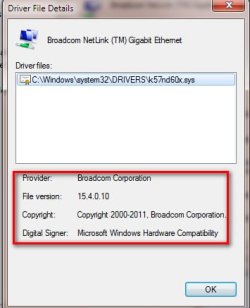
I scan my laptop daily for any virus and one day it found 200 viruses after that my anti virus asked me to delete them or no and i deleted them then it said you need to restart for the computer to take effect then i restarted my laptop and i saw that skype cannot go online and i checked my network it said limited access i reconnected and still says limited access and all tho its connected it shows an icon that isn't connected to the internet and i opened up Malware Bytes and scanned all my disks and when it was scanning windows files it detected a virus located in temporary internet files called PUP.Skytech i don't remember the full name and it took 3 and a half hours to complete the scan i deleted it and still my network isn't working i disabled and my network drivers and enabled them still and it had exclamation mark and it said windows cant use this driver because it is not signed it could be a malicious file i removed it and i used another laptop which i'm using right now and downloaded new drivers from my laptop manufacturer and i used the same compatible drivers for my laptop model but still not connecting to the internet
My Computer
At a glance
Windows 7 Home PREMIUM 64BitIntel(R) Core(TM) i5-2410m CPU @ 2.30GHz4GB1GB Nvidia Geforce GT520
- Computer type
- PC/Desktop
- Computer Manufacturer/Model Number
- Asus
- OS
- Windows 7 Home PREMIUM 64Bit
- CPU
- Intel(R) Core(TM) i5-2410m CPU @ 2.30GHz
- Motherboard
- ?
- Memory
- 4GB
- Graphics Card(s)
- 1GB Nvidia Geforce GT520
- Hard Drives
- ?
- Antivirus
- Malware Bytes Premium
- Browser
- Google Chrome