Network Adapter Problems

tosbourne88

New member
Local time
12:24 PM
Messages
3
Hello all,
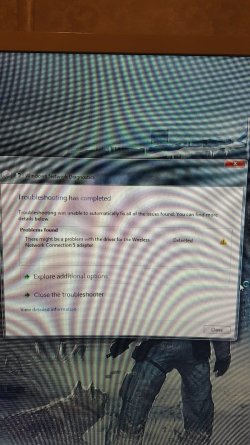
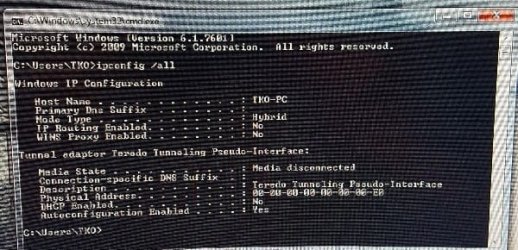
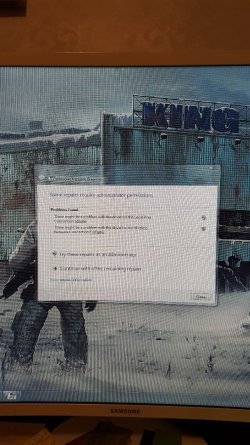
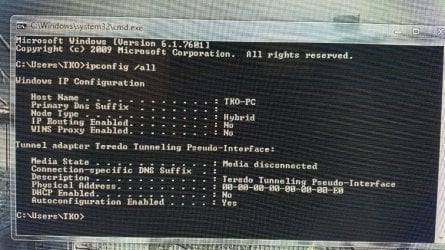
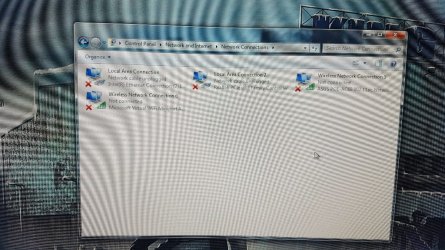
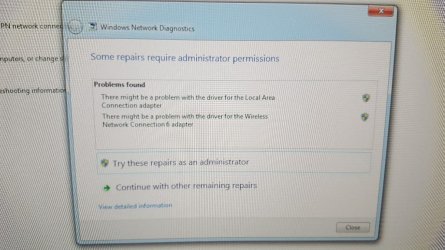
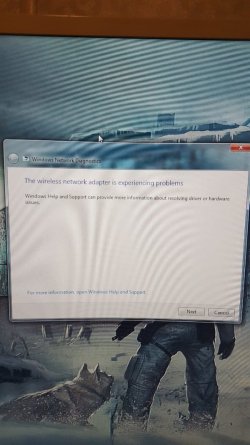
Currently having problems with my wireless network adapter. Would just connect with limited connectivity and when I would troubleshoot it said problem with the wireless adapter. So I purchased a new one but I am having the same issues. All the other computers in the house are working fine. I tried a system restore, local services for WLAN AUTOCONFIG and the dependencies all are set to auto and start, tried some net hash commands but still nothing. Not an expert with networking so I have no idea where to go next. Attached are a couple pictures of what I am finding. Anyone have any ideas?
 

Attachments
  • 20180117_215813-600x1067.jpg
    20180117_215813-600x1067.jpg
    74.7 KB · Views: 1
  • 20180117_215821-600x1067.jpg
    20180117_215821-600x1067.jpg
    126.2 KB · Views: 1
  • 20180118_121827-600x290.jpg
    20180118_121827-600x290.jpg
    48.4 KB · Views: 17
  • 20180117_220825-600x1067.jpg
    20180117_220825-600x1067.jpg
    118.8 KB · Views: 2
  • 20180117_220935-600x1067.jpg
    20180117_220935-600x1067.jpg
    123.3 KB · Views: 2

My Computer

Computer type
PC/Desktop
Computer Manufacturer/Model Number
Custom
OS
Windows 7 ultimate 64
Motherboard
Asus Sabertooth X99
Hi tosbourne88,

interesting from the screenshot
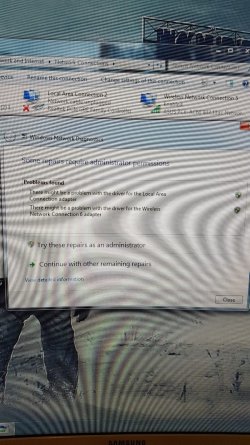
its detecting a problem on #6, but #5 is showing a good connection

please remove ALL WIFI networks apart from #5
(right click on each - remove)
does that work??
if not run ipconfig /all again, post the complete log

Instructions
Right click anywhere on the results - choose select all (comes up white) open notepad right click copy

Roy
 

My Computer

Computer type
PC/Desktop
Computer Manufacturer/Model Number
medionl/Aspire 6930G/acer x55a
OS
W7 home premium 32bit/W7HP 64bit/w10 tp insider ring
CPU
E5300 dual core
Motherboard
medion MS7366
Memory
3gb
Graphics Card(s)
Nvidia Geforce 7100 Nforce 630i
Monitor(s) Displays
avixc
Internet Speed
n (isp resticted to 72)
Antivirus
mse/pands
Browser
palemoon
Other Info
Belkin Fd7050 n USB using Railink RT2870 drivers, more upto date
Thanks for the quick response. I am just getting home to try this. #5 and #6 are adapters. I deleted my Osbourne connection and retried that. What I posted before was the complete up config log. I have attached a couple more pictures. Hope someone has more ideas than I have left.
 

Attachments

  • 20180118_180040-1024x576.jpg
    20180118_180040-1024x576.jpg
    59.5 KB · Views: 1
  • 20180118_175737-1024x576.jpg
    20180118_175737-1024x576.jpg
    162 KB · Views: 0
  • 20180118_175637-1024x576.jpg
    20180118_175637-1024x576.jpg
    67.6 KB · Views: 1
  • 20180118_175517-1024x576.jpg
    20180118_175517-1024x576.jpg
    119.1 KB · Views: 0
  • 20180118_175657-1024x576.jpg
    20180118_175657-1024x576.jpg
    79.2 KB · Views: 0

My Computer

Computer type
PC/Desktop
Computer Manufacturer/Model Number
Custom
OS
Windows 7 ultimate 64
Motherboard
Asus Sabertooth X99
Noticed that when I try to open the Asus pce-ac68 elan control center it tells me to connect the adapter even though it is connected because I can access my networks
 

My Computer

Computer type
PC/Desktop
Computer Manufacturer/Model Number
Custom
OS
Windows 7 ultimate 64
Motherboard
Asus Sabertooth X99
Back
Top