Networking Question

Kulgan

New member
In my Business network, with 2k and xp, I never had a problem connecting to a computer on the same ip network....but different workgroup. I use different workgroups for office computers vs. production computers.

Now I have a Win7 box, and I cannot get by the "Network" password pop up when trying to connect to a computer of a different workgroup.

My ip addressing has all the computers on the same network.

Any ideas?

Thanks

Kulgan
 

My Computer

OS
seven
I'm not one that would generally respond to a question about networks, because I know so little, but I had a problem that sounds like your's, in terms of being able to log into the network. I did two things...one was to syncronize the time between OSs and BIOSs, which was a partial solution, but the biggest problem was that my firewall (Outpost) was somehow interfering. After some extended conversation on the Outpost forum, which didn't solve the problem, I finally cured it by temporarily disabling the firewalls, until the password was accepted, then reenabling them. Since then, I have had no problems.
 

My Computer

Computer Manufacturer/Model Number
DIY
OS
W7x64 Pro, SuSe 12.1/** W7 x64 Pro, XP MCE
CPU
Phenom II 1090T w/Noctua NH-D14 /**4400+ X2 w/CM Hyper TX 3
Motherboard
ASRock 890FX Deluxe 4/**A8N-SLI
Memory
2 x 2GB Patriot PGS34g1600LLKA/**4x1GB Corsair VS
Graphics Card(s)
EVGA GTX460 SC/**EVGA 8800GTS
Sound Card
Asus Xonar D2X/**Xonar D1
Monitor(s) Displays
Acer X233H, Dell E152FPc /**LG M237-WD
Screen Resolution
1920x1080 & 1024x768/**1980x1080
Hard Drives
WDC 2TB, 1.5TB, 1TB, 500GB,Seagate 500GB , Maxtor 80GB /**500GB Seagate & WDC 1TB Black
PSU
CM RS600 w/ APC BX1000G/**Antec 500 TP w/ APC BX1000
Case
HAF922/**Antec 1040IIB
Cooling
3x200mm, 1x140 and 1x120mm/**5x80mm fans
Keyboard
Logitech Media USB/**Saitek Eclipse
Mouse
Cordless Trackman Wheel/**Ditto
Internet Speed
3.3Mbps
Other Info
SB 560 5.1 w/ Sennheiser RS140/**Creative T20 speakers, Dvico FusionHDTV7 Gold RT, Cisco E3000, HP 5510V AIO, Linksys E3000, Belkin F5U237 hub and **F5D8055 adapter
(** = 2nd rig)
Thanks for the reply, currently I have a Network Firewall appliance in place. Therefore, I have all workstation firewalls turned off. I have two computers at my desk. A xp pro, and a win7. I can connect with no difficulty with the xp pro...no luck with the win7.
 

My Computer

OS
seven
Screen Shots would help.
 

My Computer

Computer type
PC/Desktop
Computer Manufacturer/Model Number
Dell OP7010
OS
Windows 7 Enterprise (x64); Windows Server 2008 R2 (x64)
Memory
16GB
Monitor(s) Displays
4 Dell 24" LCD
Screen Resolution
1280x1024
Keyboard
Dell
Mouse
Dell Optical
Internet Speed
40meg
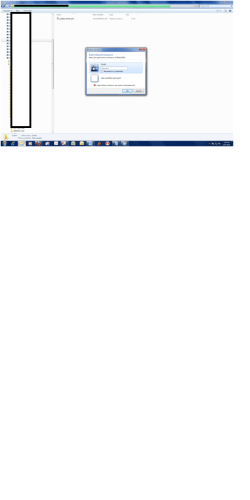
I can't get by this "Network Password" dialog box. It just keeps popping up stating that the pw or user name is incorrect. I have tried multiple user id's, that I have created. It just won't let me by.
 

Attachments

  • Screen1.png
    Screen1.png
    91.7 KB · Views: 19

My Computer

OS
seven
Your screen shot did not come through. Somehow it is the wrong res so when you view it, it is too small to see. Please re-capture the screen shot, and do an IPConfig of each machine: "ipconfig /all > PC1.txt" change the PC1.txt to PC2.txt, PC3.txt etc. Plus which machine has which OS.
 

My Computer

Computer type
PC/Desktop
Computer Manufacturer/Model Number
Dell OP7010
OS
Windows 7 Enterprise (x64); Windows Server 2008 R2 (x64)
Memory
16GB
Monitor(s) Displays
4 Dell 24" LCD
Screen Resolution
1280x1024
Keyboard
Dell
Mouse
Dell Optical
Internet Speed
40meg
More Info.

Currently, My Win 7 Computer is ip address: 192.168.1.226

The Win2000 box is ip address: 192.168.1.110

Win 7 Workgroup is: "A"

Win2000 Workgroup is: "B"

I like having my "Production" computers on a separate "Workgroup"

I can't get by the Win 7's need for a "Network Password" crossing workgroups like this. With the Win 7 computer, I have no problem connecting to a Win2000 server on the same workgroup.

I have no problem with my Win xp pro going to the Win2000 computer on the different workgroup. However I am trying to migrate away from the Winxp box.

Thanks

Kulgan

BTW: I tried the screen shot again, and the resolution just is not very good. The important part of the screen shot is the pop up that asks for the "Network Password". One important note, I did notice that the pop up states that my Win 7 box is on a domain. The domain noted is the same name as my Win7 computer. I have dbl checked that I have defined my computer as on a business network w/o a domain.
 

My Computer

OS
seven
I don't think the workgroup name has anything to do with it.

Have you tried putting in w2kcomptername\username as the username?

I assume the username is the account on the w2k machine what you have also permission to in the Permission tab?
 

My Computer

Computer Manufacturer/Model Number
Lenovo ThinkPad T60
OS
Windows 7 Ultimate 64Bit
CPU
GenuineIntel Intel(R) Core(TM) DuoCore T2400 @ 1.83GHz
Motherboard
Intel(R) 82801G (ICH7 Family)
Memory
2.00 GB
Graphics Card(s)
Mobile Intel(R) 945 Express Chipset
Sound Card
SoundMAX Integrated Digital HD Audio
Monitor(s) Displays
ThinkPad Display
Screen Resolution
1400x1050
Hard Drives
100Gb SATA
Keyboard
Standard Keyboard
Mouse
HID-compliant Mouse
Internet Speed
Cable Broadband - 54Mbps
Other Info
Intel(R) PRO/1000 PL Network Connection
11a/b/g Wireless LAN Mini PCI Express Adapter
Currently, My Win 7 Computer is ip address: 192.168.1.226

The Win2000 box is ip address: 192.168.1.110

Win 7 Workgroup is: "A"

Win2000 Workgroup is: "B"

I like having my "Production" computers on a separate "Workgroup"

I can't get by the Win 7's need for a "Network Password" crossing workgroups like this. With the Win 7 computer, I have no problem connecting to a Win2000 server on the same workgroup.

I have no problem with my Win xp pro going to the Win2000 computer on the different workgroup. However I am trying to migrate away from the Winxp box.

Thanks

Kulgan

BTW: I tried the screen shot again, and the resolution just is not very good. The important part of the screen shot is the pop up that asks for the "Network Password". One important note, I did notice that the pop up states that my Win 7 box is on a domain. The domain noted is the same name as my Win7 computer. I have dbl checked that I have defined my computer as on a business network w/o a domain.

In other words you DO NOT want Windows 7 to prompt you for username and password when connecting to another computer?
 

My Computer

Computer type
PC/Desktop
Computer Manufacturer/Model Number
Dell OP7010
OS
Windows 7 Enterprise (x64); Windows Server 2008 R2 (x64)
Memory
16GB
Monitor(s) Displays
4 Dell 24" LCD
Screen Resolution
1280x1024
Keyboard
Dell
Mouse
Dell Optical
Internet Speed
40meg
Back
Top