
Philip Goddard
New member
I'm puzzled. About 3 days ago the background CPU activity on my system rose to a quite significant level that, based on all my experience over many years, I'd say is way too high, and has stayed at that level - but I've been unable to link this to any new or updated program.
What makes this particularly difficult to get to grips with is that the main alleged culprit for this high level of background activity is a basic Windows process. I use Anvir Task Manager for my monitoring, and its tray icon for CPU activity shows svchost.exe as being the main player - but ATM's detailed process list shows something cryptically called 'System Idle Process' as being the primary culprit. However, I'm aware that the problem may well not lie in Windows, because the last time I suddenly got an ongoing too-high background CPU activity (i.e. ascribed to such basic Windows processes), I resolved the problem by uninstalling Drive Sentry (which I didn't care for anyway, despite some great features).
Unfortunately I've so far not identified any new or updated program that is responsible for this change as from about 3 days ago; those that I thought might have been responsible have all now been tested by exiting or disabling them, with no clear change in the background CPU activity.
Prior to about 3 days ago, background CPU activity simply was low enough not to be showing on the ATM tray icon, but it is now typically as in the attached image - usually but not always with a bit more activity in the core that is represented on the right side of the icon.
Any ideas of anything further simple things I could do to sort this thing out? -- Many thanks.
What makes this particularly difficult to get to grips with is that the main alleged culprit for this high level of background activity is a basic Windows process. I use Anvir Task Manager for my monitoring, and its tray icon for CPU activity shows svchost.exe as being the main player - but ATM's detailed process list shows something cryptically called 'System Idle Process' as being the primary culprit. However, I'm aware that the problem may well not lie in Windows, because the last time I suddenly got an ongoing too-high background CPU activity (i.e. ascribed to such basic Windows processes), I resolved the problem by uninstalling Drive Sentry (which I didn't care for anyway, despite some great features).
Unfortunately I've so far not identified any new or updated program that is responsible for this change as from about 3 days ago; those that I thought might have been responsible have all now been tested by exiting or disabling them, with no clear change in the background CPU activity.
Prior to about 3 days ago, background CPU activity simply was low enough not to be showing on the ATM tray icon, but it is now typically as in the attached image - usually but not always with a bit more activity in the core that is represented on the right side of the icon.
Any ideas of anything further simple things I could do to sort this thing out? -- Many thanks.
Attachments

My Computer
- Computer Manufacturer/Model Number
- Nofan A40-Z68 Silent PC
- OS
- Windows 7 Home Premium x64
- CPU
- Intel Core i3 2125 3.3GHz Sandy Bridge Dual Core
- Motherboard
- Gigabyte GA-Z68X-UD3H-B3 LGA1155 ATX
- Memory
- 8 GB
- Graphics Card(s)
- On-board
- Sound Card
- On-board
- Monitor(s) Displays
- Xerox 700P LCD
- Screen Resolution
- 1280x1024
- Hard Drives
- 2 internal nominally 128 GB SSDs
plus intermittent use of USB-connected HDDs
- PSU
- Nofan 400W (fanless)
- Case
- Nofan CS-30
- Cooling
- Nofan IcePipe
- Keyboard
- Microsoft Natural Media
- Mouse
- Microsoft optical
- Internet Speed
- Nominal c. 17 mbps
- Other Info
- I have NO plans to return to the stressful noise of fan cooled computers, such time as I need to get a new system!


 if you would like to see more details of the processors and any good detail of the operating system my suggestion is download Sysinternals Suite By Mark Russinovich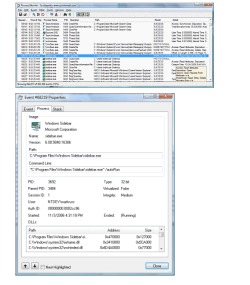

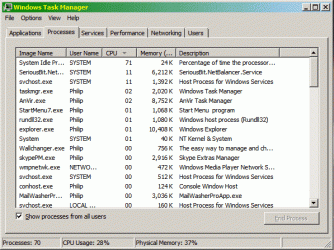
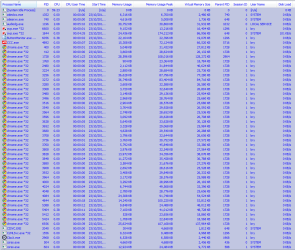
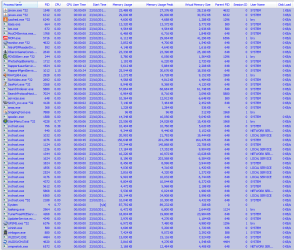

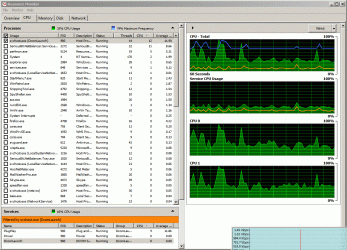


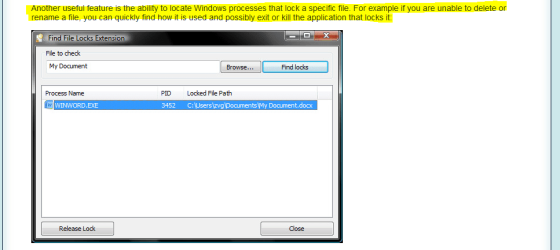


 (the system idle process does not use anything like memory etc its there to tell you what you have in reserve of cpu in one term look at the Microsoft link i gave in a earlier post)