Hello there, I'm hoping someone might have an answer to this.
My setup is as follows:
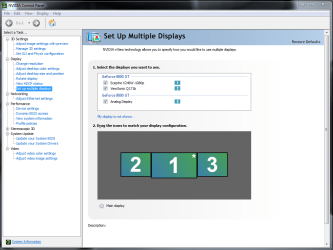
PC with dualhead video card (GeForce 8400GS)
1x VGA Port
1x DVI Port
My DVI monitor is attached directly to the video card's DVI port and is configured as my primary monitor in Windows 7.
My VGA monitor is connected to a KVM switch. VGA for PC1 on the KVM switch is connected to my video card's VGA port, and the monitor is configured as my secondary display.
VGA for PC2 on the KVM switch is connected to whatever second computer I am working on (I fix computers and plug them into the KVM whenever I need to work on them).
So, the final setup works like this:
My secondary monitor displays Outlook, Messenger, etc.. when the KVM switch is set to my main computer. When I switch the KVM switch over to the computer I am fixing, my secondary monitor switches to display whatever is showing on the computer I am fixing.
This was all working just fine under windows Vista (like most things that broke in 7).
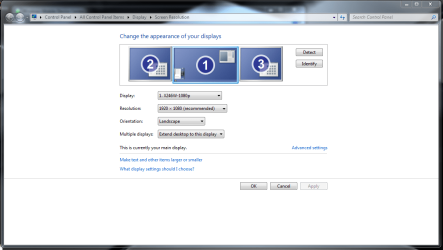
Now what happens is when I switch to the second computer and then back to my main computer, my VGA monitor now becomes the primary monitor and my DVI monitor doesn't show anything. Each time I have to go into display properties, re-detect the monitors, drag the windows back to my secondary monitor, etc..
Any tips on resolving this?
Thanks!
CN: Secondary VGA monitor connected via KVM switch to primary PC reverts back to primary monitor when KVM switch is switched to second computer then back to primary computer, DVI monitor requires manual re-detection to get it to show desktop.
My setup is as follows:
PC with dualhead video card (GeForce 8400GS)
1x VGA Port
1x DVI Port
My DVI monitor is attached directly to the video card's DVI port and is configured as my primary monitor in Windows 7.
My VGA monitor is connected to a KVM switch. VGA for PC1 on the KVM switch is connected to my video card's VGA port, and the monitor is configured as my secondary display.
VGA for PC2 on the KVM switch is connected to whatever second computer I am working on (I fix computers and plug them into the KVM whenever I need to work on them).
So, the final setup works like this:
My secondary monitor displays Outlook, Messenger, etc.. when the KVM switch is set to my main computer. When I switch the KVM switch over to the computer I am fixing, my secondary monitor switches to display whatever is showing on the computer I am fixing.
This was all working just fine under windows Vista (like most things that broke in 7).
Now what happens is when I switch to the second computer and then back to my main computer, my VGA monitor now becomes the primary monitor and my DVI monitor doesn't show anything. Each time I have to go into display properties, re-detect the monitors, drag the windows back to my secondary monitor, etc..
Any tips on resolving this?
Thanks!
CN: Secondary VGA monitor connected via KVM switch to primary PC reverts back to primary monitor when KVM switch is switched to second computer then back to primary computer, DVI monitor requires manual re-detection to get it to show desktop.
My Computer
- OS
- 7HP