Hi all,
Not sure if this is best for here or software section, but i have plumped for the larger audience, apologies if incorrect :/
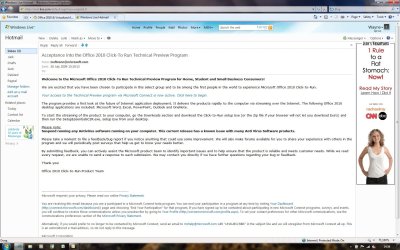
I got an email yesterday to say i was accepted into the Office 2010 Technical Trial - so off i tootled to get it downloaded and have a crack.
Still pretty buggy in Word & Excel at the moment, but really like some of the features they have added in to Outlook - looking like a nice peice of kit
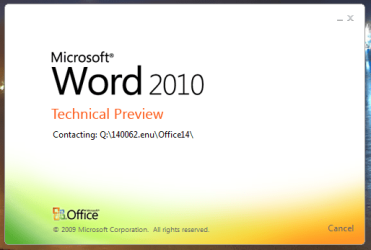
However, and i have had a little look around the forum, but can't find any other reference to it here, this is fronted as a 'Click and Run' technical preview.
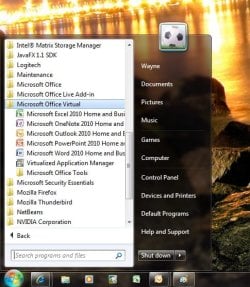
This seems great as it runs alongside my existing Office 2007 install and doesn't have any impact on my running or using those programs when working. But what actually is this format?? I've never had a look around, but can't find any information or reference elsewhere to this Virtualized Application Manager. It would seem that i am not actually running the Office 2010 program - just some virtual image of the programs.
I have full functionality - excluding any buggy bits of course, but i did read about people installing 64bit vesions etc. Well this only gives you the option for 32bit, so it must be different to what some people have got... anyone know why?
Also i don't have the little smiley faces in wondows 7 to give feedback on product features... is this something i should have or not in this version?
I'm figuring maybe they rehashed a 'dumbed down' version of the preview for non developer types, which is why i got invited on this version, or maybe this was developed due to this issues people had with uninstalling and running with their old office versions? I'm not sure, but anyone with anymore info or ideas i'd be really interested to hear how this works or the reasoning behind it etc.
Cheers,
Wayner
Not sure if this is best for here or software section, but i have plumped for the larger audience, apologies if incorrect :/
I got an email yesterday to say i was accepted into the Office 2010 Technical Trial - so off i tootled to get it downloaded and have a crack.
Still pretty buggy in Word & Excel at the moment, but really like some of the features they have added in to Outlook - looking like a nice peice of kit
However, and i have had a little look around the forum, but can't find any other reference to it here, this is fronted as a 'Click and Run' technical preview.
This seems great as it runs alongside my existing Office 2007 install and doesn't have any impact on my running or using those programs when working. But what actually is this format?? I've never had a look around, but can't find any information or reference elsewhere to this Virtualized Application Manager. It would seem that i am not actually running the Office 2010 program - just some virtual image of the programs.
I have full functionality - excluding any buggy bits of course, but i did read about people installing 64bit vesions etc. Well this only gives you the option for 32bit, so it must be different to what some people have got... anyone know why?
Also i don't have the little smiley faces in wondows 7 to give feedback on product features... is this something i should have or not in this version?
I'm figuring maybe they rehashed a 'dumbed down' version of the preview for non developer types, which is why i got invited on this version, or maybe this was developed due to this issues people had with uninstalling and running with their old office versions? I'm not sure, but anyone with anymore info or ideas i'd be really interested to hear how this works or the reasoning behind it etc.
Cheers,
Wayner
My Computer
- Computer Manufacturer/Model Number
- Dell XPS M1530
- OS
- Windows 7 Professional x64
- CPU
- Intel(R) Core(TM)2 Duo CPU T9300 2.50GHz, 800, 6M
- Memory
- Dual Channel 4.0GB (2x2048) 667 MHz DDR2 SDRAM
- Graphics Card(s)
- 256MB NVIDIA GeForce Go 8600M GT
- Monitor(s) Displays
- 15.4" UltraSharp Widescreen WSXGA+ TFT
- Screen Resolution
- 1680x1050
- Hard Drives
- 500GB Serial ATA (5400RPM)
- Internet Speed
- 10 Mb/s
- Other Info
- Blue :)