Gornot
Professional Slacker
This is the only thing that has been bothering me in WMP12 since day one (aside from not being able to convert my m4a files into mp3 when syncing to my mp3 player)
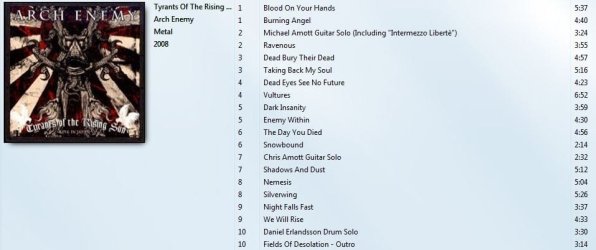
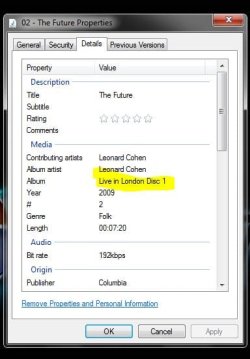
This is a 2CD concert, one of many examples I chose. The tagging itself is perfect, the disks ripped were accurately put into separate folders (CD1 and CD2), but it seems that I just can't figure out if and how I can sort albums by disk number. The default sorting is always filename, i figured that much, which is okay, but WMP can't see that there's two disks as one album and just acts like there's only one folder and sorts the files like in the screenshot. I tried playing around the "Sort by" columns but couldn't really find anything useful.
Is there a change that I have missed something in WMP that could perhaps enable me to sort files by disk number as well?
This is a 2CD concert, one of many examples I chose. The tagging itself is perfect, the disks ripped were accurately put into separate folders (CD1 and CD2), but it seems that I just can't figure out if and how I can sort albums by disk number. The default sorting is always filename, i figured that much, which is okay, but WMP can't see that there's two disks as one album and just acts like there's only one folder and sorts the files like in the screenshot. I tried playing around the "Sort by" columns but couldn't really find anything useful.
Is there a change that I have missed something in WMP that could perhaps enable me to sort files by disk number as well?
My Computer
- Computer type
- Laptop
- Computer Manufacturer/Model Number
- Custom
- OS
- Windows 7 Home Premium x64
- CPU
- Intel Core i5 2500K
- Motherboard
- MSI MS-7750
- Memory
- 8GB DDR3
- Graphics Card(s)
- nVidia GeForce GTX650 Ti BOOST
- Sound Card
- Realtek
- Monitor(s) Displays
- 21' Philips
- Screen Resolution
- Full HD
- Hard Drives
- 1TB
- PSU
- 500W