PC isn´t using full RAM capacity
Hello,
My computer was always a bit slow, it didn´t bother me at first but recently it´s gotten worse.
It´s very slow even when I just watch YouTube videos and a couple of times when I had to many tabs open it gave me Bluescreen
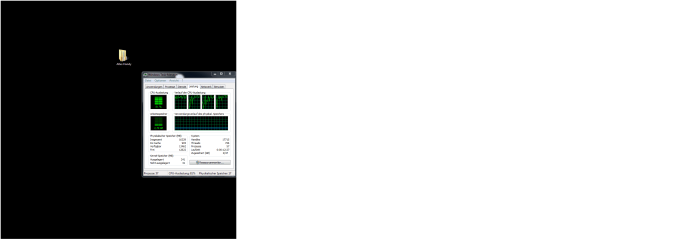
So I checked the performance tab on the Task manager and even though I have 16GB RAM installed it only uses 2-3GB max. while the CPU usage is around 100%
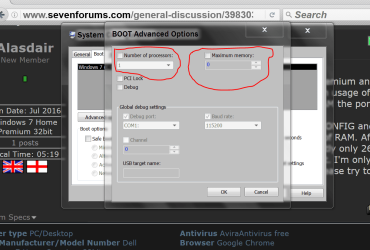
I checked and my RAM is fine, its pluged in properly and gets recognized by the BIOS, I checked msconfig, I tried making the cache for physical memory bigger but it still stays the same.
I don´t know what else I can do.
I don´t want to mess with the BIOS too much out of fear I might break something while adjusting the voltage or whatever
If one you could help me that would be great
Thank you in advance
Hello,
My computer was always a bit slow, it didn´t bother me at first but recently it´s gotten worse.
It´s very slow even when I just watch YouTube videos and a couple of times when I had to many tabs open it gave me Bluescreen
So I checked the performance tab on the Task manager and even though I have 16GB RAM installed it only uses 2-3GB max. while the CPU usage is around 100%
I checked and my RAM is fine, its pluged in properly and gets recognized by the BIOS, I checked msconfig, I tried making the cache for physical memory bigger but it still stays the same.
I don´t know what else I can do.
I don´t want to mess with the BIOS too much out of fear I might break something while adjusting the voltage or whatever
If one you could help me that would be great
Thank you in advance
My Computer
- Computer type
- PC/Desktop
- Computer Manufacturer/Model Number
- custom build
- OS
- Windows 7 64-Bit
- CPU
- Intel(R) QuadroCore(TM) i5-3570K CPU @ 3.40GHz
- Motherboard
- MSI
- Graphics Card(s)
- NVIDIA GeForce 660 Ti