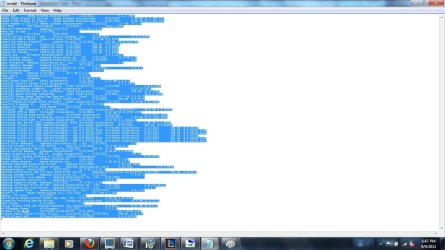
Hello! I regularly burn the midnight oil at my favorite local coffee shop. I recently purchased a new laptop which seems to have problems connecting to the wireless public router the coffee shop has for its guests. When it works, you are immediately taken to a landing page in your browser where you accept the terms of some agreement, which gives you free access to the internet. Most of the time, however, I can't connect and get a yellow exclamation mark over my network icon or a message that my computer cannot connect to the DNS server. The funny thing is that my wireless card detects the network and gets a signal.
From what I can tell, I can always connect after the shop resets its modem. If I leave and come back at some future date and the router has not been reset since my last visit, I am unable to connect. I suspect that the router is not renewing my ip address or is somehow remembering me from my prior visit. Oddly, no one else around me has this problem.
Also, not sure if it matters, but the coffee shop also has a second, slower network connection which I am able to access and does not require the use of the above described landing page and agreement.
I would greatly appreciate any help you can provide. It gets very frustrating spending half an hour each evening trying to resolve this issue.
From what I can tell, I can always connect after the shop resets its modem. If I leave and come back at some future date and the router has not been reset since my last visit, I am unable to connect. I suspect that the router is not renewing my ip address or is somehow remembering me from my prior visit. Oddly, no one else around me has this problem.
Also, not sure if it matters, but the coffee shop also has a second, slower network connection which I am able to access and does not require the use of the above described landing page and agreement.
I would greatly appreciate any help you can provide. It gets very frustrating spending half an hour each evening trying to resolve this issue.
My Computer
- Computer Manufacturer/Model Number
- Samsung QX411 W01US Laptop
- OS
- MS Windows 7 Home Premium 64-bit SP1
- CPU
- Intel Core i5 2410M @ 2.30GHz Sandy Bridge 32nm Techno
- Motherboard
- SAMSUNG ELECTRONICS CO., LTD. QX311/QX411/QX412/QX511 (CPU)
- Memory
- 6.00 GB Dual-Channel DDR3 @ 665MHz (9-9-9-24)
- Graphics Card(s)
- 512MB GeForce GT 520M (Samsung)
- Sound Card
- Realtek High Definition Audio