Solved Problems with C: - Not sure if set up correctly - compromised

Melissa

New member
Power User
Local time
4:45 AM
Messages
394
Dear Forum,

I am in the state of not knowing if I have the correct set up with my initial set up of Windows 7. I am just about to restart everything and trying to get most of my programs off the system as well.

1. I want a qualified person to have a quick look - I know this is hard via remote means that most of the set up looks correct or I may have to look at if I have an image or some other means of trying to find a copy of my C:.

I realise that by unhiding my folders that I may have ultimately compromised my computer or corrupted it.

I understand what the administrator of this forum was telling me. I gather that is why I have not have not had any responses via the forum. I have been very unwell.

I have also attached a document of what programs I currently have on my machine

If anyone could assist that would be appreciated.

Melissa
 

Attachments
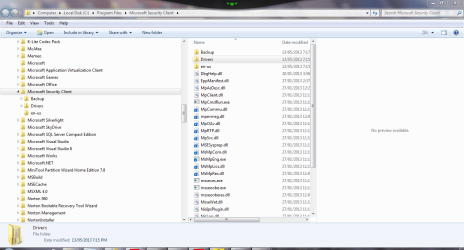
  • C DRIVE - MS SECURIITY CLIENT.PNG
    C DRIVE - MS SECURIITY CLIENT.PNG
    53 KB · Views: 12
  • C DRIVE - MGDIAG.PNG
    C DRIVE - MGDIAG.PNG
    44.2 KB · Views: 9
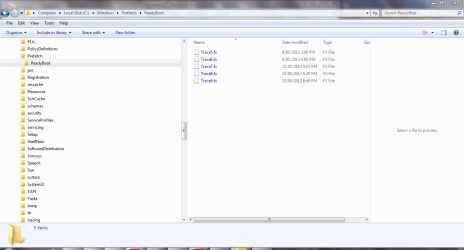
  • C DRIVE - READYBOOT.PNG
    C DRIVE - READYBOOT.PNG
    43.5 KB · Views: 9
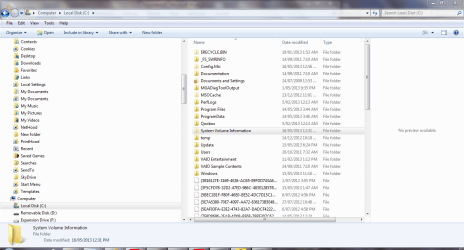
  • C DRIVE CONTENTS.PNG
    C DRIVE CONTENTS.PNG
    63.9 KB · Views: 9
  • PROGRAMS RUNNING.doc
    PROGRAMS RUNNING.doc
    979.5 KB · Views: 0

My Computer My Computer

Computer type
Laptop
Computer Manufacturer/Model Number
Sony VAIO / E Series VPCEB46FG
OS
Windows 7 Home Premium 64bit
CPU
Windows 7 Service Pack 1 x86 NTFS
Motherboard
AMD E-350 Processor
Memory
4 GB
Hard Drives
500GB
Other Info
1.6GHz
I see a crapware in the Programs which would be better if it were gone. Both McAfee and Norton are horrendous bloatware which cause a lot of problems. Use only Microsoft Security Essentials with the Win7 Firewall.

What are the exact performance problems?
 
Last edited:
Thank you so much - I appreciate it.

I am on the mend - having more operations.

Going through some of the other members recommendations too. Thank you for your reply.

I know your view on non Microsoft products.

I am very, very sorry

If I have any issues - will stick to your assistance. I have been on here after the event and people respect you.

I felt stupid

Thanks
 
Last edited:

My Computer My Computer

Computer type
Laptop
Computer Manufacturer/Model Number
Sony VAIO / E Series VPCEB46FG
OS
Windows 7 Home Premium 64bit
CPU
Windows 7 Service Pack 1 x86 NTFS
Motherboard
AMD E-350 Processor
Memory
4 GB
Hard Drives
500GB
Other Info
1.6GHz
Maybe I'm missing something, but....... what's the problem exactly? :confused:
Is there anything that don't works or just you think screwed up something and want to fix?


I realise that by unhiding my folders that I may have ultimately compromised my computer or corrupted it.

This is totally fake, it's the official MS policy of hiding useful things from the user, and Windows warns it as such. By just unhiding files, it changes absolute NOTHING, just what you can see though Windows Explorer. By just staring at what files are there, even in system folders, don't changes anything (of course, if you began to modify/delete/change things without a clear idea of what you're doing, it can create problems). Any program (or virus) can access any file anyway, hidden or not (if permissions allow), so you gain nothing by hidding.
Also, viruses often distribute themselves as hidden files, relying on the flawed Windows default of not showing them, keeping themselves away from the user's attention. This security flaw can be avoided by showing hidden files.
 

My Computer My Computer

Computer type
Laptop
Computer Manufacturer/Model Number
Toshiba Sattelite A665-S6092
OS
Windows 7 Ultimate x64
CPU
Intel Core i7-740QM
Memory
8 GB DDR3
Graphics Card(s)
NVIDIA GeForce 330GT
Screen Resolution
1366x768
Hard Drives
Samsung 840 SSD 500GB
1TB USB3 external HD
Cooling
Coolermaster Notepal U3 notebook cooling pad
Internet Speed
3mbps ASDL
Antivirus
ClamWin 0.98.7
Browser
Opera 12.17 x86 (main), Firefox 38 (sec), IE11 (last resort)
All the "un-hiding" thing is dangerous because this allows a less-savy user to screw up stuff by deleting or moving system components. So Win7 does pop a warning.
After all, "hidden" files are only "hidden" to the user, for a program or virus/malware's point of view, nothing has changed either way.

Still, unless you really need to see that stuff (I doubt you need to, because you don't seem like a professional) it's better if you hide them again, go in Folder Options (write "folder options" in the search box of the start menu), then select the tab called View, then select again "Hide protected operating system files" click Ok to confirm.
 

My Computer My Computer

Computer type
PC/Desktop
Computer Manufacturer/Model Number
custom built
OS
Win 7 Pro 64-bit 7601
CPU
AMD Phenom 9650 QuadCore, revision DR-B3
Motherboard
ASUS M4A78
Memory
5 GB yes I run 2x 2GB and 1x 1GB, different brand, spank me.
Graphics Card(s)
NVIDIA GeForce 9800 GT 512 Mb, unknown manufacturer.
Sound Card
Crappy Realtek Integrated Audio
Monitor(s) Displays
Fujitsu Siemens P19-3P
Screen Resolution
1280 x 1024 x 32 bits @ 60 Hz Oh yeah, 4:3 rocks!
Hard Drives
(1) MAXTOR S TM3320613AS SATA Disk Device (2) STM35004 18AS SATA Disk Device (3) TOSHIBA USB 2.5"-HDD
PSU
whatever, around 450w
Case
Scavenged from old company PC, 10+ years old
Cooling
CPU fan, GPU fan, case fan, nothing fancy
Keyboard
Microsoft, PS/2, white.
Mouse
Optical, logitec.
Internet Speed
effective max speeds: 70-ish kB/s down 30-ish kB/s up
Antivirus
Avira, free edition.
Browser
Firefox with FXChrome to make it look like Google Chrome :P
Other Info
Was discarded by previous owner due to "horrible performance".
Was running Win Xp from a IDE drive. Yeah. Was a pain.
SATA II drive and Win7 and it zips away! Yay!
I was just thinking that I may have deleted any files and folders.

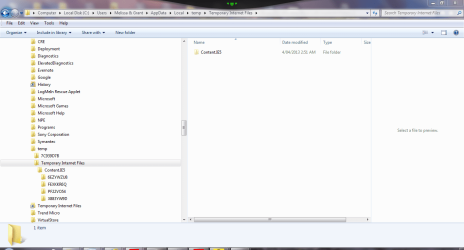
I am also very unsure if the %temp% files that I am going to delete are safe to delete.

I posted the screen snips just to see if what I am observing on my computer is normal. I am afraid that I may delete a system folder or file.

I am having trouble doing back ups and just have the thought that I may be the problem of it not being able to be completing a Windows back up. But after doing some research - most people do not believe in the Windows back up anyway.

Thank you for the reply. I will post any other issues gladly on here.

It is true that for people that do not know what they are looking at - better off that they do not operate that function. There is so much information that is on the internet - people feel a bit more confident
 

Attachments

  • temp files 1.PNG
    temp files 1.PNG
    46.1 KB · Views: 0
  • temp files 2.PNG
    temp files 2.PNG
    44.4 KB · Views: 0
  • temp files.PNG
    temp files.PNG
    57.2 KB · Views: 0

My Computer My Computer

Computer type
Laptop
Computer Manufacturer/Model Number
Sony VAIO / E Series VPCEB46FG
OS
Windows 7 Home Premium 64bit
CPU
Windows 7 Service Pack 1 x86 NTFS
Motherboard
AMD E-350 Processor
Memory
4 GB
Hard Drives
500GB
Other Info
1.6GHz
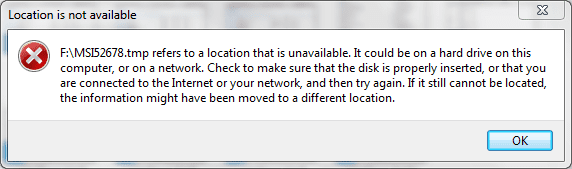
Also I am not too sure how these are created.

I have seen that you can upload in various formats that perhaps would better assist the more qualified people on what I should do.

So I do appreciate all the assistance:o
 

Attachments

  • MSI TEMP FILE.PNG
    MSI TEMP FILE.PNG
    10.7 KB · Views: 2
  • MSI TEMP FILE - 1.PNG
    MSI TEMP FILE - 1.PNG
    111.6 KB · Views: 2

My Computer My Computer

Computer type
Laptop
Computer Manufacturer/Model Number
Sony VAIO / E Series VPCEB46FG
OS
Windows 7 Home Premium 64bit
CPU
Windows 7 Service Pack 1 x86 NTFS
Motherboard
AMD E-350 Processor
Memory
4 GB
Hard Drives
500GB
Other Info
1.6GHz
Melissa why are you still worrying about these temporary files. Just leave them alone and get on with the Clean Install that you said you were going to do a couple of months ago! Really with Gregrocker on track you know this is your best course of action!
Use Macrium Reflect for your back up as previously advised!
 

My Computer My Computer

Computer type
PC/Desktop
OS
Microsoft Windows 7 Home Premium 64-bit 7601 Multiprocessor Free Service Pack 1
CPU
Intel(R) Core(TM) i7-3770 CPU @ 3.40GHz
Motherboard
ASUSTeK COMPUTER INC. P8H77-M
Memory
8.00 GB
Graphics Card(s)
Intel(R) HD Graphics 4000
Sound Card
On Board
Monitor(s) Displays
Dell 24"
Screen Resolution
1920 x 1080
Hard Drives
(1) INTEL SSDSC2CT180A3 ATA Device (2) ST500DM002-1BD142 ATA Device (3) WDC WD3200AAKS-75L9A0 ATA Device (4) Generic- Compact Flash USB Device (5) Generic- MS/MS-Pro USB Device (6) Generic- SD/MMC USB Device (7) Generic- SM/xD-Picture USB
PSU
500w Corsair
Case
Cooler Master
Cooling
3 Fans
Keyboard
Logitech MK300
Mouse
Logitech WOM
Internet Speed
75Mb
Antivirus
Norton 360
Browser
Firefox, Opera, IE
Back
Top