
Recover XP Mode OE Mail and Settings after W7 Reinstall

pauls67

New member
Local time
3:01 AM
Messages
3
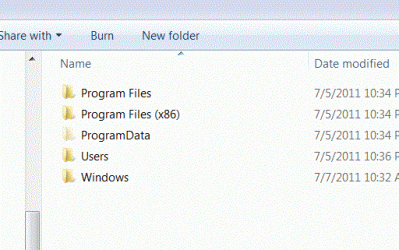
I had to reinstall Windows 7. The reinstall nicely (thank you) copied all my program files, program data, users, and windows data over to a new 'windows.old' folder (see attached) before reinstalling windows 7. I have now re-set up XP mode with Outlook Express and would like to recover my prior-to-reinstall Outlook Express email, addressbook, and settings.

I should just be able to just copy over the old Outlook Express store under the old windows, shouldn''t I? Or do I need to use import? Anyway, I cannot find the old windows 7 Outlook Express store.

Instructions on how to recover my Outlook Express files from my old Wnidows 7 (XP mode) store would be greatly appreciated.
 

Attachments
  • Capture.GIF
    Capture.GIF
    39.9 KB · Views: 0
Last edited:

My Computer My Computer

At a glance

Windows 7 Ultimate x64
Computer Manufacturer/Model Number
Dell XPS1645
OS
Windows 7 Ultimate x64
bump

Can anyone please just tell me where the OE store for settings, mail, etc is in Windows 7 XP Mode?
 

My Computer My Computer

At a glance

Windows 7 Ultimate x64
Computer Manufacturer/Model Number
Dell XPS1645
OS
Windows 7 Ultimate x64
Having similar problems with new Win 7 computer. Also have OE files saved. Also looking at Win XP mode to resolve. I only have a copy of the hard drive from old computer, but from memory, the files you want can be found at:
documents/user/program files/outlook express/.
This should open to the address(.wab files) and the inbox/sent/ etc(.dbx files) Where you can save as wherever you need. Hope this works for you. These files may be hidden so you may have to change the status to see them
Bill
 

My Computer My Computer

At a glance

Windows 7 Pro, 64 bit
OS
Windows 7 Pro, 64 bit
the files you want can be found at:
documents/user/program files/outlook express/.

Yes, that is where the Outlook Express store is under Windows XP.

But I am still looking for the Outlook Express store under Windows 7 XP Mode.

I hope if you have the time you carefully explore where your OE mail/settings go once you copy it over from XP to Windows 7 XP Mode Outlook Express. Many thanks in advance.
 

My Computer My Computer

At a glance

Windows 7 Ultimate x64
Computer Manufacturer/Model Number
Dell XPS1645
OS
Windows 7 Ultimate x64
Pauls, my technician was able to export the OE files to my Win Live Mail. They showed up in the storage folders in WLM in same format I was keeping them in when I had XP. My technician has virtual image of my XP hard drive in his shop. I was surprised that WLM accepted the OE files as is, but it did. Technician says WLM will accept imported files from most any email application. WLM just won't let you load OE software to routinely use them. I am able to open the imported OE files in WLM with no trouble at all.
Because of the foregoing, I decided to forego the XP mode exercise. Hope this helps you.
Bill
 

My Computer My Computer

At a glance

Windows 7 Pro, 64 bit
OS
Windows 7 Pro, 64 bit
Back
Top