Solved Screen saver - sleep question

kr2

New member
Member
Local time
8:33 PM
Messages
71
Location
United Kingdom
Hi,

Recently re-installed Windows 7.

Logged in as Administrator.

Despite setting sleep to 'never' the pc unfurls the sleep screen-saver every minute I don't use the keyboard. Driving me insane, please help.

Follow procedure to cure this in Control Panel - 'Edit Plan Settings' - but to no end, the sequence just goes in a loop, choosing 'never sleep' is simply ignored.

Advice please.

Thank you.
 

My Computer

Computer type
PC/Desktop
Computer Manufacturer/Model Number
dell
OS
Windows 7 & 64 bit, Home Premium, 2.80GHz AMDII
CPU
2.8
Antivirus
Avast
Browser
chrome
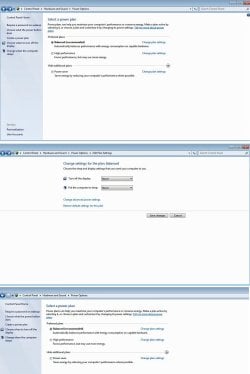
This is the loop - I choose 'never' in the drop-down options then click 'save'. The page then reverts back without any other OK or save option, so I suspect the change isn't being saved at all. I close the page, 60 seconds later I get the sleep / screen-saver :(
 

Attachments

  • sleep4.jpg
    sleep4.jpg
    704.1 KB · Views: 2
Last edited:

My Computer

Computer type
PC/Desktop
Computer Manufacturer/Model Number
dell
OS
Windows 7 & 64 bit, Home Premium, 2.80GHz AMDII
CPU
2.8
Antivirus
Avast
Browser
chrome
Are you trying to keep the screensaver from coming on or the computer from going to sleep? Those are entirely different settings. The screensaver settings aren't under the computer power options. If you are wanting to change how long it takes for the screensaver to come on right click on your background, select personalize, and then hit the screensaver icon in the lower right hand corner. That takes you to the screensaver settings including the screensaver timeout.

If you are trying to do something else, please explain.
 

My Computers

System One System Two

Are you trying to keep the screensaver from coming on or the computer from going to sleep? Those are entirely different settings. The screensaver settings aren't under the computer power options. If you are wanting to change how long it takes for the screensaver to come on right click on your background, select personalize, and then hit the screensaver icon in the lower right hand corner. That takes you to the screensaver settings including the screensaver timeout.

If you are trying to do something else, please explain.

Yes, sorry, sorted.

Turned off the screen-saver option & that stopped it blanketing the screen every couple of minutes.

Thanks ;)
 

My Computer

Computer type
PC/Desktop
Computer Manufacturer/Model Number
dell
OS
Windows 7 & 64 bit, Home Premium, 2.80GHz AMDII
CPU
2.8
Antivirus
Avast
Browser
chrome
What do you mean by blanketing? You know that if you never run your screensaver and don't have the monitor turn off then you risk getting stuck pixels?
 

My Computers

System One System Two

Well, I sometimes use the pc for rendering videos. In the past, the screen-saver interrupted the program - or seemed to - so I don't use it now. When not using the monitor for a while I simply switch it off.
 

My Computer

Computer type
PC/Desktop
Computer Manufacturer/Model Number
dell
OS
Windows 7 & 64 bit, Home Premium, 2.80GHz AMDII
CPU
2.8
Antivirus
Avast
Browser
chrome
Back
Top