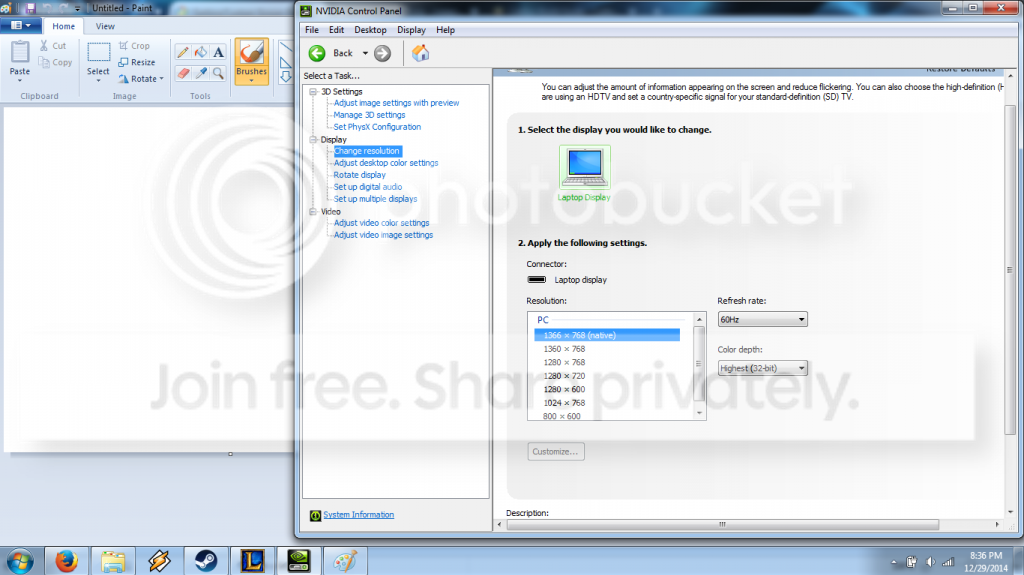
I've been using my TV to play games on my desktop over HDMI for years, and I've always had a screen resolution that fit the TV display perfectly (1768x992). Recently, I purchased a new laptop for myself and have started using it more to game on, and I've been trying to hook it up to my TV over HDMI, and try as I might, I can't get that display resolution to show up. After doing some more digging, I tried to set a custom resolution in the NVIDIA Control Panel, and had no luck there because it appeared that the NVIDIA card I had in the laptop wasn't actually the one controlling the display, so the "Customize..." button under the display settings was greyed out. So I went another route and tried to set a custom resolution via the Intel Graphics Adapter, and I was able to create a profile for it, but the resolution would never change (The screen would go black and then it would still be set to whatever resolution I previously had). My last attempt at this was downloading a 3rd-party tool called Custom Resolution Utility (Shows up in Explorer as CRU.exe) and tried manually setting it there. I don't know if it was just from me not knowing how to specifically use the utility, or if it was just not working, but I never got it working with that either (Would go to a black screen and stay on the same resolution).
All I'm looking for is a way to create that 1768x992 resolution, and if possible, add it to the Screen Resolution chart in Control Panel to make it a bit easier to set. I've never had to get a driver for the TV monitor before, but I suppose while I am waiting for a reply I could try looking for one online (Though, it being a Panasonic, I am not sure what my chances or my luck of finding one would be).
PC Specs:
Alienware m14x - R4
1366x768 Display Res (Laptop Screen)
Intel HD Graphics Adapter 4600
NVIDIA GTX 750M
Windows 7 Pro x64
(Shouldn't need any more specs than that for this issue...)
All I'm looking for is a way to create that 1768x992 resolution, and if possible, add it to the Screen Resolution chart in Control Panel to make it a bit easier to set. I've never had to get a driver for the TV monitor before, but I suppose while I am waiting for a reply I could try looking for one online (Though, it being a Panasonic, I am not sure what my chances or my luck of finding one would be).
PC Specs:
Alienware m14x - R4
1366x768 Display Res (Laptop Screen)
Intel HD Graphics Adapter 4600
NVIDIA GTX 750M
Windows 7 Pro x64
(Shouldn't need any more specs than that for this issue...)
My Computer
- Computer type
- PC/Desktop
- Computer Manufacturer/Model Number
- QuentinX5 - Custom Build
- OS
- Windows 7 Professional x64
- CPU
- Intel i7 4771 @ 3.6 GHz
- Motherboard
- ASUS ROG Maximus IV
- Memory
- 8 GB DDR3-1333
- Graphics Card(s)
- NVIDIA GeForce GTX 750Ti
- Monitor(s) Displays
- Samsung 23" & Acer 19" Widescreen Displays
- Hard Drives
- OCZ Technology Vertex4 256 GB SSD
Western Digital Blue 1 TB HD
- Cooling
- Stock fan/chassis fan cooling
- Keyboard
- Logitech G510s Gaming Keyboard
- Mouse
- Logitech M510
- Internet Speed
- Comcast ISP
- Antivirus
- Kaspersky Internet Security
- Browser
- Mozilla/Chrome