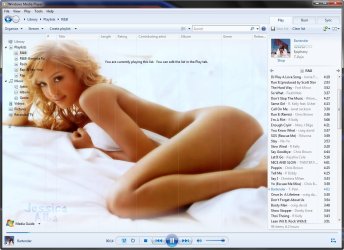
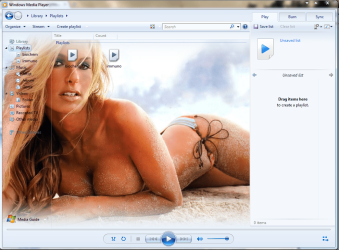
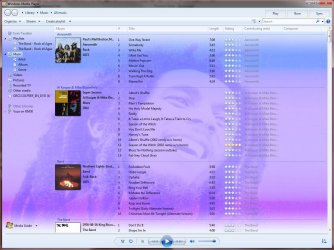
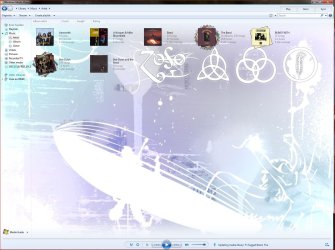
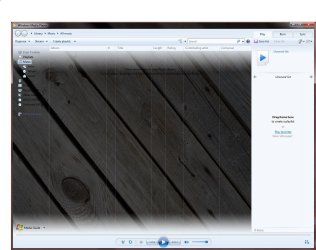
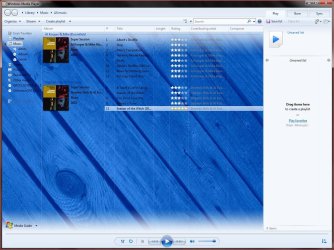
I have changed the background to wmp using the program - restorator 2007 - Restorator 2007 Resource Editor - Restorator - Bome Software
1. open wmploc.dll with resorator 2007
2. open resource tree - go down to folder 257 and open - now you will see about 30 files down called library_BACKGROUND_1-7.PNG. My default was LIBRARY_BACKGROUND7.PNG - please open your wmp and make sure it looks the same as the one open in restorator or you will have to do the registry hack found here - http://www.sevenforums.com/tutorials/11087-windows-media-player-changing-background-image.html
3. Right click on this file and assign a pic to it - the default size is 800 x 600 - make sure you use a bitmap. png will not work, a jpeg might, didn't try.
4. save your wmploc.dll in the system32 folder - remembering to take-ownership and keep a copy of original by renaming it to wmploc.old.
5. open wmp and see results
I only did this one file, you can probably change a whole lot more to make it even more symmetrical.
VOILA!! - you are in like Flynn or Flint - whoever you like better - lol personally I'll stick with James Coburn
ANOTHER NOTE - I did this on a 7260 build system 32 pc
there are two places the wmploc.dll - they are system32 folder and also found one in C:\Windows\winsxs\ - but this one could not be saved at all. don't know what effect that will have after i reboot. To be determined.
1. open wmploc.dll with resorator 2007
2. open resource tree - go down to folder 257 and open - now you will see about 30 files down called library_BACKGROUND_1-7.PNG. My default was LIBRARY_BACKGROUND7.PNG - please open your wmp and make sure it looks the same as the one open in restorator or you will have to do the registry hack found here - http://www.sevenforums.com/tutorials/11087-windows-media-player-changing-background-image.html
3. Right click on this file and assign a pic to it - the default size is 800 x 600 - make sure you use a bitmap. png will not work, a jpeg might, didn't try.
4. save your wmploc.dll in the system32 folder - remembering to take-ownership and keep a copy of original by renaming it to wmploc.old.
5. open wmp and see results
I only did this one file, you can probably change a whole lot more to make it even more symmetrical.
VOILA!! - you are in like Flynn or Flint - whoever you like better - lol personally I'll stick with James Coburn
ANOTHER NOTE - I did this on a 7260 build system 32 pc
there are two places the wmploc.dll - they are system32 folder and also found one in C:\Windows\winsxs\ - but this one could not be saved at all. don't know what effect that will have after i reboot. To be determined.
Attachments
My Computer
- Computer Manufacturer/Model Number
- dell optiplex - 2003
- OS
- windows7 7600 x86
- CPU
- itel pentium 4
- Memory
- 3.00 GB
- Graphics Card(s)
- diamond radion x1050
- Sound Card
- SoundMax
- Monitor(s) Displays
- dell 2408wfp dell e172fp
- Screen Resolution
- 1920 x 1200 1280 x 1024
- Hard Drives
- 2 - 80 GB internals WD
1 - 01 TB ext
2 - 750 GB ext
1- 500 GB ext
all running on system no problems
- Keyboard
- old logitech cordless
- Mouse
- logitech wireless
- Internet Speed
- 16 / 4
- Other Info
- networked into my sbs2003 server running sp1 still
it's a wonder I could even get windows 7 to connect to it