Hi, and thanks for your time.

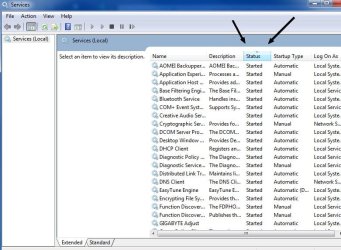
Well, I tried a similar approach before. I turned on the computer and as soon as the Desktop appeared I clicked on the Services shortcut (it was pinned in the start menu). As soon as it opened, I sorted out the services by status and took a snapshot. Then I invoked the thrashing, waited for it to complete and then refreshed the Services window and took a snapshot again. Upon comparing the two images, everything remained the same.
Then, I rebooted again and I started activating service by service to see which one will invoke the thrashing. I found several of them, for instance:
Microsoft .NET Framework (all instances thereof)
PnP-X IP Bus Enumerator
Remote Procedure Call (RPC) (all instances thereof)
Smart Card
Tablet PC Input Service
Volume Shadow Copy
There were a couple more but I forgot (I did this over the weekend, trying to isolate the potential cause).
But all these are already set to Manual and therefore their initial status is Stopped. Their status does not change even after the thrashing completes, they still remain stopped. I too was thinking that there must be some sort of service causing the issue, but am at a loss.
Plus, while the thrashing lasts, the Services window also freezes so trying to refresh it does not work, I can't see in real time if a service has started and stopped.