Suddenly my D: drive is missing !!!

Suranjit

New member
Guyz,

I am in big trouble. I used my computer this morning and everything was fine but now suddenly I don't see my D: drive and all of my files are gone. I tried to access some shortcuts of D: drive by it's not working !!!!

I have all my necessary files on that drive. I am really worried. I did a system restore but yet no sign of my D: drive !!!!

Please help me out here.

Thanks,
Suranjit
 

My Computer

Computer Manufacturer/Model Number
HP
OS
Windows 7 64 bit
CPU
Inter Core 2 Duo T6600
Memory
4GB DDR3
Graphics Card(s)
ATI Radeon
Sound Card
Altec Lansing
Your system specs aren't complete. Since you are having trouble with your D: drive, we need to know whether you have multiple drives or a single drive with multiple partitions. Give as much information as you can about your system. Include the model# & manufacturer of the drive(s), if you can.

James
 

My Computer

OS
Win7U 64 RTM
CPU
Q9550
Motherboard
GA-EP45-UD3R
Memory
8GB Gskill
Graphics Card(s)
ASUS|EAH4850/HTDI/1GD3/A
Sound Card
xfi Plat
Monitor(s) Displays
Dell 2405fpw
Screen Resolution
1920x1200
Hard Drives
Seagate & WD sata Drives
PSU
Antec
Case
Antec
Keyboard
MS Natural Ergonomic 4000
Mouse
Logitech MX610 USB Cordless
do you have third party disk management software installed?
 

My Computer

Computer Manufacturer/Model Number
Acer Desktop
OS
Windows 7 Ultimate X64
CPU
AMD Athlon II X2 215 dual core processor
Motherboard
WMCP78M
Memory
4gb
Graphics Card(s)
nVidia
Sound Card
nVidia
Monitor(s) Displays
1
Screen Resolution
1680x1050 - pixels
Hard Drives
1TB
PSU
Cant be bothered looking behind machine, maybe later.
Case
Black steel thing
Cooling
A fan!!!!!!!!!!!!!?
Keyboard
A good one, wish buttons were bigger for my paws,
Mouse
A good one
Internet Speed
20mb
Other Info
Not a bad machine.

also have a Zoostorm Desktop pc, jsut a machine for testing stuff on before i throw it on to this one.
can you, From disk management, right click the D:\ drive, select properties, select the security tab and verify the security permissions are set to allow for all users groups.
 

My Computer

Computer Manufacturer/Model Number
Acer Desktop
OS
Windows 7 Ultimate X64
CPU
AMD Athlon II X2 215 dual core processor
Motherboard
WMCP78M
Memory
4gb
Graphics Card(s)
nVidia
Sound Card
nVidia
Monitor(s) Displays
1
Screen Resolution
1680x1050 - pixels
Hard Drives
1TB
PSU
Cant be bothered looking behind machine, maybe later.
Case
Black steel thing
Cooling
A fan!!!!!!!!!!!!!?
Keyboard
A good one, wish buttons were bigger for my paws,
Mouse
A good one
Internet Speed
20mb
Other Info
Not a bad machine.

also have a Zoostorm Desktop pc, jsut a machine for testing stuff on before i throw it on to this one.
... also have a look at what Device Manager reports about your disks
.. and see if there is anything relevant in the Event Log
 

My Computer

Computer type
PC/Desktop
Computer Manufacturer/Model Number
Scan 3XS P55 liteDAW
OS
Windows Home Premium (64)
CPU
Intel Core i7 860
Motherboard
Gigabyte GA-P55A-UD4
Memory
8GB (4x2GB) Corsair TwinX XMS3
Graphics Card(s)
1GB Gainward 9500 GT
Sound Card
M-Audio Delta 66
Monitor(s) Displays
Acer v223wBBd
Screen Resolution
1680 x 1050
Hard Drives
1 x 500 GB WD Barracuda (OS+Docs)
2 x 1TB Samsung Spinpoint F3 (Data)
PSU
Enermax EMD625AWT II - 625W Enermax Modu82+ II
Case
Fractal Design Define R2 Black
Cooling
Prolima Megahalems Super 6 Heatpipe Tower Cooler
Keyboard
Microsoft Digital Media Pro
Mouse
Belkin Optical Ergo
Internet Speed
8 Mbps nominal (14.9 achieved !)
Other Info
Digital Audio Workstation
It's a HP Pavilion dv6-1358ca Entertainment Notebook PC. . .

Intel Core 2 Duo T6600 @2.20GHz
Windows 7 Home Premium 64 bit
4GB DDR3 RAM
500GB HDD with 7200 RPM
IEEE 802.11 b/g/n etc.

I had 5 partitions in my HDD. I have "Partition Wizard Home Edition v5.0" installed in my laptop and used this to create 2 partitions.

Disk Management Information:
there is no drive D: which I had just few hours ago but now it shows "free space". another drive is also missing... and the "free space" shows the total free space for those mission 2 drives !!!

Any idea how can I recover my drives?

Thanks a lot guyz.
 

My Computer

Computer Manufacturer/Model Number
HP
OS
Windows 7 64 bit
CPU
Inter Core 2 Duo T6600
Memory
4GB DDR3
Graphics Card(s)
ATI Radeon
Sound Card
Altec Lansing
It's a HP Pavilion dv6-1358ca Entertainment Notebook PC. . .

Intel Core 2 Duo T6600 @2.20GHz
Windows 7 Home Premium 64 bit
4GB DDR3 RAM
500GB HDD with 7200 RPM
IEEE 802.11 b/g/n etc.

I had 5 partitions in my HDD. I have "Partition Wizard Home Edition v5.0" installed in my laptop and used this to create 2 partitions.

Disk Management Information:
there is no drive D: which I had just few hours ago but now it shows "free space". another drive is also missing... and the "free space" shows the total free space for those mission 2 drives !!!

Any idea how can I recover my drives?

Thanks a lot guyz.

Not quite clear on whether you had 5 partitions and attempted to make 2 more or whether you deleted any or all of the 5 to make 2 new partitions, but have you tried Partition Wizard's partition recovery utility? Their feature list shows that the home version does have it:

Features Partition Wizard

Here is a guide for recovery:

Partition Recovery by using Partition Wizard to recover lost & deleted partitions for Windows.


When you post back, if you're still having the issue, be as specific as you can about the number of partitions you had before you patitioned the drive and how many after and how many now. Also any info you can provide about what resolutions you've tried, what the results were, any error messages, anything that led to your missing drives and where you are now, including the results of the recovery process. The info you post needs to be as accurate as you can make it, as that is how we are able to give you viable solutions. :geek:

Also, screenshots will be helpful, particularly of the drive/partitions in Disk Management.

http://www.sevenforums.com/tutorials/9733-screenshots-files-upload-post-seven-forums.html

The snipping tool works great for this purpose.

James
 

My Computer

OS
Win7U 64 RTM
CPU
Q9550
Motherboard
GA-EP45-UD3R
Memory
8GB Gskill
Graphics Card(s)
ASUS|EAH4850/HTDI/1GD3/A
Sound Card
xfi Plat
Monitor(s) Displays
Dell 2405fpw
Screen Resolution
1920x1200
Hard Drives
Seagate & WD sata Drives
PSU
Antec
Case
Antec
Keyboard
MS Natural Ergonomic 4000
Mouse
Logitech MX610 USB Cordless
This doesn't sound good, ...but maybe a system restore from the Windows install disk might work???
Its very strange for partitions on drives to go "unused space" on there own, ...Virus/Malware???

I wish the best, Good Luck!
 

My Computer

Computer Manufacturer/Model Number
POS
OS
OS3.5
CPU
celery
Motherboard
Good Question ...Unknown
Memory
memory never forgets
Graphics Card(s)
OB
Sound Card
OB
Monitor(s) Displays
HUGE
Screen Resolution
168000000x105000000
Hard Drives
full
PSU
OEM 65watt
Case
N/A
Cooling
OB
Keyboard
OB
Mouse
mouse
Internet Speed
1 Trillion MBps
Other Info
Still An Awesome Forum!
Since you have Partition Wizard I suggest you check that your MBR has not been scrambled. Happened to me a few times and an easy fix.
 

My Computer

Computer type
PC/Desktop
Computer Manufacturer/Model Number
Custom
OS
7 x64 Ultimate
CPU
AMD Ryzen 5
Motherboard
Gigabyte GA-AB350-Gaming
Memory
16GB DDR4
Graphics Card(s)
Radeon R7 360
Monitor(s) Displays
2 x Dell U2518D
Screen Resolution
2560x1440 2560x1440
Hard Drives
WD 500GB x2
Samsung SSD 128MB (OS)
XPG SX8200 Pro M.2 2280 1TB
PSU
Antec 500
Cooling
Hyper 212 EVO
Keyboard
Logitech cordless K800
Mouse
Logitech M510
Antivirus
Avira
Thanks to all for your valuable suggestions.

I used Partition Wizard recovery option and was able to recover both of my missing partitions.
One interesting fact that I want to share is that one partition (where I have all my important files) was visible right after the recovery. But for the other partition (where I have LINUX installed using VMWare Player) was not visible. When I checked Disk Management, I found that there was no Drive Letter assigned for that partition (but before there was one !!). Then I assigned one and it is now visible !! Don't know why that happened !!!!

Thanks all again.
 

My Computer

Computer Manufacturer/Model Number
HP
OS
Windows 7 64 bit
CPU
Inter Core 2 Duo T6600
Memory
4GB DDR3
Graphics Card(s)
ATI Radeon
Sound Card
Altec Lansing
Thanks to all for your valuable suggestions.

I used Partition Wizard recovery option and was able to recover both of my missing partitions.
One interesting fact that I want to share is that one partition (where I have all my important files) was visible right after the recovery. But for the other partition (where I have LINUX installed using VMWare Player) was not visible. When I checked Disk Management, I found that there was no Drive Letter assigned for that partition (but before there was one !!). Then I assigned one and it is now visible !! Don't know why that happened !!!!

Thanks all again.

Thanks for posting back with your results!

James
 

My Computer

OS
Win7U 64 RTM
CPU
Q9550
Motherboard
GA-EP45-UD3R
Memory
8GB Gskill
Graphics Card(s)
ASUS|EAH4850/HTDI/1GD3/A
Sound Card
xfi Plat
Monitor(s) Displays
Dell 2405fpw
Screen Resolution
1920x1200
Hard Drives
Seagate & WD sata Drives
PSU
Antec
Case
Antec
Keyboard
MS Natural Ergonomic 4000
Mouse
Logitech MX610 USB Cordless
Five partitions? On one drive? Can't think of any reason to do that! Over-partitioning can lead to issues like this. Now that you've gotten your data back, I'd seriously look into creating two at the most. One is for the system volume, and one for data. If you burn your recovery discs, you can do away with the HP recovery partition as well.
 

My Computer

OS
Windows 7 Ultimate x64 SP1
CPU
Intel Core i7-2600
Motherboard
Gigabyte GA-P67A-UD3P-B3
Memory
12 GB Patriot Extreme DDR3-1333
Graphics Card(s)
Nvidia GTX 470
Monitor(s) Displays
Dell UltraSharp 2209WA
Hard Drives
OCZ Agility3 240 GB, WD5001AALS, WD7501AALS
PSU
OCZ ModStream 700W
Case
CoolerMaster HAF 912 Advanced
Cooling
CoolerMaster Hyper 212 Plus
Thanks to all for your valuable suggestions.

I used Partition Wizard recovery option and was able to recover both of my missing partitions.
One interesting fact that I want to share is that one partition (where I have all my important files) was visible right after the recovery. But for the other partition (where I have LINUX installed using VMWare Player) was not visible. When I checked Disk Management, I found that there was no Drive Letter assigned for that partition (but before there was one !!). Then I assigned one and it is now visible !! Don't know why that happened !!!!

Thanks all again.


Very happy to hear it has worked out for you. Was thinking about drive letter assignments, but when you remarked about DM showing "unused" it wouldn't have helped. It was only till you could see that partition (volume) in DM that you would be able to assign a drive letter.

Great Job! :cool:

...your scenario had me concerned and I wasn't too confident of recovery, Glad I was Wrong! lol

Added:
Hey whata ya know, 400th post. hey now :D

Where do I go to collect my prize?
 

My Computer

Computer Manufacturer/Model Number
POS
OS
OS3.5
CPU
celery
Motherboard
Good Question ...Unknown
Memory
memory never forgets
Graphics Card(s)
OB
Sound Card
OB
Monitor(s) Displays
HUGE
Screen Resolution
168000000x105000000
Hard Drives
full
PSU
OEM 65watt
Case
N/A
Cooling
OB
Keyboard
OB
Mouse
mouse
Internet Speed
1 Trillion MBps
Other Info
Still An Awesome Forum!
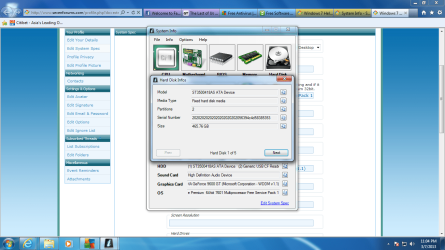
Or its different particions?
 

Attachments

  • harddrive.png
    harddrive.png
    296.4 KB · Views: 9

My Computer

Computer type
PC/Desktop
Computer Manufacturer/Model Number
Custom Build
OS
Microsoft Windows 7 Home Premium 64-bit 7601 Multiprocessor Free Service Pack 1
CPU
Intel(R) Core(TM)2 Duo CPU E8400 @ 3.00GHz
Motherboard
Gigabyte Technology Co., Ltd. EP43-UD3L
Memory
6GB RAM
Graphics Card(s)
NVIDIA GeForce 9600 GT (Microsoft Corporation - WDDM v1.1)
Sound Card
High Definition Audio Device
Back
Top