Avery and Shine
New member
- Local time
- 12:22 PM
- Messages
- 8
Hi All,
Hi Guys,
I've been fighting with this for at least 6 months and have had every different result you can imagine. It all boils down to how it is booting and it is not really causing any issues at the moment (but trust me, it has). The main one being that I'm a perfectionist and end up trying to fix it and then get everything screwed up (thank god for True Image).
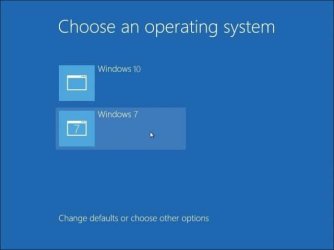
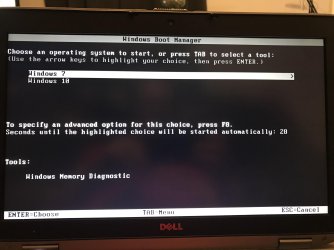
So here's the issue. I have two 500GB hard drives in my laptop. I run Windows 7 on one of them and Windows 10 on the other. Somehow, using some of my disk software, it appears the Windows 7 drive is booting the Windows 10 drive, but the Windows 7 OS boots anyway.
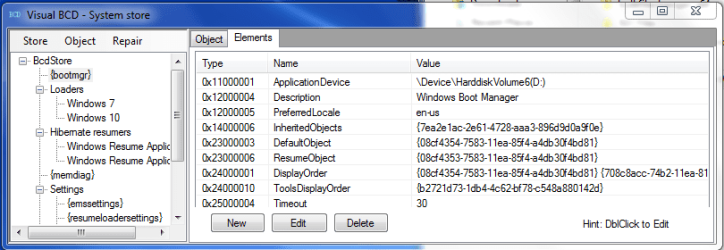
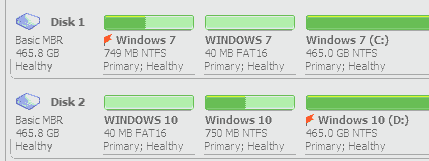
The Visual BCD and pic of what Acronis Disk Director shows is below:
And I have the added advantage of being able to select which OS I want to go to as soon as it boots without any software. So should I just leave this alone or what are the potential disadvantages?
Thanks,
Avery
Hi Guys,
I've been fighting with this for at least 6 months and have had every different result you can imagine. It all boils down to how it is booting and it is not really causing any issues at the moment (but trust me, it has). The main one being that I'm a perfectionist and end up trying to fix it and then get everything screwed up (thank god for True Image).
So here's the issue. I have two 500GB hard drives in my laptop. I run Windows 7 on one of them and Windows 10 on the other. Somehow, using some of my disk software, it appears the Windows 7 drive is booting the Windows 10 drive, but the Windows 7 OS boots anyway.
The Visual BCD and pic of what Acronis Disk Director shows is below:
And I have the added advantage of being able to select which OS I want to go to as soon as it boots without any software. So should I just leave this alone or what are the potential disadvantages?
Thanks,
Avery
My Computer
At a glance
Windows 7 Professional x64Intel Core i5 3230MDDR3 8x2 for 16GB totalNvidia NVS 5200M - 1 GB - GDDR5 - Samsung
- Computer type
- Laptop
- Computer Manufacturer/Model Number
- Dell Latitude E6530
- OS
- Windows 7 Professional x64
- CPU
- Intel Core i5 3230M
- Motherboard
- Dell Inc. Model 058JJW AOO; Chipset - Indel Ivy Bridge
- Memory
- DDR3 8x2 for 16GB total
- Graphics Card(s)
- Nvidia NVS 5200M - 1 GB - GDDR5 - Samsung
- Hard Drives
- Two Crucial CT500MX5 00SSD1 500 GB
- Antivirus
- Avast
- Browser
- Google Chrome