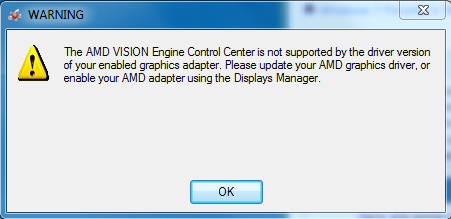
Hey everyone, since I've gotten a new computer it came with the AMD VISIONS Graphics Driver/Control Panel, when I bought the computer I also purchased a PNY Graphics Card with it.
What I'm asking is, whenever I start up the computer I get this warning (it does not cause any bluescreens or real errors, I just want it to stop it from popping up.)
I started getting it after I installed my new graphics card, all I want to know is, what do I need to do to get that message disabled?
First go to Control Panel, and make sure AMD VISIONS has been uninstalled.
Then go to Device Manager, and make sure AMD VISIONS has at least been disabled.
Then type/copy/paste msconfig into Search or Run (Preferred) and check the startup tab for any mention of AMD graphics. If you find any uncheck them, and then restart.
My Computer
At a glance
Originally Win 7 Hm Prem x64 Ver 6.1.7600 Bui...Intel i3 530 2.93GHz, 2933MHz 2 Cores 4 Logic...6GB of 1,333MHz DDR3 SDRAM32MB Intel Graphics Media Accelerator HD IGChip
Computer type
PC/Desktop
Computer Manufacturer/Model Number
Gateway DX4831-01e (Mid-Tower Desktop)
OS
Originally Win 7 Hm Prem x64 Ver 6.1.7600 Build 7601-SP1 | Upgraded to Windows 10 December 14, 2019
Systems 1 and 2: Windows 7 Enterprise x64, Wi...System 1: i7 [email protected], System 2: AMD FX-41...System 1: 8GB System 2: 8GBSystem 1: ATI FirePro V4800 System 2: Radeon ...
Computer Manufacturer/Model Number
Dell and Custom
OS
Systems 1 and 2: Windows 7 Enterprise x64, Win 8 Developer